Enrolment Awards are used to record the outcomes associated with a student’s enrolment.
Awards are typically used to track completions, outcomes, or recognitions associated with an enrolment, such as qualifications, statements of attainment, or other formal results. Recording awards at the enrolment level helps ensure these outcomes are clearly documented and linked to the correct enrolment record.
Enrolments can include a final award as well as additional awards recorded through Other Awards, allowing multiple outcomes to be captured where required.
Access Enrolment Awards
Enrolment Awards are managed within the enrolment record. To view awards for an enrolment,
-
Go to the enrolment details page of your interest.
-
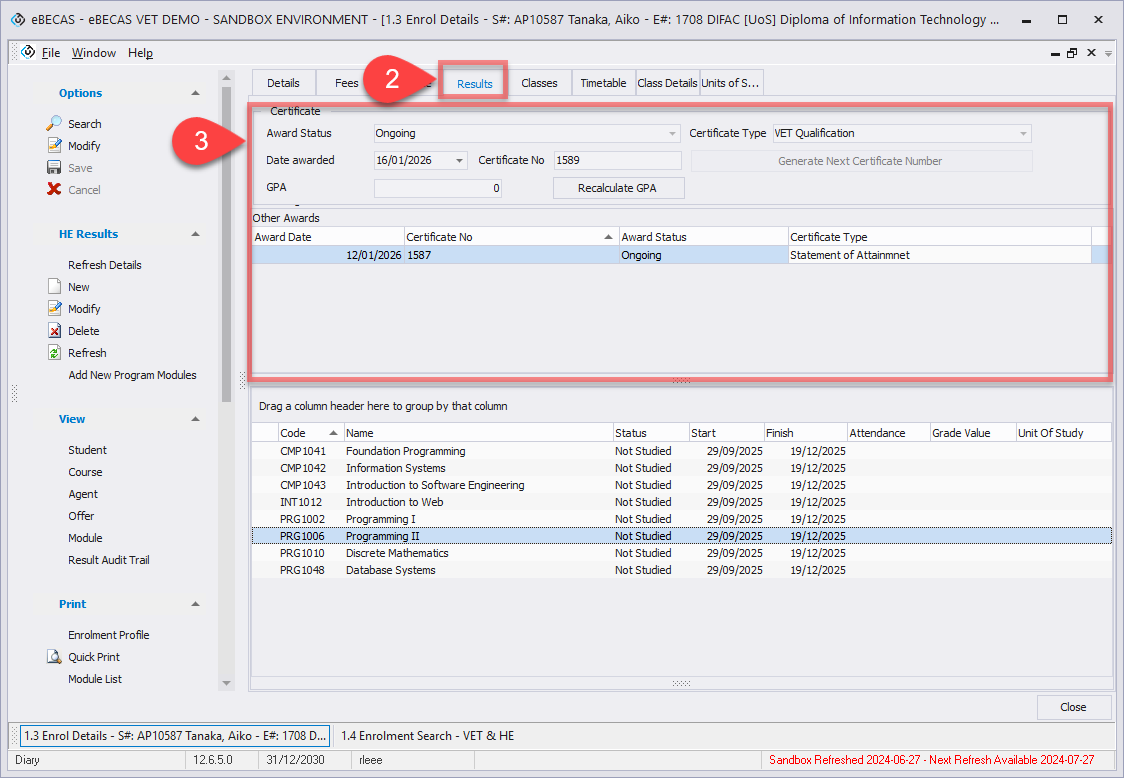
Navigate to Results tab.
-
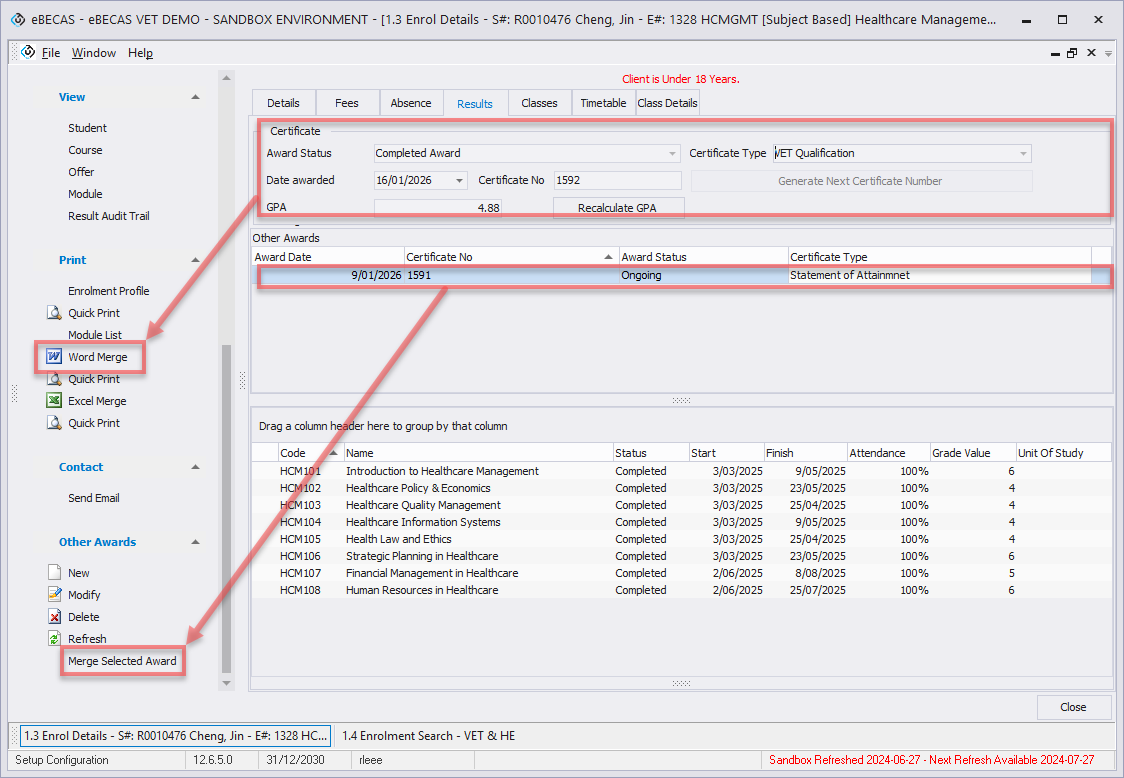
The final award is always displayed in the award form at the top of the page. When multiple awards are recorded using Other Awards, the additional awards are displayed in a grid below the final award.
Create/Modify Enrolment(Final) Award
The enrolment award represents the final award outcome for an enrolment. Each enrolment can have only one enrolment award, which records the main completion or outcome associated with the enrolment.
To create or modify an enrolment award,
-
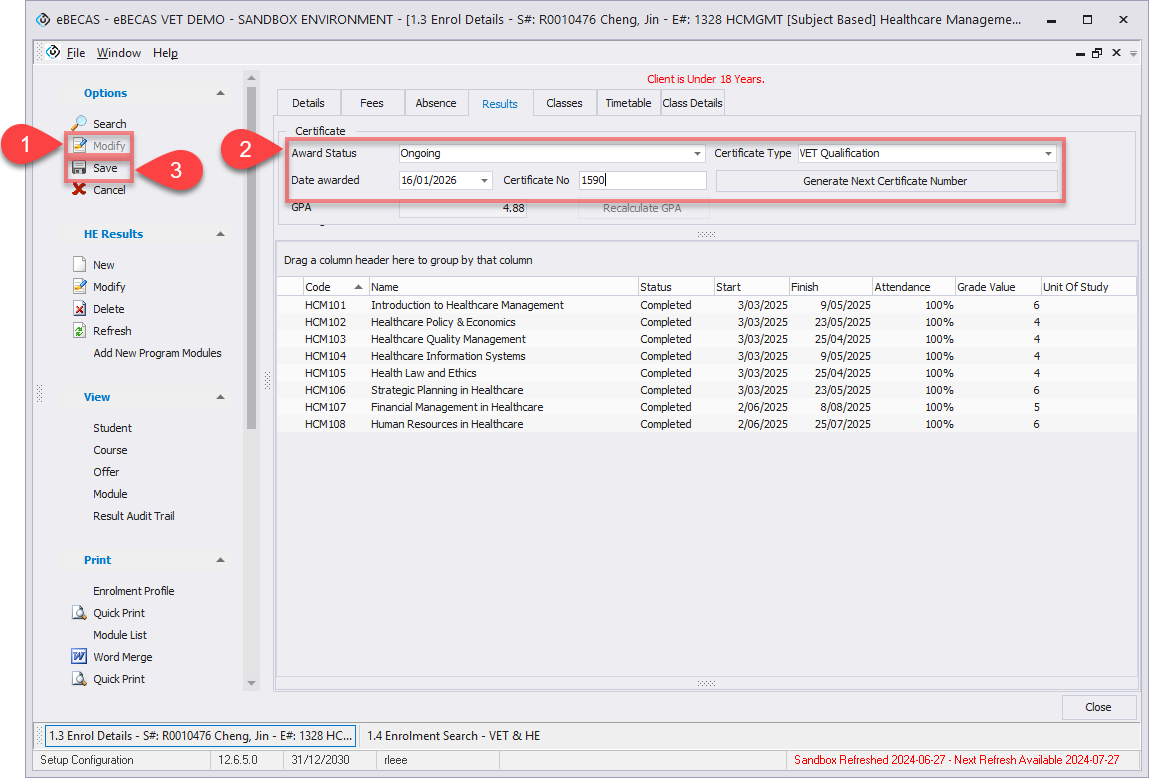
Go to the Results tab of the relevant enrolment and click Modify in the Options section on the left-hand side.
-
In the Certificate section, enter or update the following fields:
-
Award Status: Select the status that reflects the outcome of the enrolment.
-
Certificate Type: Select the type of certificate to be awarded. Certificate types can be configured under Utilities > Setup Configuration > Language, or HE > Certificate Types.
-
Date Awarded: Enter the date the award was granted.
-
Certificate No: Enter the certificate number for the award. You can also use the Generate Next Certificate Number button to automatically generate the next available certificate number, continuing the sequence from previous awards.
-
-
Once all details have been entered, click Save in the Options section to apply the changes.
Create Other Awards
Other Awards are used to record additional award outcomes for the same enrolment, where more than one outcome needs to be captured.
To create an Other Award,
-
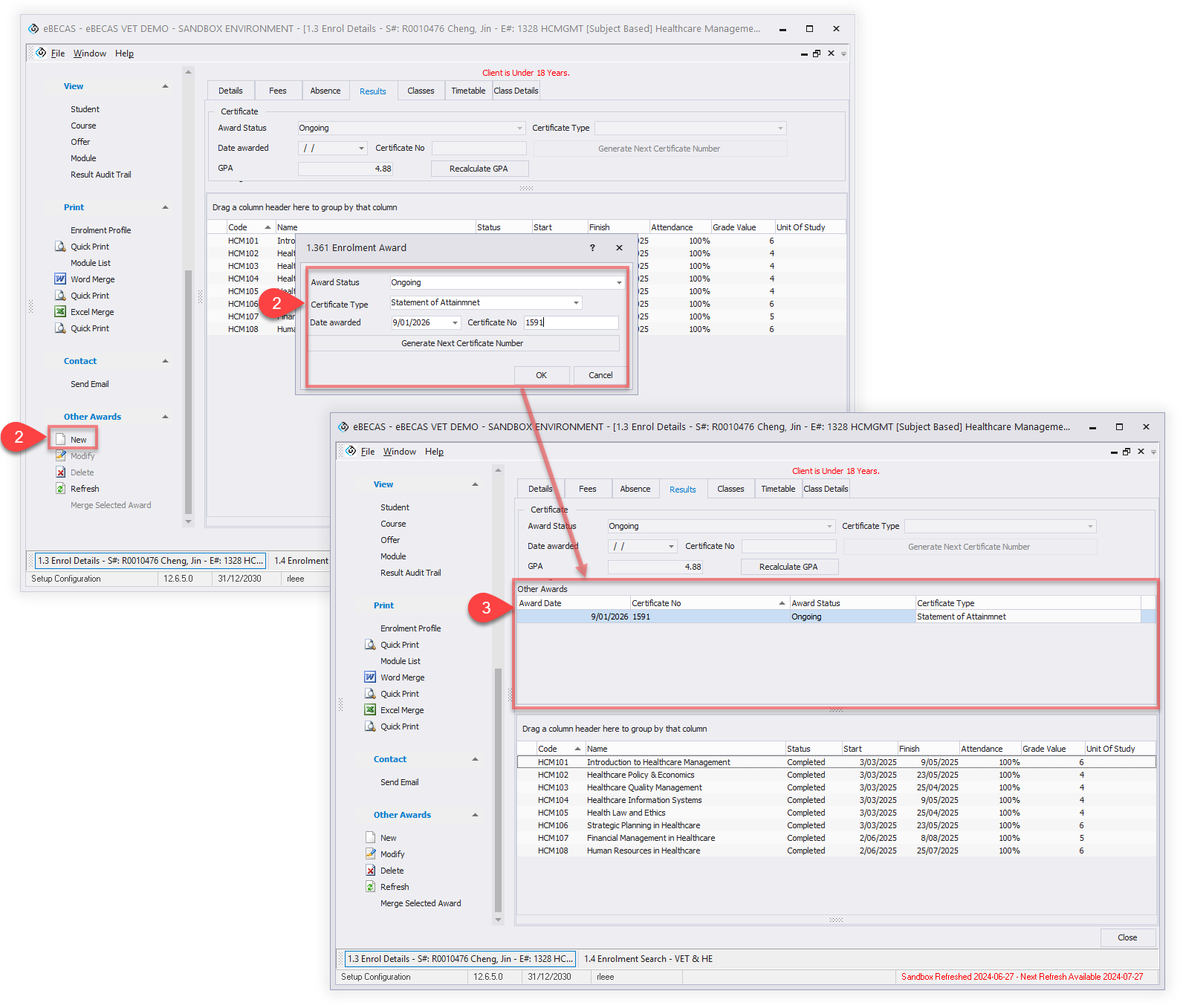
Go to the Results tab of the relevant enrolment. Click New to create a new award entry in the Other Awards section on the left-hand side.
-
Enter the required award details in the grid, including the award status, certificate type, awarded date, and certificate number. Each Other Award is recorded as a separate entry and can have its own set of award details.
-
Once the details are entered, click Ok button to create the award to the enrolment. Multiple Other Awards can be added to the same enrolment as required. They will be displayed in the Other Awards grid.
Modify Other Awards
To modify an Other Award,
-
Select the relevant entry in the grid and click Modify to update the award’s details in the Other Awards section on the left-hand side.
Delete Other Awards
To delete an Other Award,
-
Select the relevant entry in the grid and click Delete in the Other Awards section on the left-hand side.
This action can’t be undone.
Merge Documents with Awards
Enrolment Awards and Other Awards are merged into documents using different merge options.
The enrolment award (final award) can be merged using the standard enrolment object document merge. To do this, open the enrolment record and use the Word Merge option from the side menu. This merge includes the enrolment-level award details.
To merge an Other Award, select the relevant award entry in the Other Awards grid using enrolment award object. From the side menu, use the Merge Selected Award option under the Other Awards section. This allows you to generate a document for the selected award entry only.
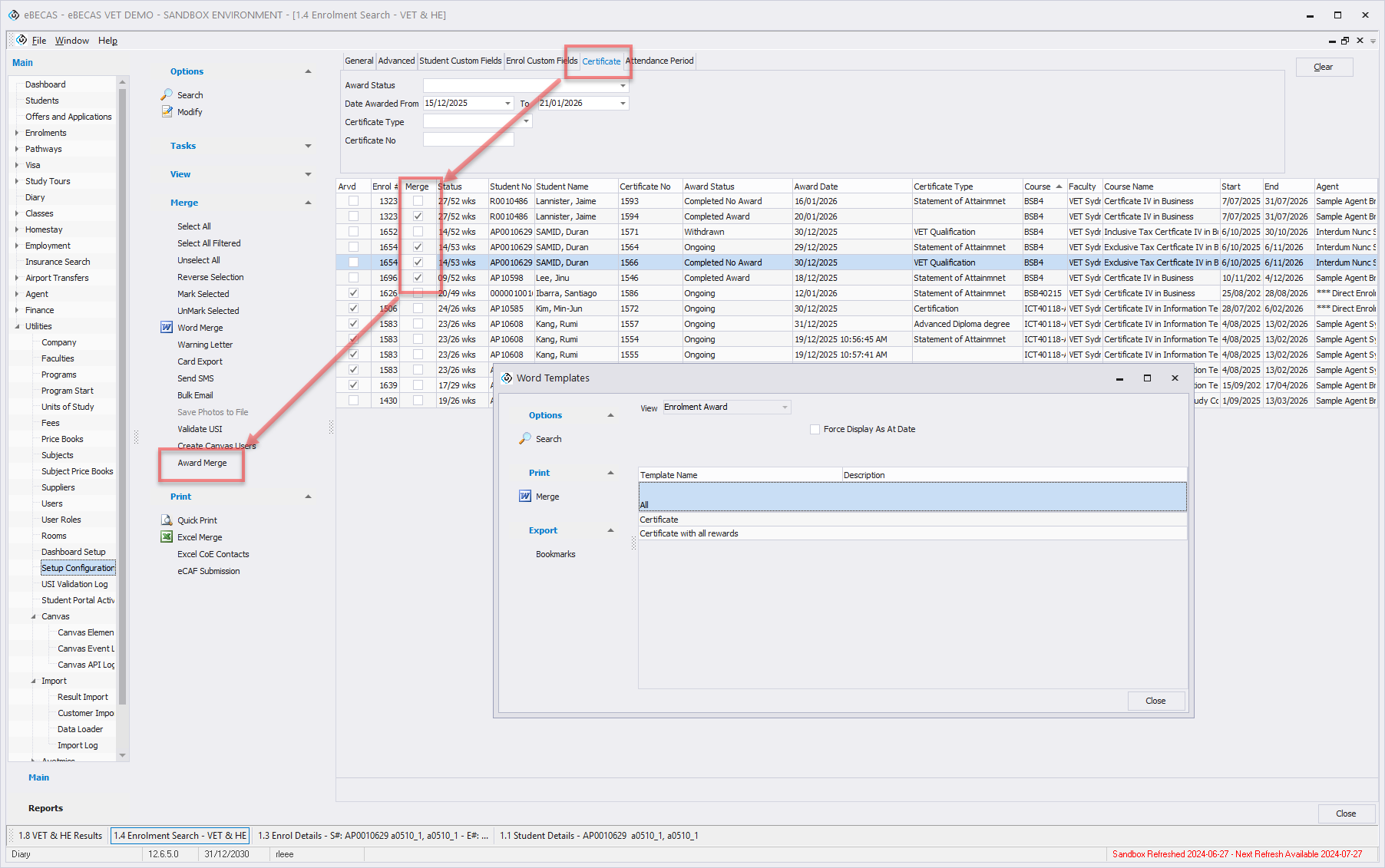
Awards can also be merged in bulk. To do this, go to the Enrolment Search page and switch to the Certificate tab. Search for the required enrolment awards, open the Merge menu from the side menu, select the desired entries, and click on Award Merge to proceed with the merge.