
Create a New Study Tour Group
-
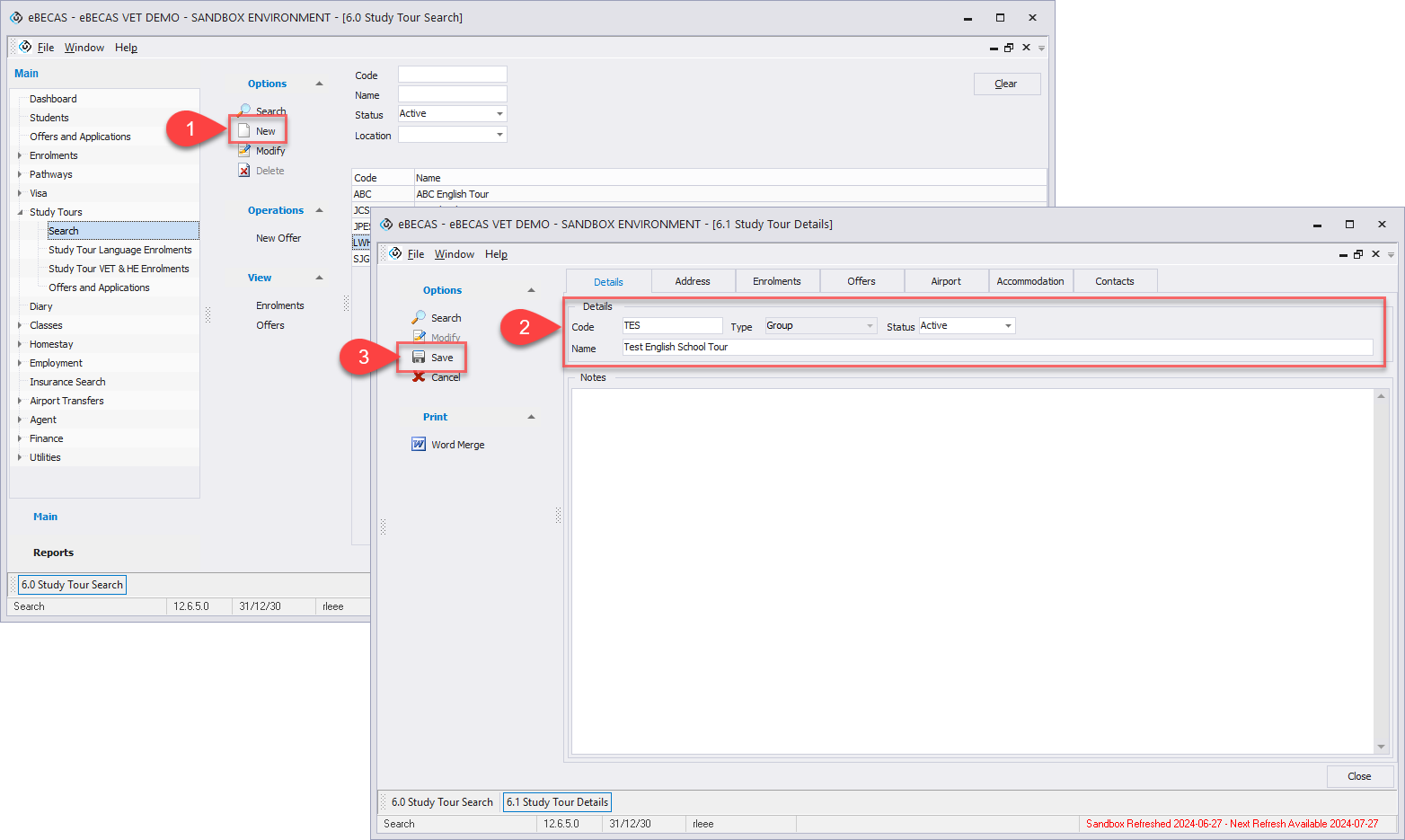
From the Main menu, go to Study Tours > Search, and click on New button in the side menu.
-
Enter New Study Tour Group’s basic details.
optional To add address and contact details, navigate to Address tab, and fill the contact details. -
Click on Save button in the side menu.
Edit Study Tour Group Details
-
Search and access to the study tour group that you’d like to update the details.
-
Click Modify button in the side menu.
-
Update details as you needed.
-
Click Save to save changes.
Delete a Study Tour Group
Deleting Study Tour Groups is not possible.