Manage external payment records efficiently by learning how to create and delete them.
Create External Payments
You can add external payments to eBECAS/EDMISS Next Generation in two ways:
-
Via Flywire integration – receive payment requests and automatically create external payment records. For details, please visit this article: Flywire App, Request Payments Via Flywire
-
By importing external payments – upload payment data from an external source to create multiple records at once. For details, please visit this article: Import External Payments
Delete External Payments
External Payments that are Reconciled status can’t be deleted.
Delete a Single Entry
-
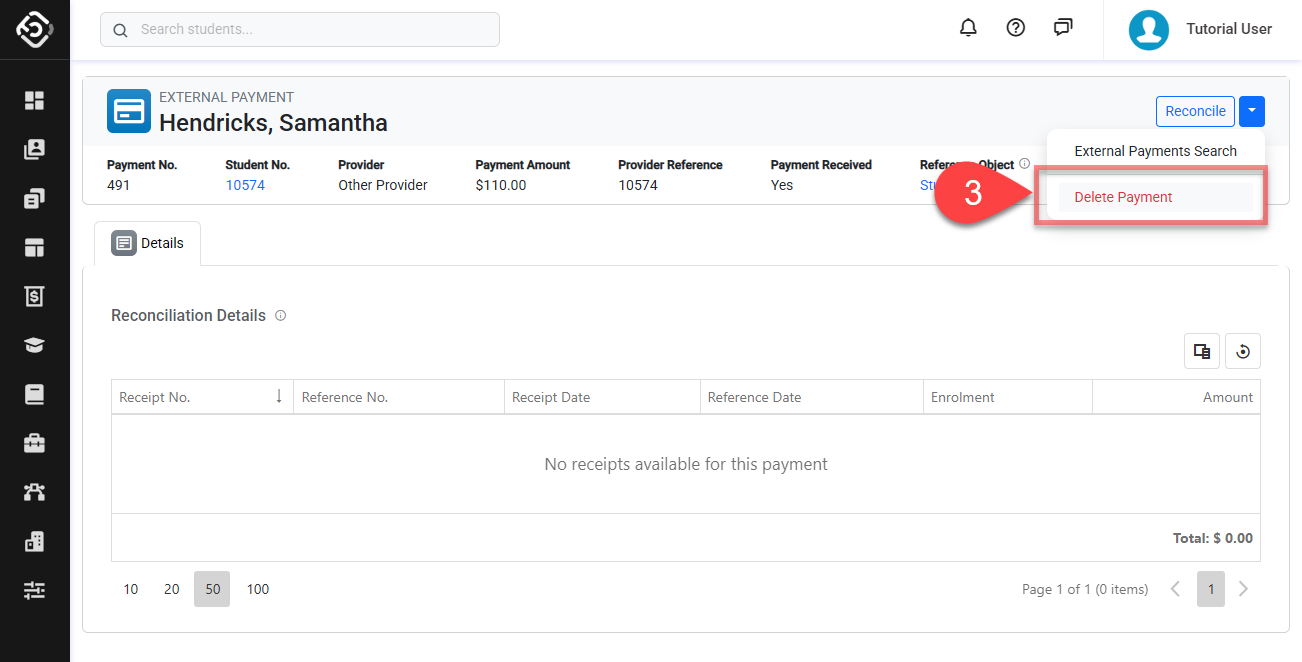
Go to the the details page of the external payment that you intend to delete.
-
Click on Dropdown button located on the top right.
-
Click on Delete and confirm to finish.
Delete Multiple Entries
-
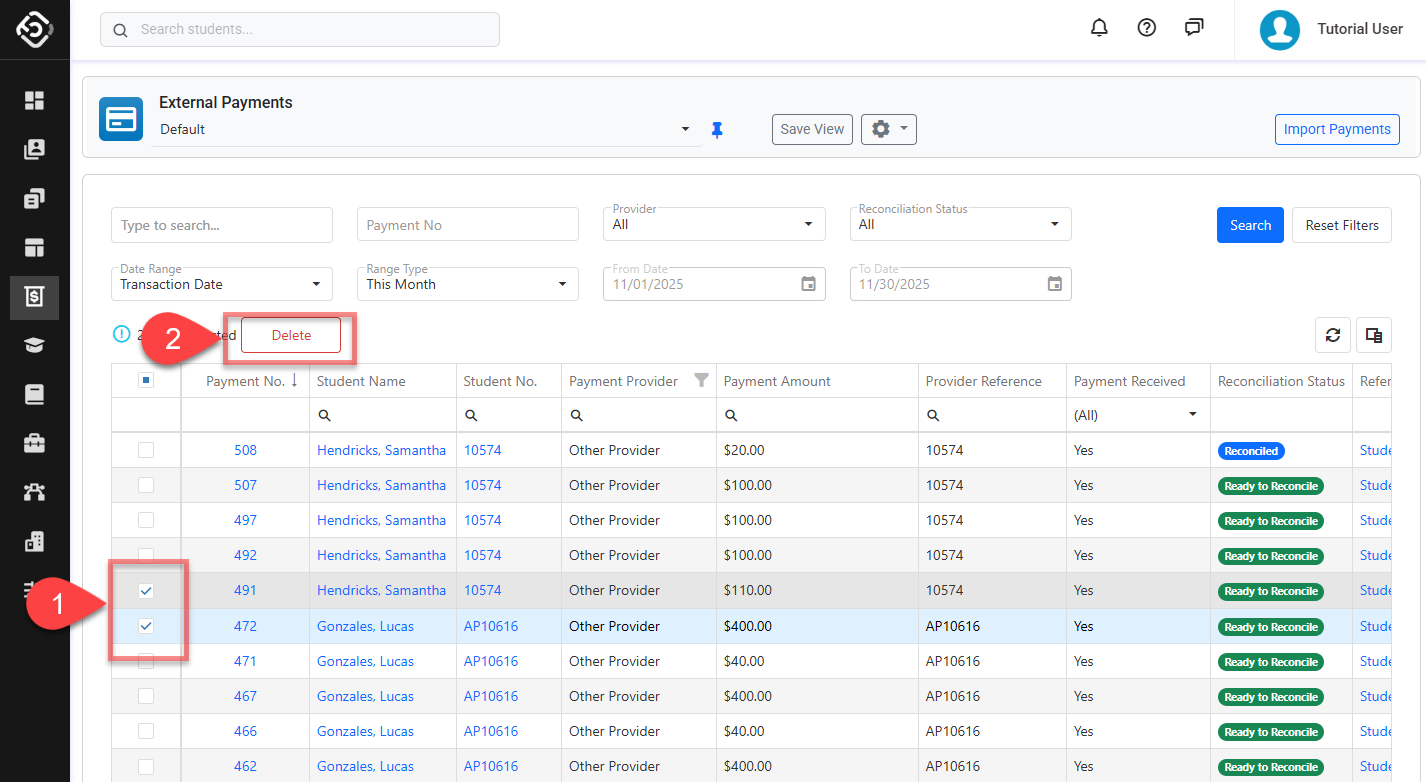
From the External Payment Search, select the entry(s) that you’d like to delete.
-
Click on the Delete button above the data grid and confirm to finish.