Create a User
-
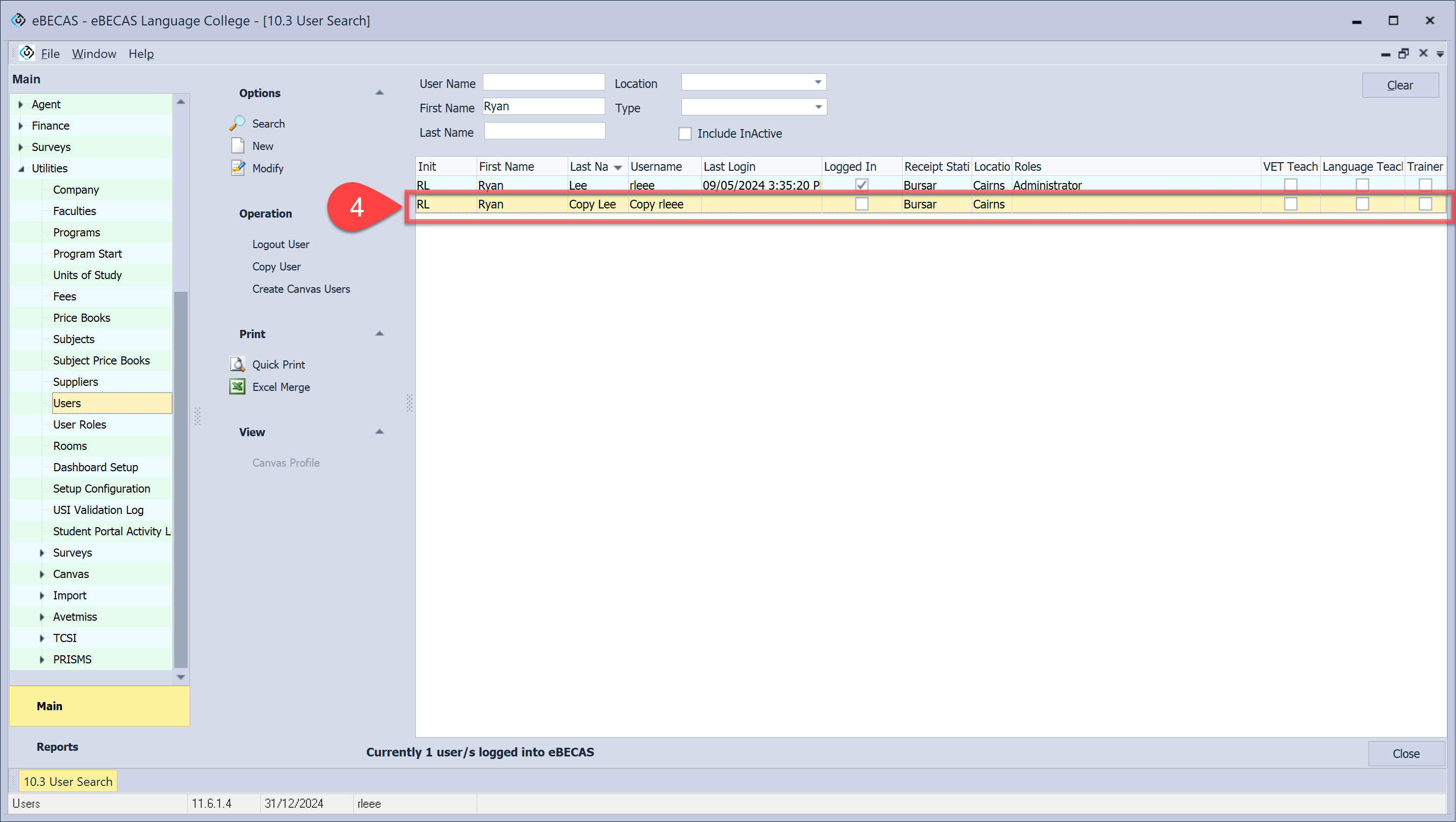
From the User Details window, Click New.
-
Enter the details.
-
Click Save.
Edit a User
-
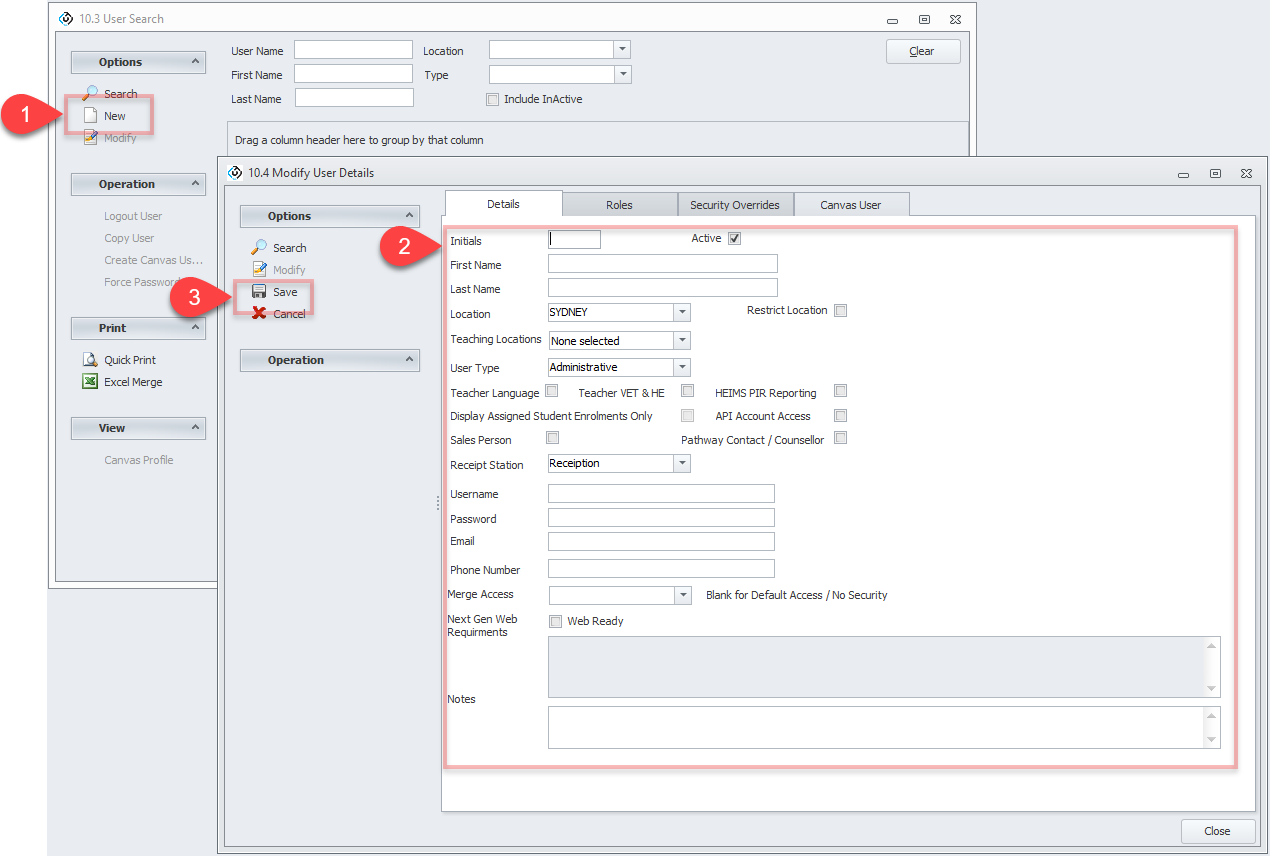
Search the user using the filters available.
-
Click Search.
-
Double click on the user or click Modify on the options panel.
-
Click Modify to edit the user.
-
Update details.
-
Click Save.
Copy a User
-
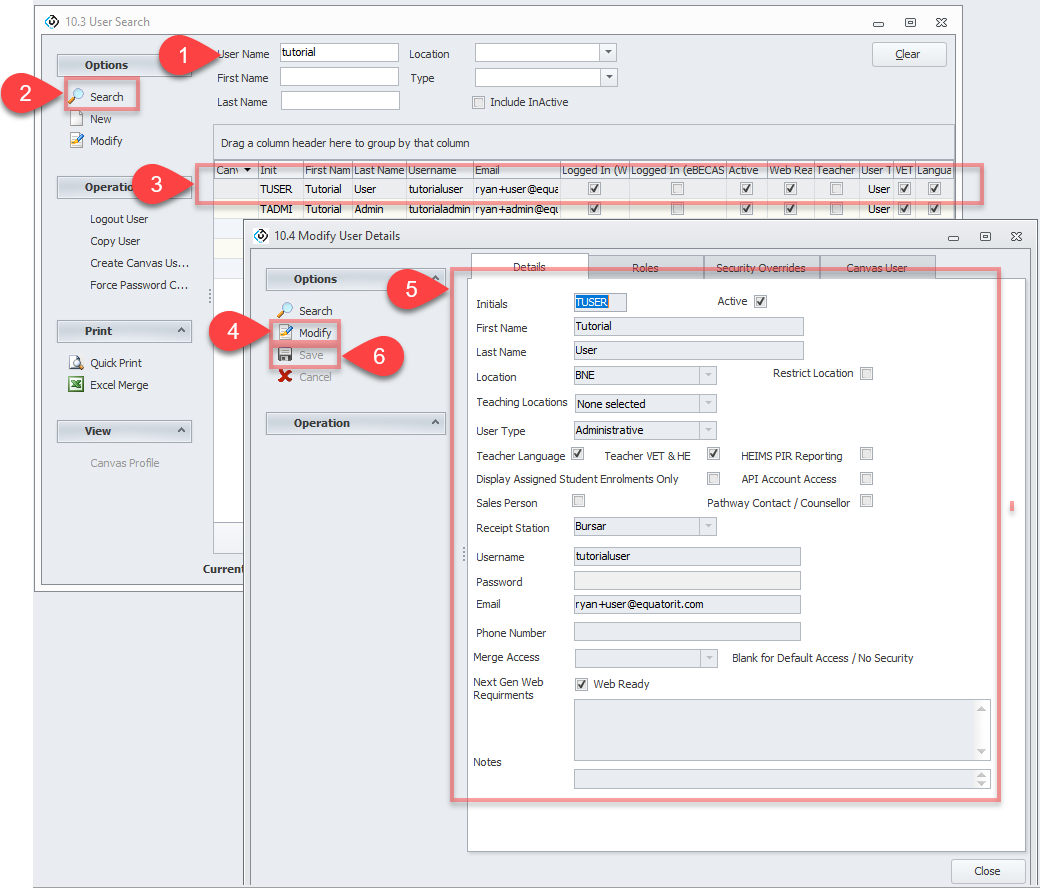
Search the user using the filters available.
-
Click Search.
-
Click on Copy User in the side menu and confirm to copy selected user.
-
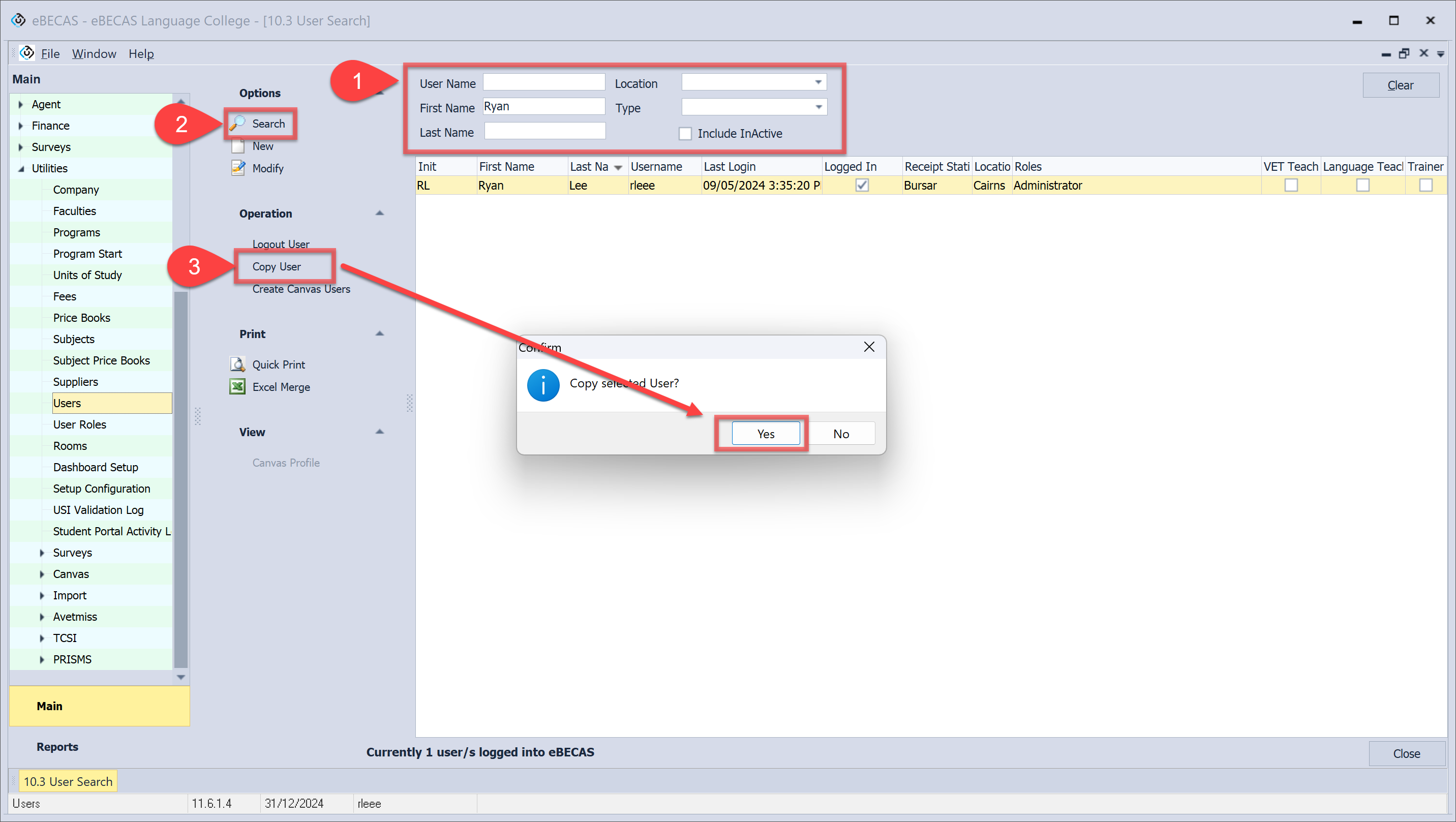
A copied user has been created with 'Copy' prefixed to both the last name and username. Proceed to further task for this user.