If the current limit of concurrent users is reached, no additional users will be able to log in (not even users with high permissions). However, you can set up a user management account that can always log in and log users out if required.
A user management account only has permissions to log in and Log Out Users.
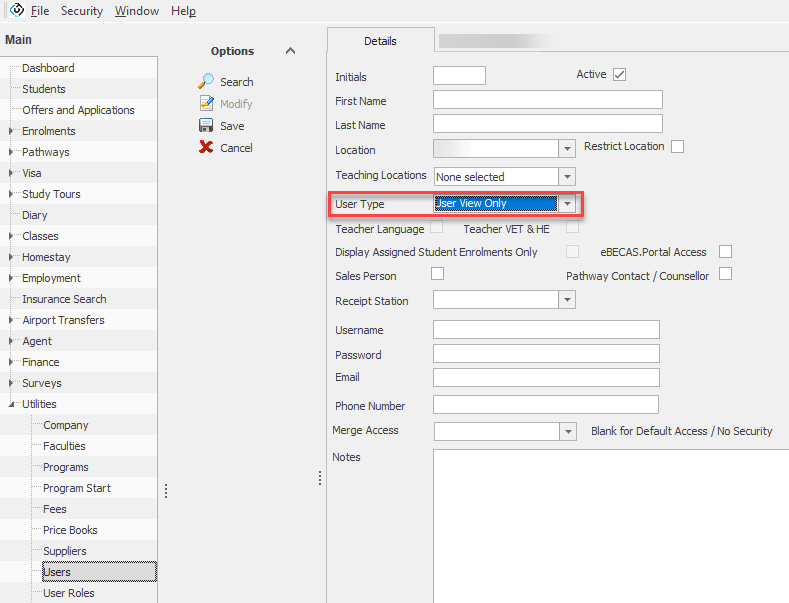
Follow these steps to set up a user management account:
-
Go to Utilities > Users.
-
From the Options side panel, click on New.
-
Enter the details for the user. For the User Type, select 'User View Only'
-
Click on 'Save'.