The company information shows details about the company subscription and some default settings.
View the Company Information
-
From the Utilities Menu , go to Settings > Company Information.
-
You will see the Company Information page.
Download eBECAS/EDMISS Classic(Desktop) App Installer/Updater
If the automatic update for your eBECAS/EDMISS Classic (Desktop) fails, or you need to reinstall it, you can download the App Installer or Updater from the link on the Company Information page.
For detailed instructions on how to install or update the Classic app, refer to the following article: Installing and Updating eBECAS/EDMISS.
-
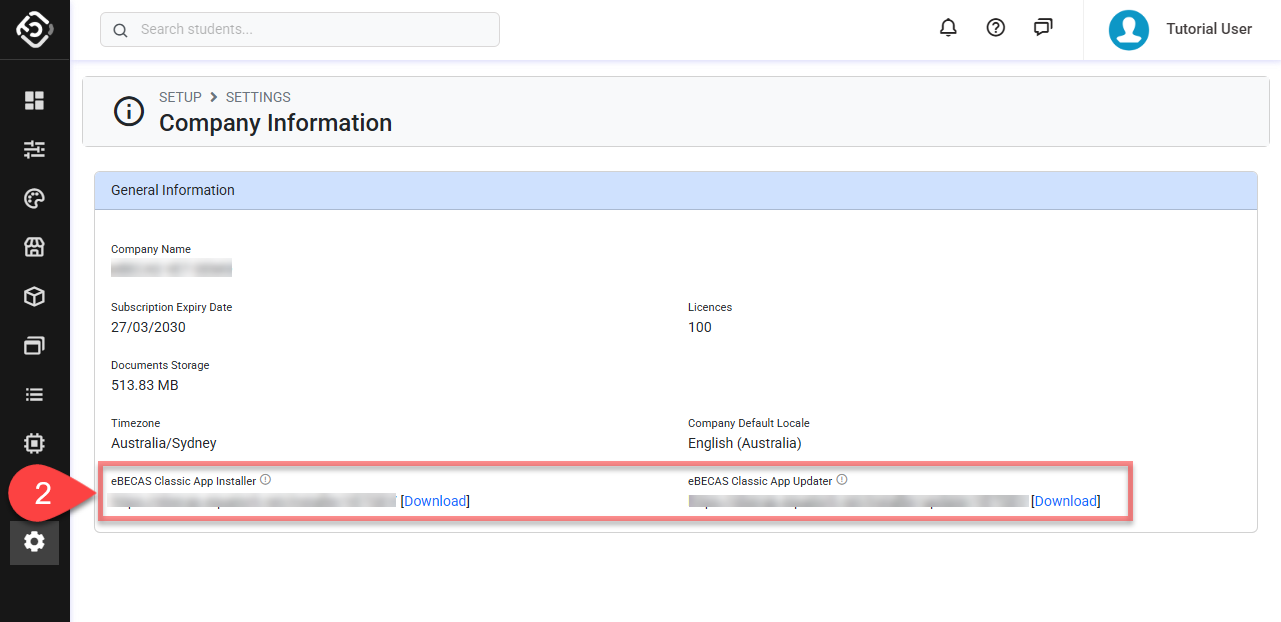
From the Utilities Menu , go to Settings > Company Information, then navigate to the eBECAS/EDMISS Classic App Installer/Updater section.
-
You can download the installer or updater directly to your local computer using the Download button, or share the URL with others if needed.
System Backups Status
eBECAS/EDMISS performs automatic daily system backups to ensure data can be restored to a previous state if required.
For transparency, the status of each backup is available for review.
Backups are retained for a period based on your subscription plan. For more details, see System Reliability.
Follow these steps to see the status of each backup:
-
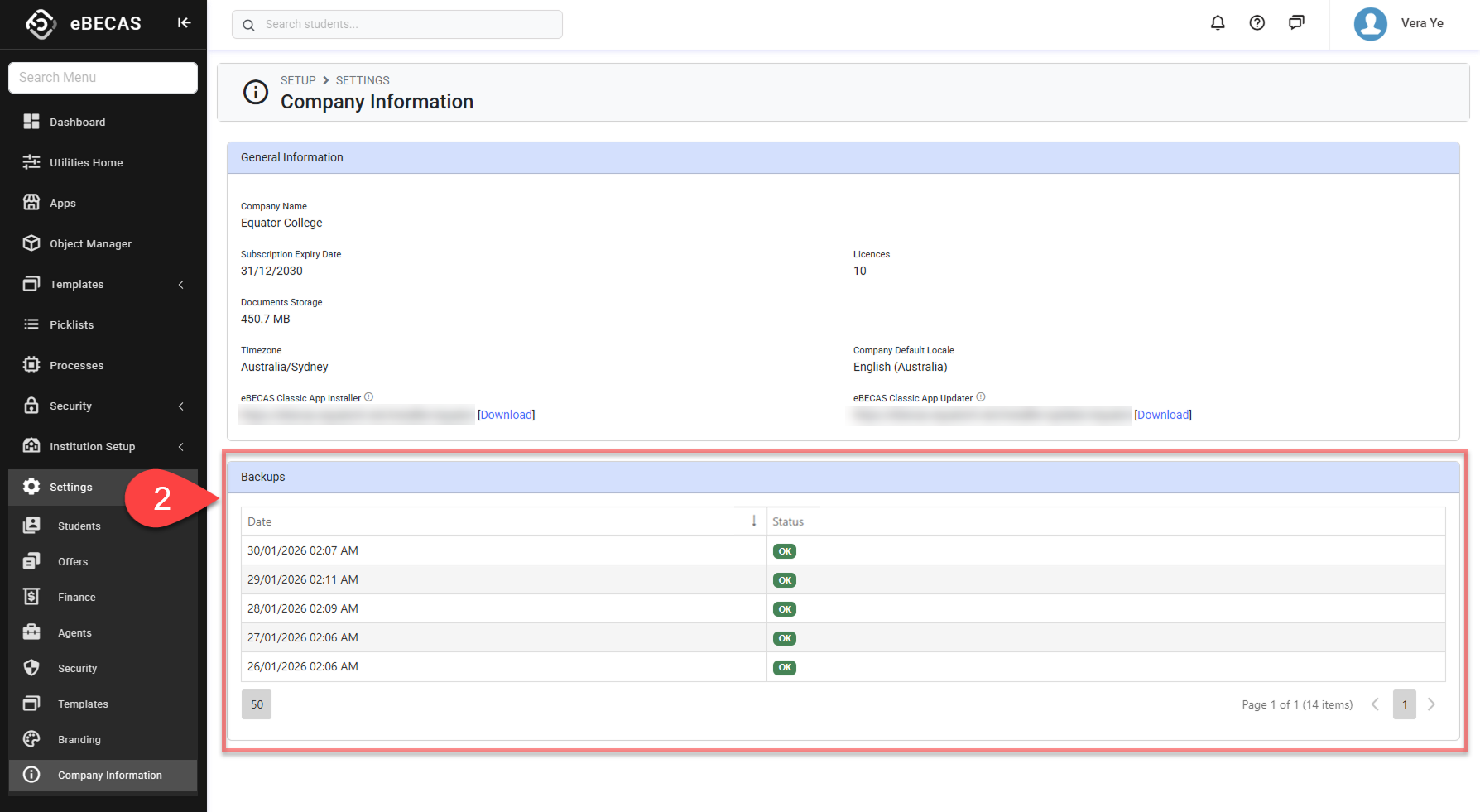
From the Utilities Menu, go to Settings > Company Information, then navigate to the Backups section.
-
The system backups are displayed in the grid.