
The Scheduled Payment Details page in eBECAS/EDMISS NextGen provides a central place to view and manage all information related to a single scheduled payment.
Scheduled Payment Details Layout
The scheduled payment details page has the following layout:
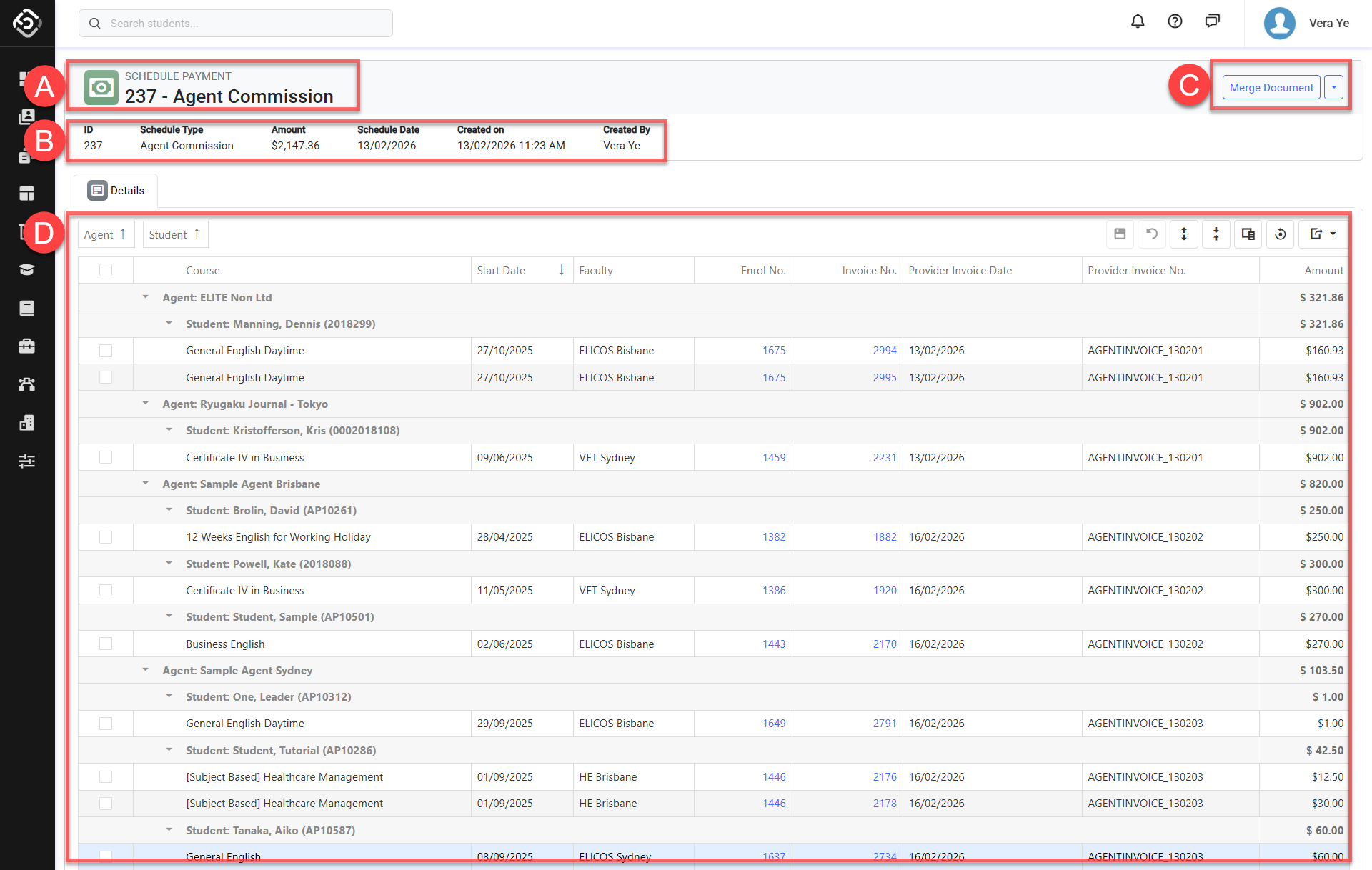
A. Schedule Number: The system number of this scheduled payment.
B. Scheduled Payment Information: The primary information for the scheduled payment, including the Schedule Type and other key details related to the payment.
C. Header Quick Action Panel: A collection of useful features available for the scheduled payment. Depending on permissions, the options available may differ.
D. Scheduled Payment Items Grid: This grid lists the payment item details for the scheduled payment. Items are grouped by Provider or Agent by default. You can change the grouping by adding or selecting a different field.
You can also update the payment item details directly from this grid. Refer to this article for more information.