
Access to User Search
-
Log into the system using your administrator credentials.
-
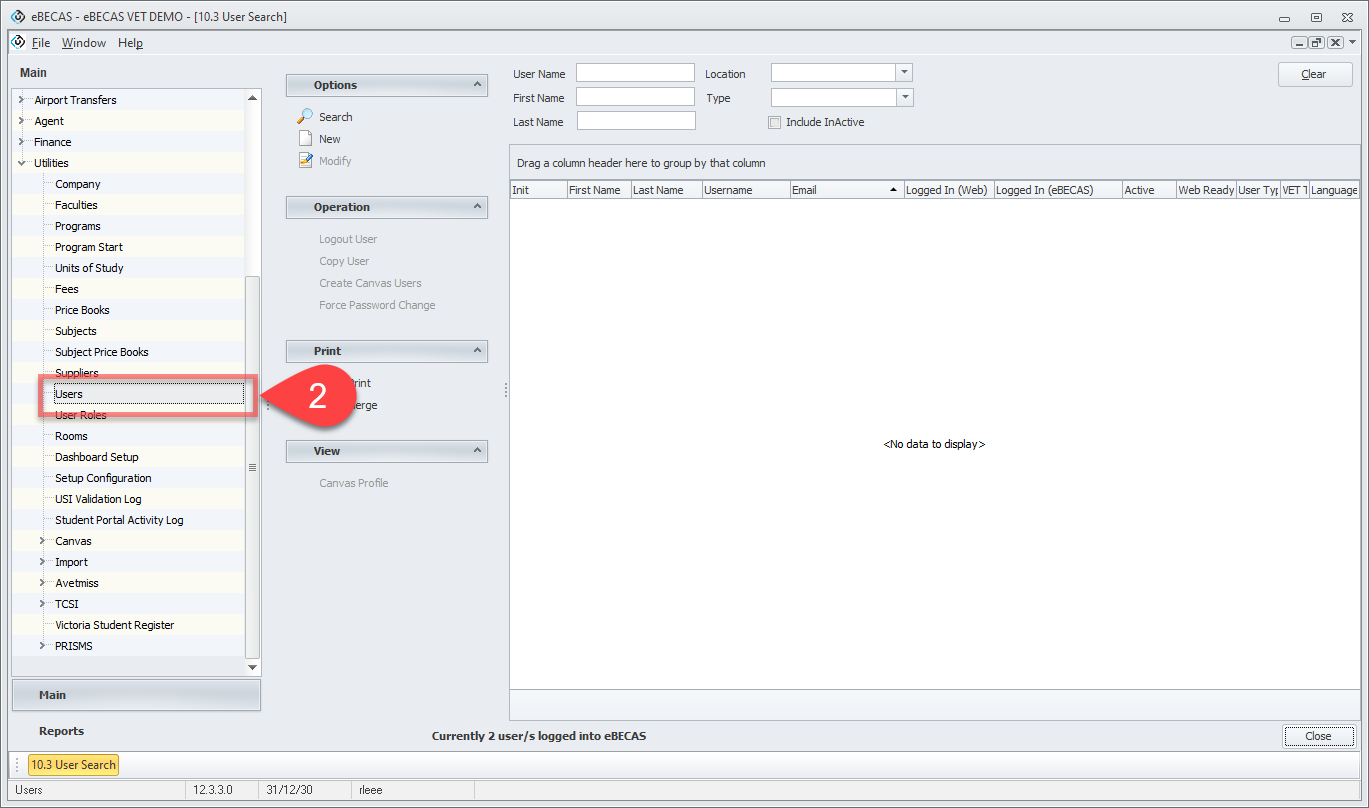
Click on Main > Utilities > Users.
-
The User Search window will display.
Operations on User Search
-
Use the header filter to search for the desired user.
-
Select the user from the Data Grid, then choose the desired action from Operations in the side menu.
-
Logout User: Removes the selected user's active session and logs them out of the system.
-
Copy User: Creates a copy of the selected user. The new user will have the same settings as the original but will have the prefix 'Copy ' added to the Last Name and Username. The Email and Role fields will be left unset.
-
Create Canvas User: Creates a Canvas teacher account for the selected user.
-
Force Password Change: The selected user will be required to change their password upon their next login. This action takes effect immediately, regardless of any existing password reset periods.
-