
The Student Details tab provides a summary of essential information about the selected student. This allows teachers to quickly access key personal and administrative details as needed.
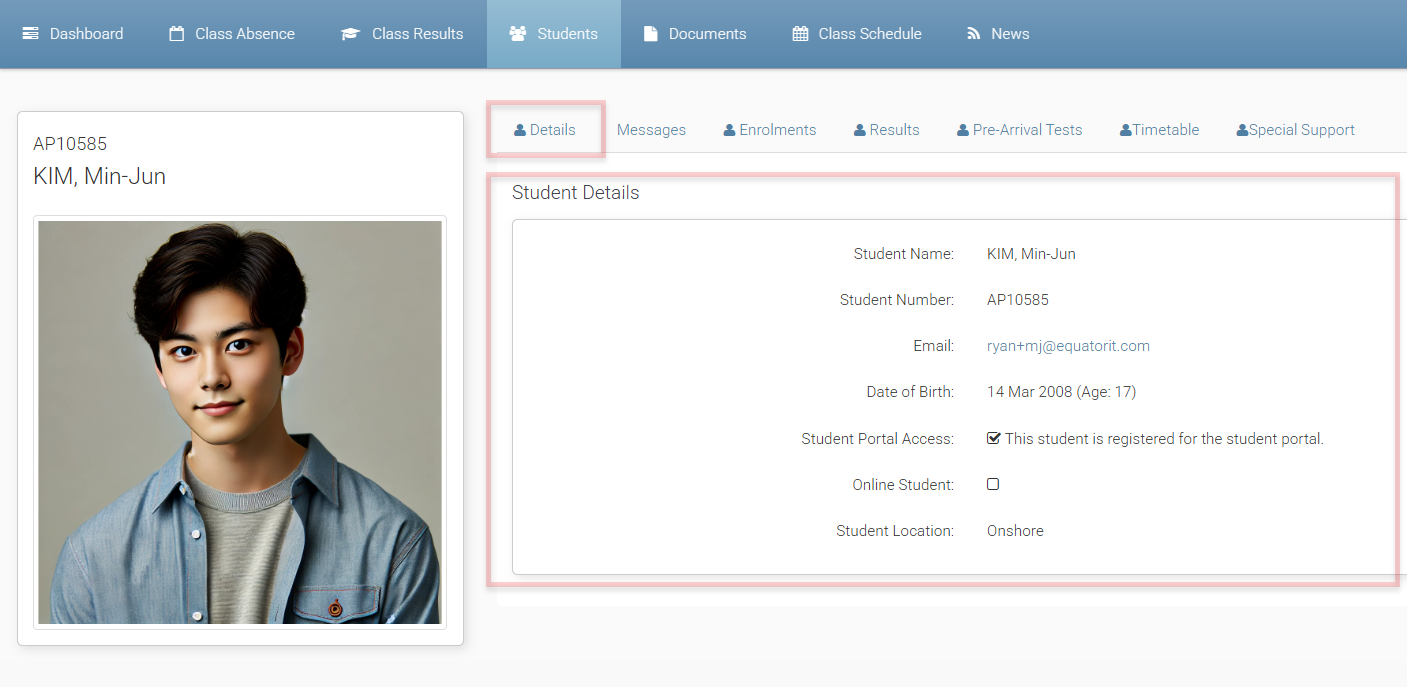
Information displayed includes:
-
Student Number, Full Name and Photo: The student's number and full name appears at the left side of the page, along with a profile photo (if available).
-
Email: The student’s local email address.
-
Date of Birth: Shown for quick reference and verification.
-
Student Portal Access: Indicates whether the student is registered in the student portal.
-
Online Student: Indicates whether the student is marked as an online student.
-
Student Location: Shows the student’s location (e.g., Onshore or Offshore).
This tab is read-only. If you notice any incorrect or outdated information, please contact your system administration staff so they can update the student’s record.