The Students menu in the Student Portal Administration allows administrators to search for students in the system and view their portal-related information.
Search Students
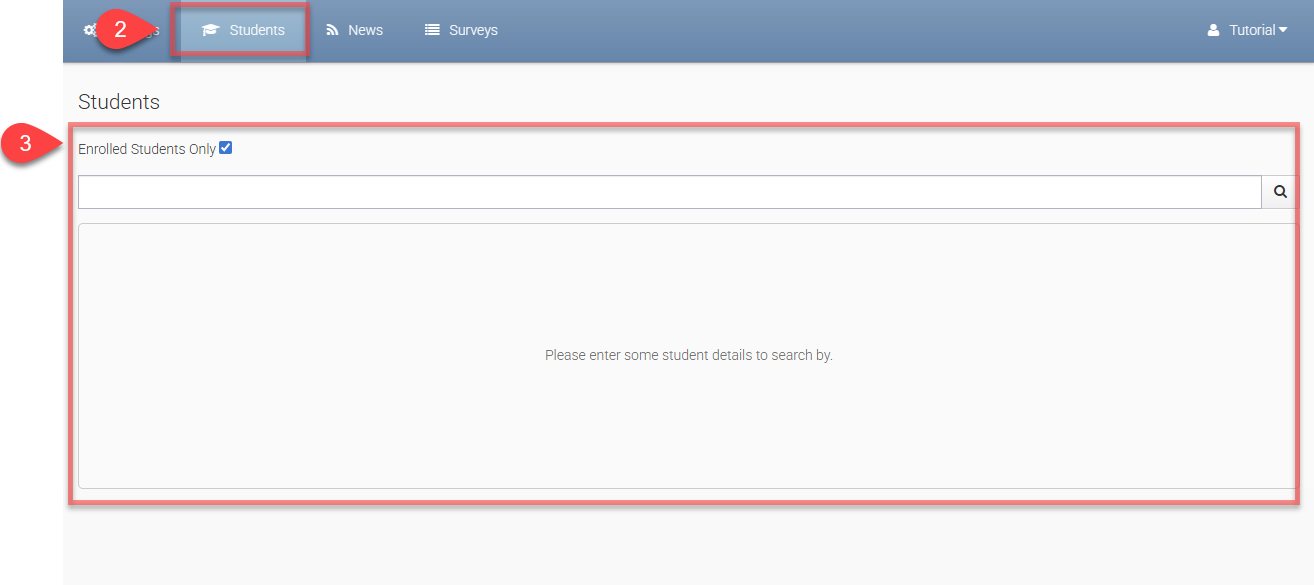
To access the Student Search page:
-
Log in to Portal Administration.
-
Go to the Main Menu > Students.
-
You can search for students using the following fields:
-
Student First Name
-
Student Middle Name
-
Student Last Name
-
Student Number
-
To limit results to students who are currently enrolled, enable the Enrolled Students Only option.
-
-
Click on a student row to open the Student Details page.
Student Details
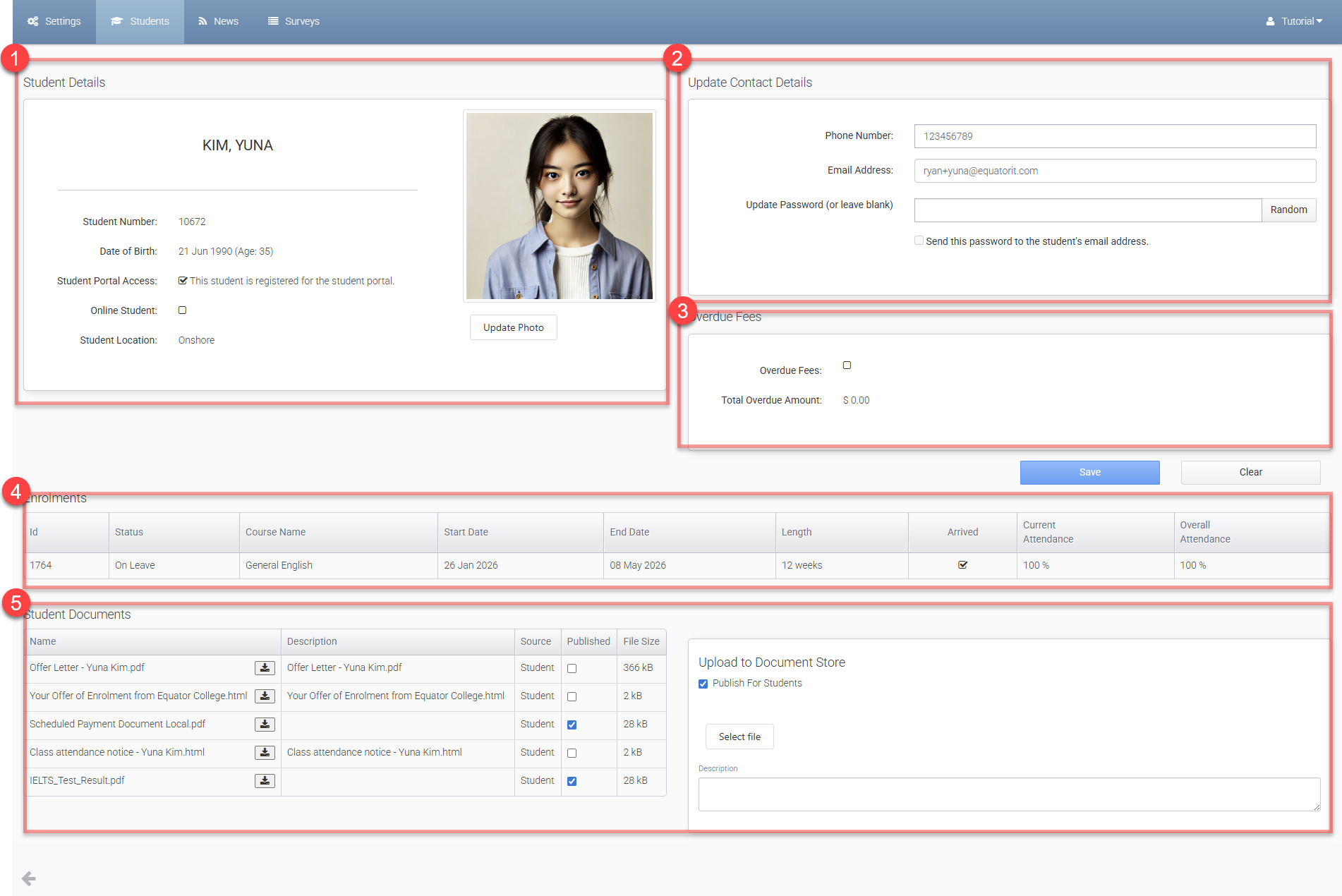
The Student Details page provides access to the following sections:
-
Student Details: View the student’s basic information and update their profile photo.
-
Update Contact Details:
-
Update Local Phone Number
-
Update Local Email Address
-
Reset the Student Portal account password
-
-
Overdue Fees: View the student’s current overdue status and outstanding amount.
-
Enrolments: Displays all enrolments associated with the student.
-
Student Documents: View documents linked to the student.
-
Use the Upload to Document Store section to upload new documents. Enable Publish For Students to allow the student to view the document in the Student Portal.
-