
Welcome to the July 2026 Classic updates!
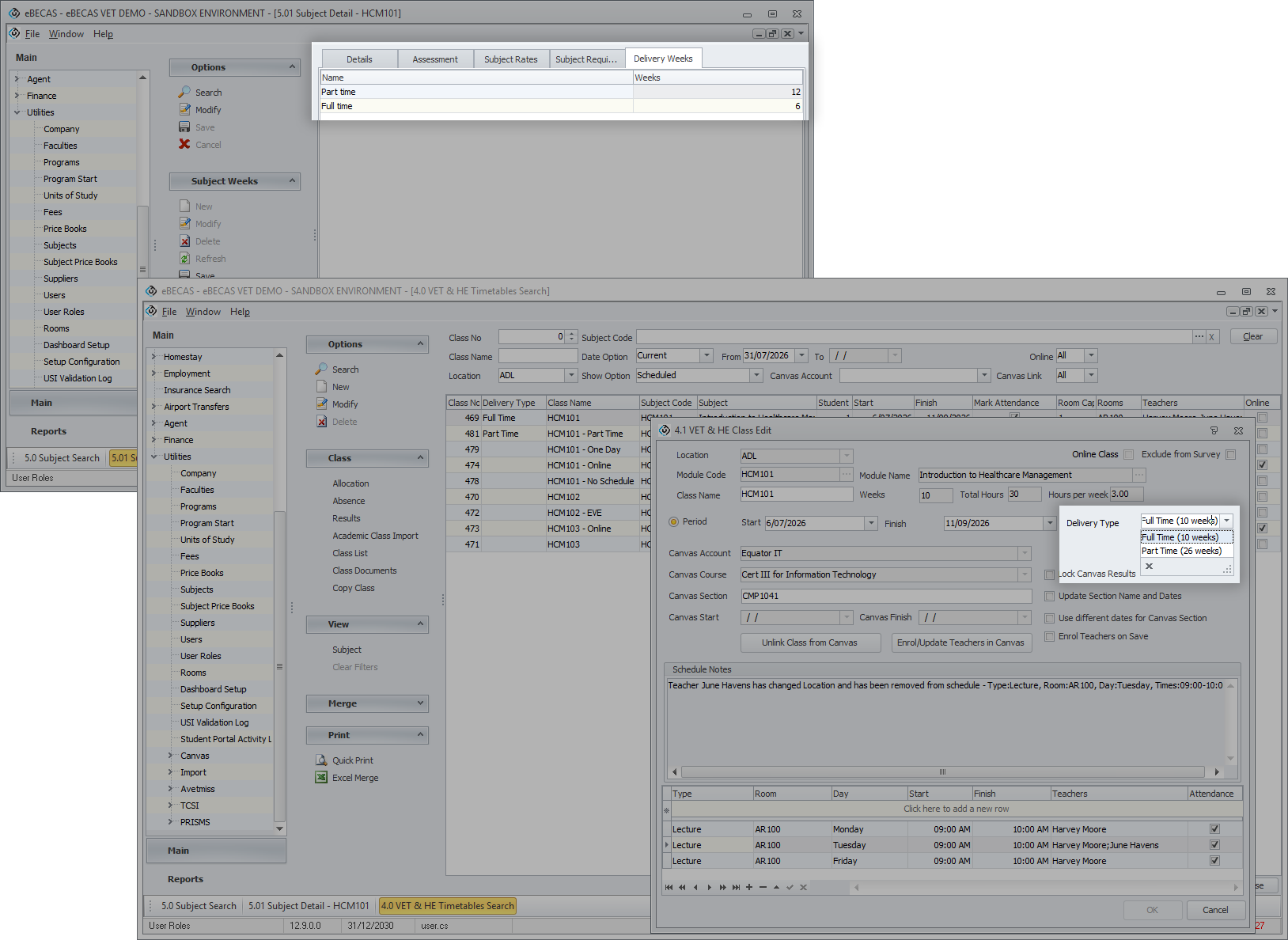
Subject Delivery Weeks Configuration
new version 12.9.0.0 new Permission Required
A new Delivery Weeks tab has been added to Subjects configuration, allowing delivery durations to be configured for different delivery types, such as full-time and part-time delivery.
When configuring a VET & HE Class, users can select one of the subject’s configured options through the Delivery Type field. The selected number of delivery weeks will then be used to automatically calculate the class duration and End Date.
Access to this feature requires the following permission: Utilities > Module > Details > Subject Weeks
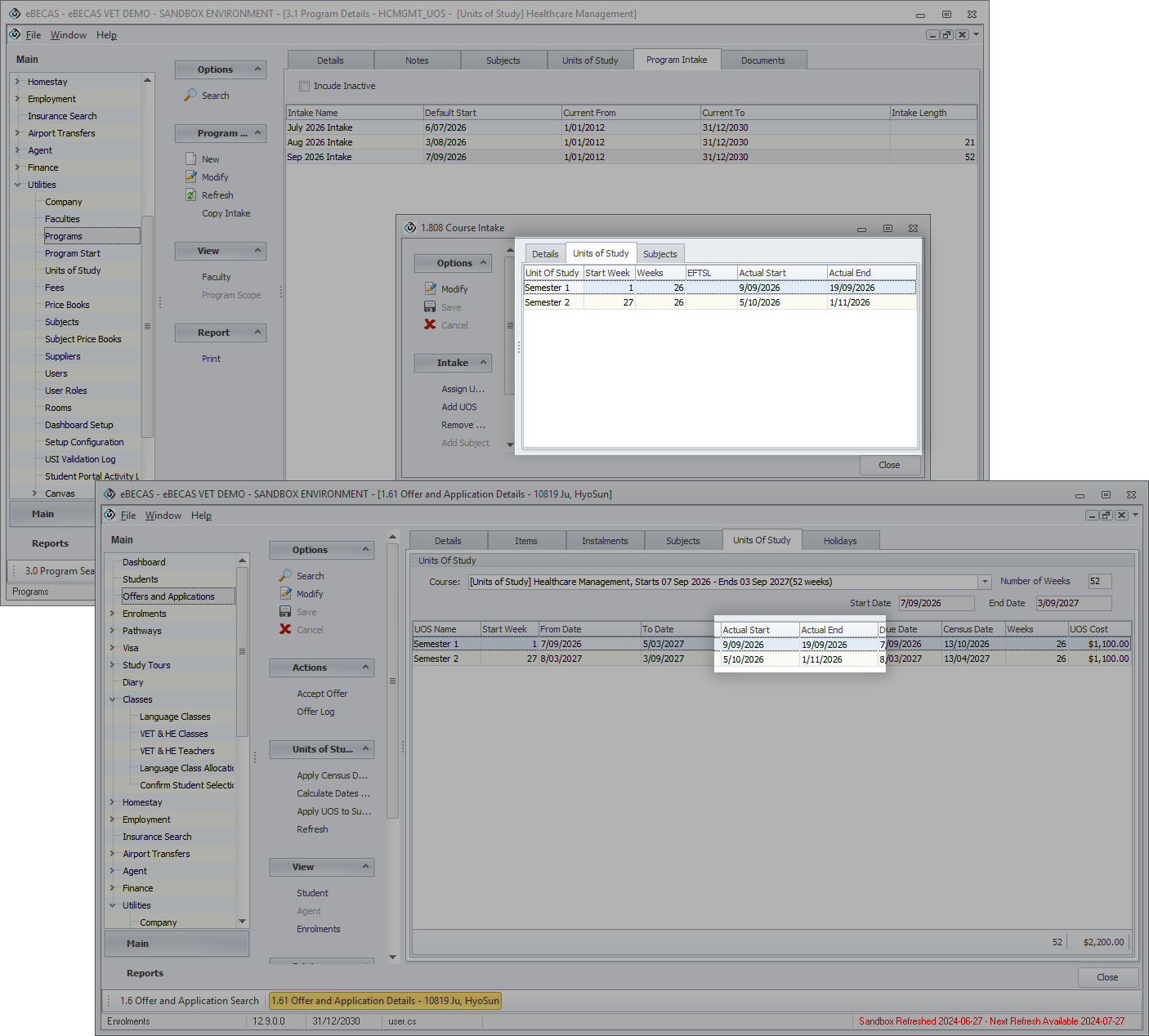
Actual Start Date and Actual End Date fields for Units of Study
new version 12.9.0.0
New Actual Start Date and Actual End Date fields have been added to Units of Study.
These fields can be used in templates and student communications to indicate the dates on which a unit is expected to actually commence and complete. They are provided for communication purposes only and do not change the unit’s Start Date and End Date used by the system.
Actual dates can be predefined through the Course Intake settings for Units of Study courses and adjusted for individual records from the Units of Study tabs within Offers and Enrolments. Where an Actual Start Date or Actual End Date has not been specified, the unit’s Start Date or End Date will be used automatically.
Job Placement Custom Fields Available on Student Employment Grid
new version 12.9.0.0
Job Placement Custom Fields can now be added as columns to the grid on the Student Employment tab.
Teacher Names Field Available on 1.8 VET&HE Results Search
new version 12.8.1.3
A new field, Teachers is available for the search grid in 1.8 VET & HE Results to display the names of teachers assigned to the class associated with each result. Where multiple teachers are assigned to the class, the field displays all teacher names.
Include Commenced Results in Subject Requirement Checks
new version 12.8.1.0
A new system option, Commenced Result Status Counts for Subject Requirements has been added under Setup Configuration > Options > VET. When this option is enabled, results with a status of Commenced will be considered when determining whether a Subject Requirement has been met.
This option is disabled by default.
Control Weekly Updates from Commenced to Completed Results
new version 12.8.1.0
A new system option, Update Result Status Based on End Date in the Weekly Tasks has been added under Setup Configuration > Options > VET. This option controls whether the System Weekly Tasks automatically update results from Commenced to Completed after the associated class has ended.
The option is enabled by default.