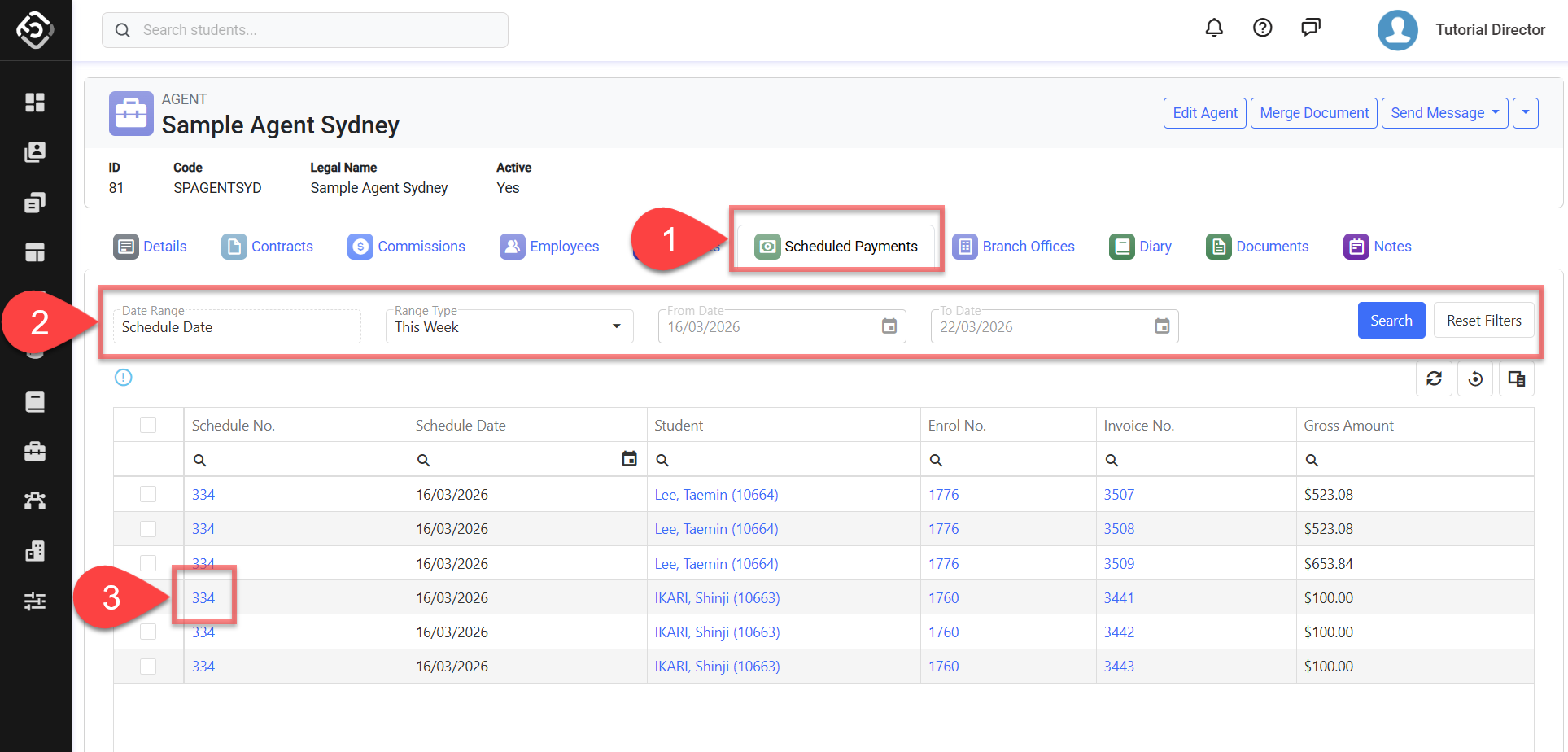
Users can access this page from the Agent Details page to review scheduled payment items associated with the agent.
To learn how to create scheduled payments for an agent, refer to this article: Create Schedule Payments (Agent Commission)
View Agent Scheduled Payments
-
Go to the Agent Details page of the agent of interest, click the Scheduled Payments tab.
-
When the page opens, scheduled payment items for the current agent are automatically displayed based on the default filters, which show items whose Schedule Date falls within the current week.
Use the available filters to refine the results and find agent scheduled payments of interest. Click on the Search button or press Enter when you are ready. Available filters are:-
Date Range: Filter the scheduled payments based on the selected date option and range.
-
Range Type: Allows users to set predefined date ranges, automatically populating the From/To Date filter based on the selected range.
-
Custom: Uses the manually entered From/To Date.
-
Day: Sets the From/To date to yesterday, today, or tomorrow.
-
Week: Sets the From/To date to the last, current, or next week.
-
Month: Sets the From/To date to the previous, current, or next month.
-
Quarter: Sets the From/To date to the last, current, or next quarter.
-
Calendar Year (CY): Sets the From/To date to the last, current, or next calendar year.
-
To-Date: Sets the From date as the beginning of the current month, quarter, or year and the To date as Today.
-
-
If you need more filters, you can use Column Filters and the Advanced Filter.
See this article for more details: Data Grids. -
You can customise the grid by adding/removing columns as required. See this article for more details: Data Grids: Customise Data Grids.
-
-
To open the Scheduled Payment Details page, click on the Schedule No. field.