
Students can complete subject and class selections for their enrolled Units of Study course through the Student Portal during the allowed allocation period.
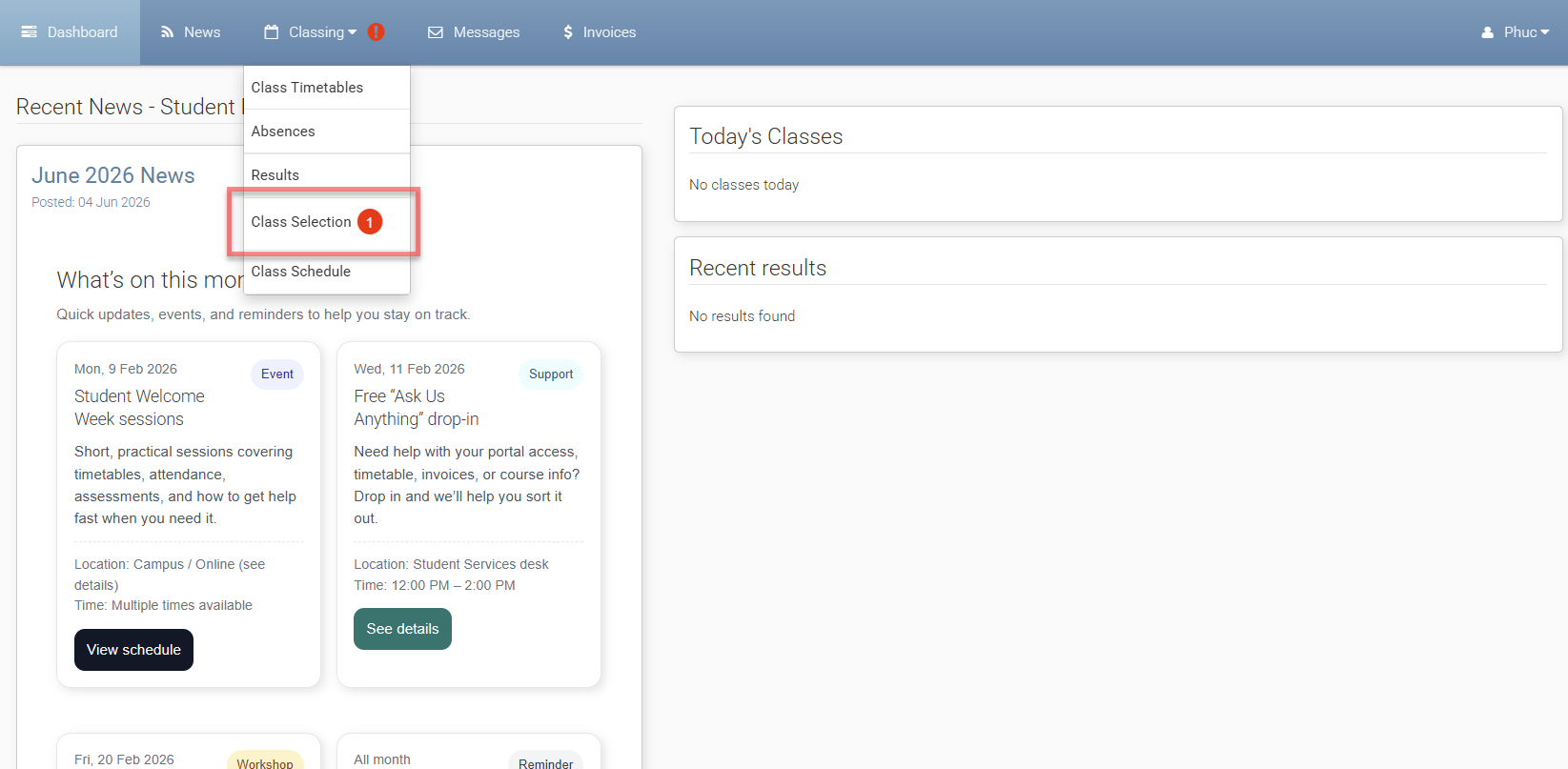
Navigate to Class Selection
When a student is allowed to complete Self Allocation, a notification is displayed on the Class Selection menu in the Student Portal. The student can go to Class Selection to view the subjects and classes currently available for selection.
The available options depend on the student’s enrolment, Units of Study, allocation period, and the subjects and classes configured for the course.
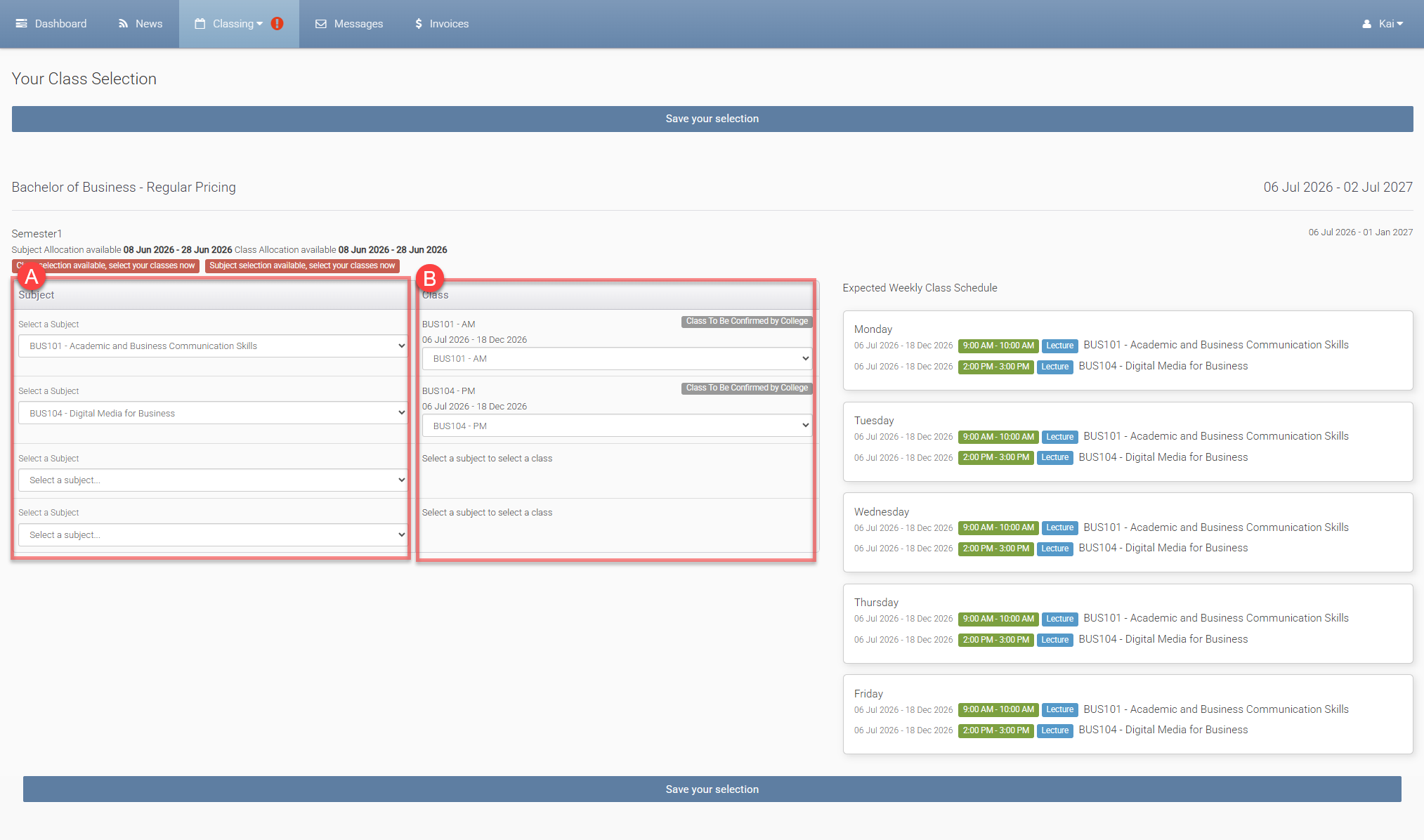
A. Subject Selection
If subject selection is required, the student selects the subjects they want to study for the relevant Unit. The student can only select subjects that are available to them based on the configured rules and allocation period.
If subjects are already assigned to the student’s Unit, the student does not need to select subjects before selecting classes.
After selecting the required subjects, the student continues to class selection.
B. Class Selection
After subjects are selected or assigned, the student selects classes for those subjects. The Student Portal displays the classes available for the student to select.
Students can review class information, such as class time and schedule, before submitting their selection.
Classes without available places are not shown as available options for Student Self Allocation.
Submit Selection
After selecting the required classes, the student submits the selection through the Student Portal. The submitted selection is not final at this stage. The selection must be reviewed and confirmed by an administrator in eBECAS/EDMISS.
Change the Selection
If changes are allowed, the student can update their selection from the Class Selection menu during the allowed allocation period. Students can only change their selection before it has been confirmed by the college.
Once the selection has been confirmed, the student cannot change that selection through the Student Portal. Any further changes must be managed by an administrator in eBECAS/EDMISS.
After Submission
After the student submits a class selection, the selection is sent to Confirm Student Selections menu in eBECAS/EDMISS for administrator review.
When the selection is confirmed, the student is assigned to the selected class.
If Canvas integration is used, Canvas enrolment is processed after the administrator confirms the student’s selection and the student becomes Class Assigned.