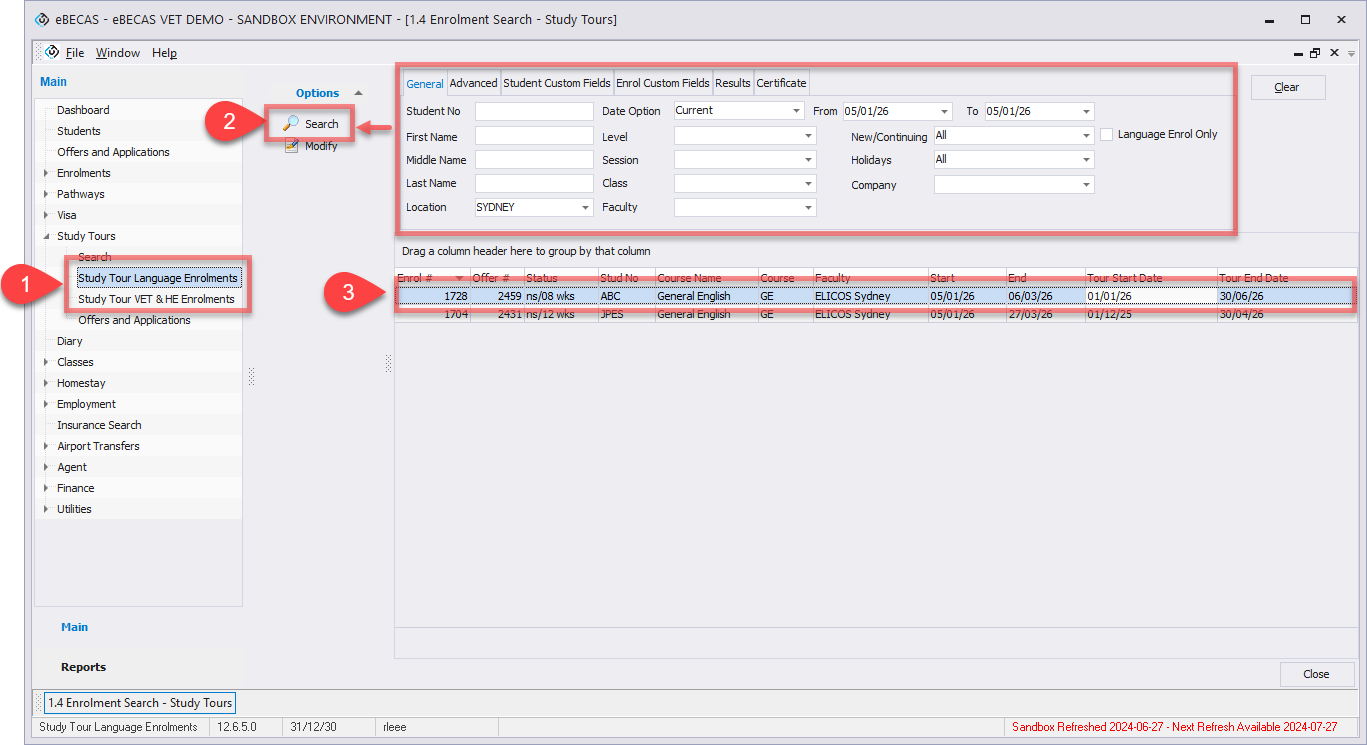
Search Study Tour Enrolments allows you to locate and review enrolments created for Study Tours after an offer has been accepted. It provides visibility over active, completed, and historical Study Tour enrolments and serves as the main entry point for managing group-level enrolment records.
To search study tour enrolments,
-
From the Main menu, go to Study Tours > Study Tour Language Enrolments or VET&HE Enrolments depending on your purpose.
-
Set the filters to find the study tour enrolment(s) you are looking for and click on Search button.
-
Double click on the the entry that you’d like to view the details.