Welcome to the October 2026 Release Update!
This month brings a range of new features and improvements to help your team work more efficiently across EDMISS.
Document management is more flexible, with the ability to manage documents directly within individual Applications and Offers, along with new filtering and sharing options to make documents easier to find and access.
We've also introduced bulk invoice updates, new ways to review student insurance coverage, and significant improvements to Accommodation Management in NextGen, covering everything from Accommodation Requests and Placements to Provider Payments.
You'll also find new reporting capabilities through Power BI and APIs, plus Student Portal improvements that make it easier for students to access their documents and information.
Let's explore what's new! ✨
📋Offers Updates
Manage Documents Directly from Offers
NEW NEXTGEN ONLY NEW PERMISSION REQUIRED
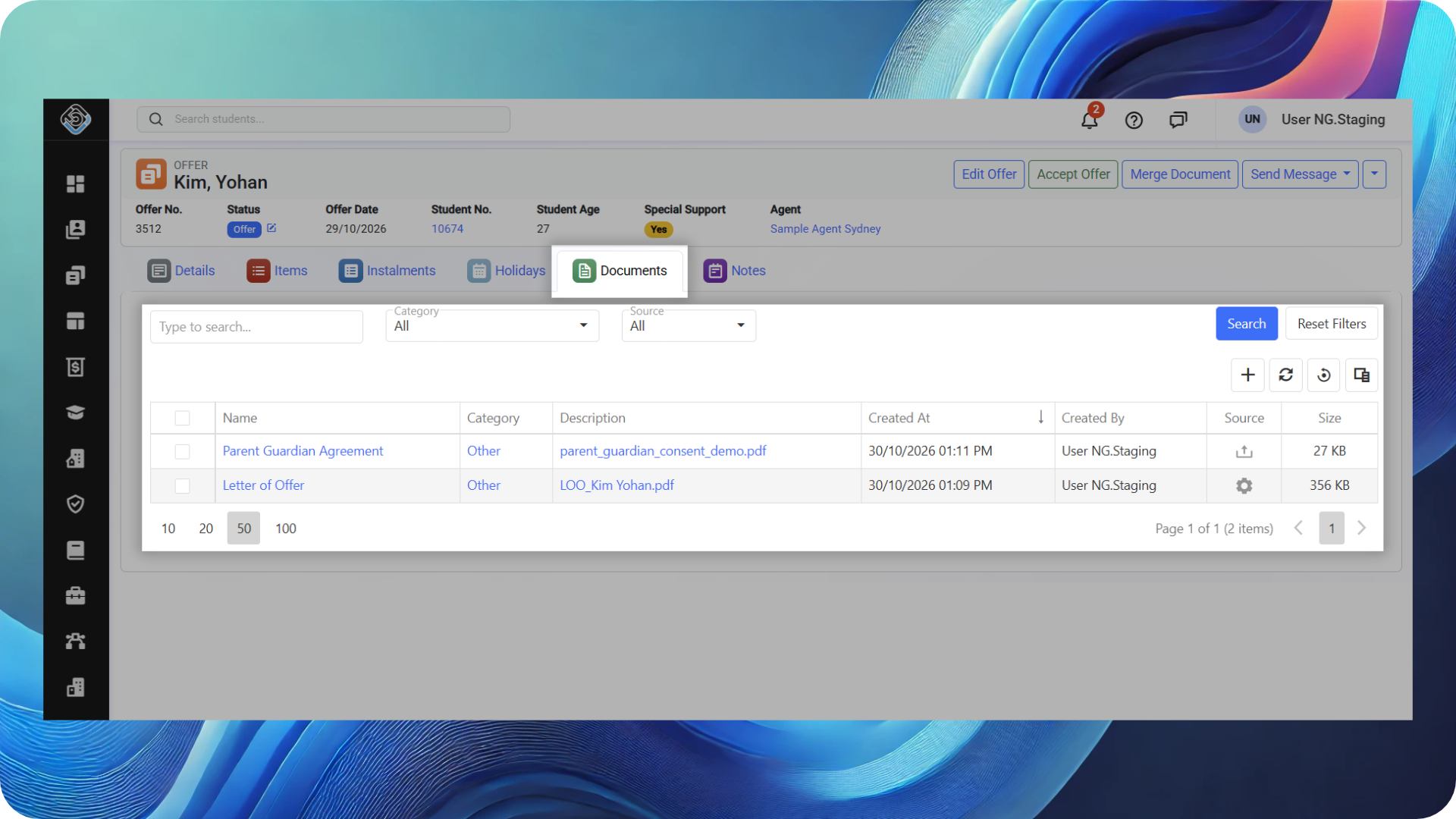
You can now manage documents specific to each Application or Offer, keeping related documents organised and easy to find.
Upload documents directly to an Offer or generate them through a template merge. Each Offer maintains its own set of documents, making it especially useful for students with multiple Applications and Offers.
These documents are also accessible from the student's Documents tab, providing a consolidated view at the student level while keeping each document linked to its relevant Offer.
📄 Documents Updates
Filter Documents by Related Record
NEW NEXTGEN ONLY
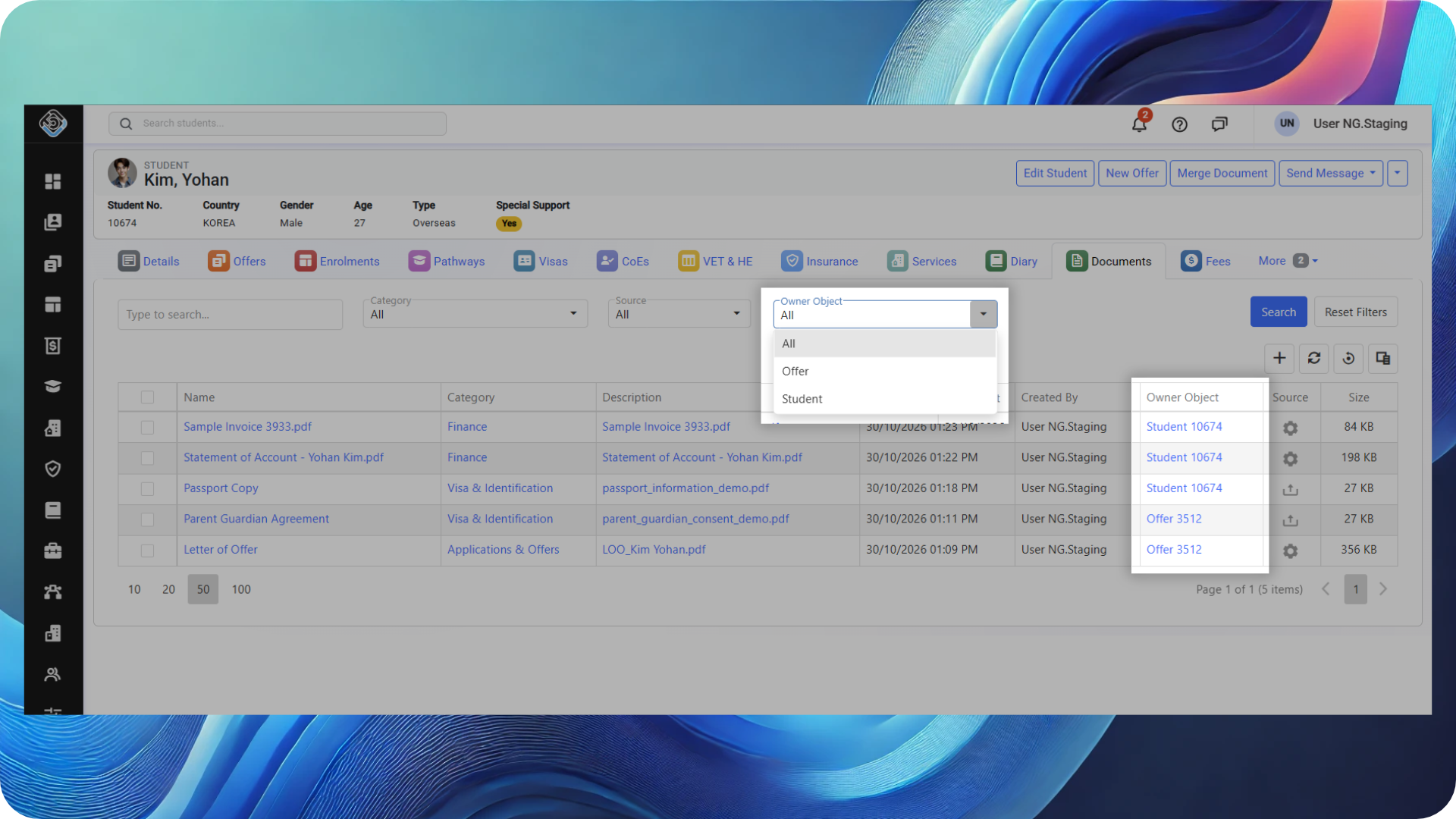
With the introduction of Offer documents, a new Owner Object filter and column make it easier to see which record each document belongs to in the Student and Agent Documents tabs.
Use the filter to quickly find documents belonging to:
-
Students: the Student or their Offers.
-
Agents: the Agent or their Agent Contracts.
Add the Owner Object column to the documents grid to see the record each document belongs to and open it directly, subject to permissions.
Together, these options help your team find the right documents faster and navigate to the related Offer or Agent Contract with less searching.
Share Direct Links to Published Documents in the Student Portal
NEW NEXTGEN ONLY
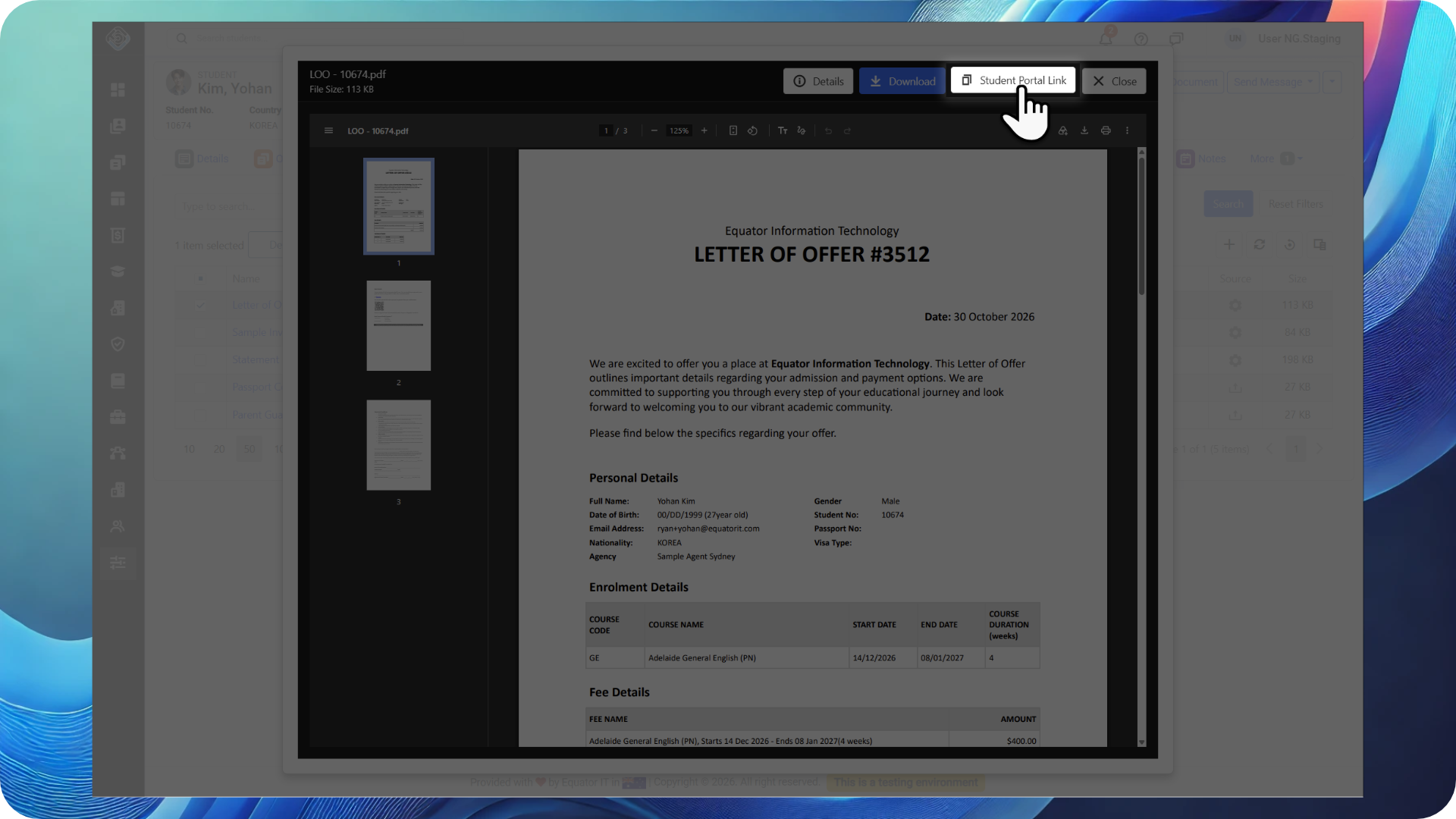
A new Student Portal Link gives students secure, login-protected access to a published document in the Student Portal. Copy the link from the document’s Details or Preview area and send it to the student.
This is useful when asking a student to review a specific document or following up on one you’ve shared. The link takes them directly to the document, saving them from searching for it in the portal.
Students must log in to their account to view the document. Access is only available if the document belongs to them and is within its published period, ensuring the link respects the document’s access settings.
🏦 Finances Updates
Update Multiple Invoice Details Together
NEW NEXTGEN ONLY
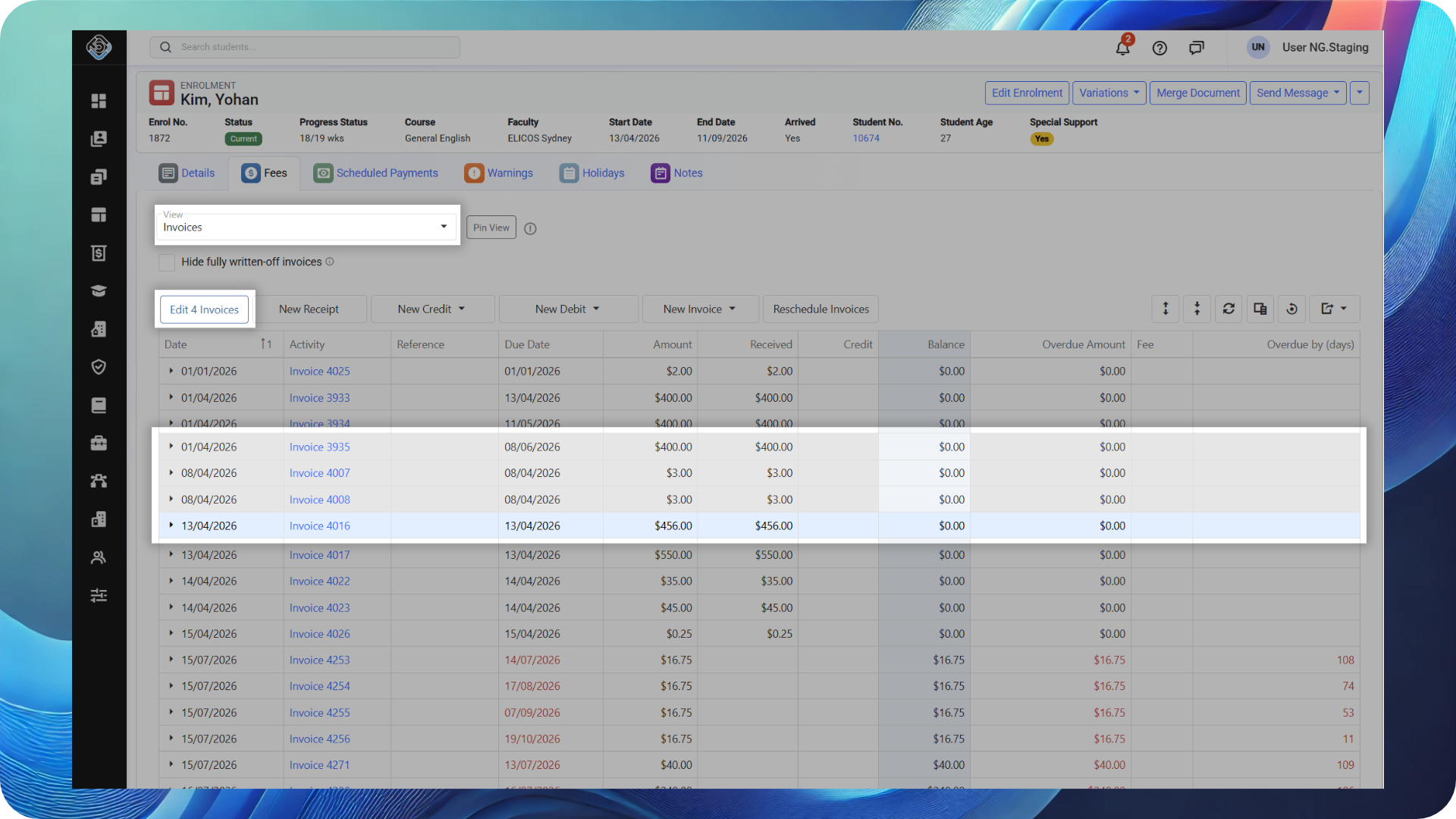
Save time when updating multiple invoices for an enrolment. From the enrolment’s Fees page, switch to the Invoices view and use Ctrl + Click to select the invoices you want to update.
You can change the Invoice Date, Due Date, Payer and External Reference for the selected invoices in one go, reducing repetitive edits and making large enrolments easier to manage.
🛡️ Student Insurance Update
Review Insurance Coverage Across Students
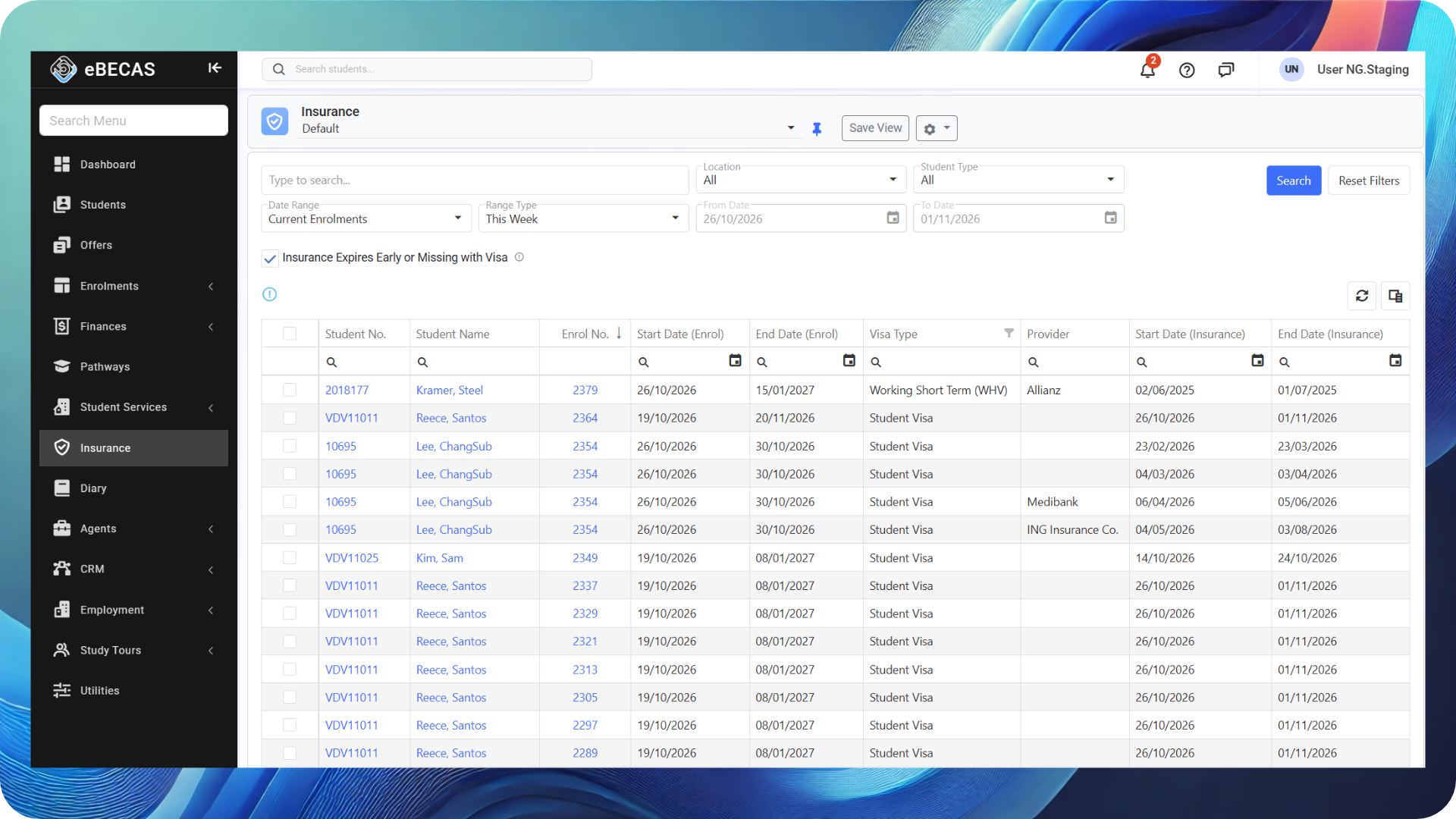
The Insurance Search is now available in NextGen, giving your team a convenient way to review insurance coverage across multiple students.
The search includes enrolments with or without an Insurance Service, helping you identify students who may need coverage or whose insurance expires before their enrolment ends.
A range of filters and columns lets you review insurance dates, visa information and enrolment details, making it easier to monitor coverage and identify students who may need attention.
🏠 Student Accommodation Updates
Managing student accommodation is now available in NextGen, with new features and improvements to help your team manage the entire accommodation process.
From recording accommodation requests in Applications and Offers to placing students with accommodation providers and managing payments to those providers, you can now manage the full workflow in NextGen.
Assign Providers and Beds to Tentative Requests (Offer Stage)
NEW
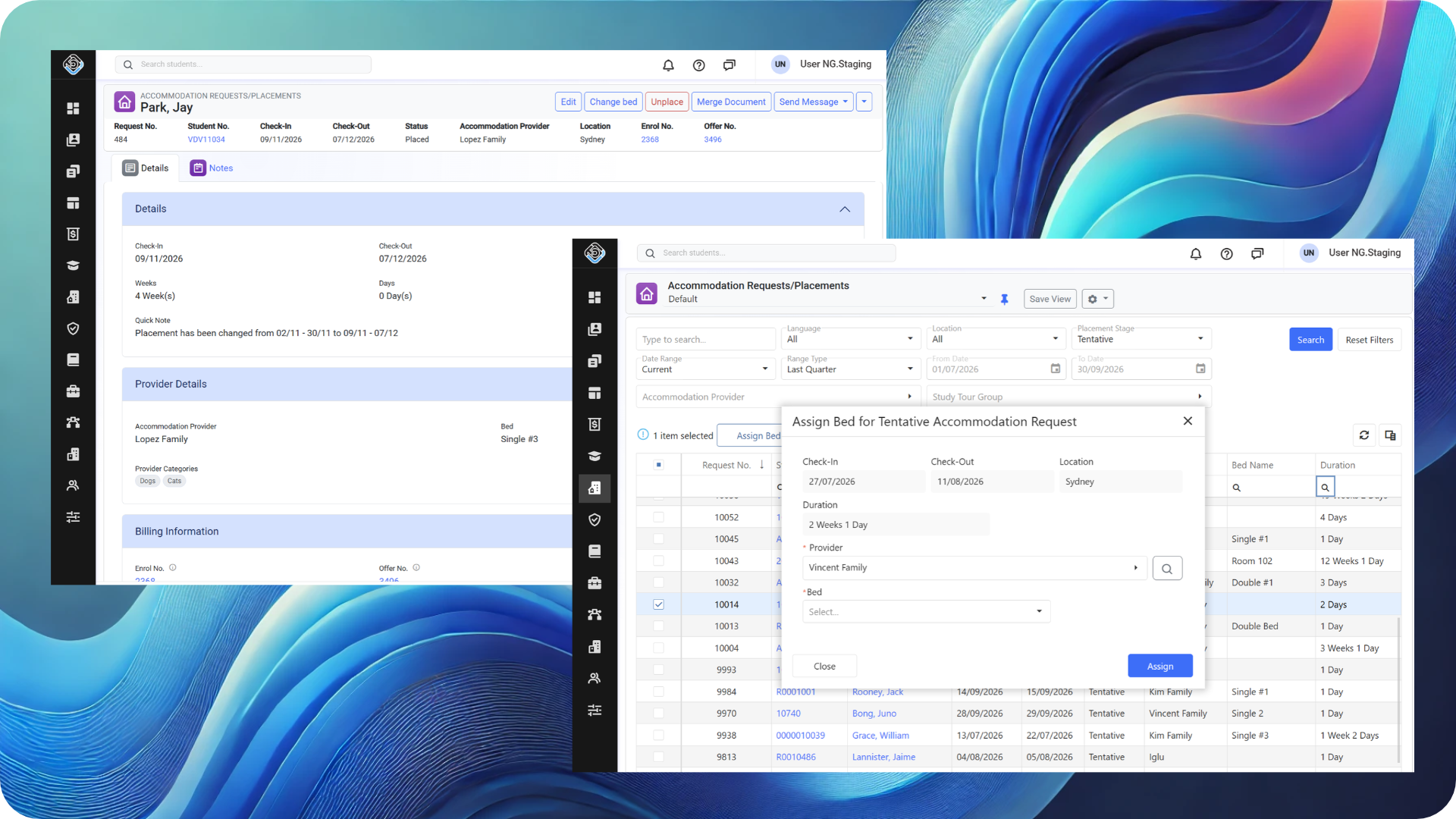
You can now assign an accommodation provider and bed to Tentative Accommodation Requests created at the Offer stage, without waiting for the Offer to be accepted.
This allows your team to pre-book a provider and bed and start organising accommodation in advance. The request remains Tentative, and the placement must still be confirmed once the Offer is accepted.
Dedicated Details Pages for Requests and Placements
NEW NEXTGEN ONLY
Accommodation Requests and Placements now have dedicated Details pages, giving your team a central place to view and manage each record.
From these pages, you can review all relevant details, add notes, merge documents and send messages, all in one place.
You can also share direct links to specific Requests and Placements with your team, making it easier to collaborate and quickly access the records you need.
Add Notes, Merge Documents and Send Messages for Accommodation Requests and Placements
NEXTGEN ONLY
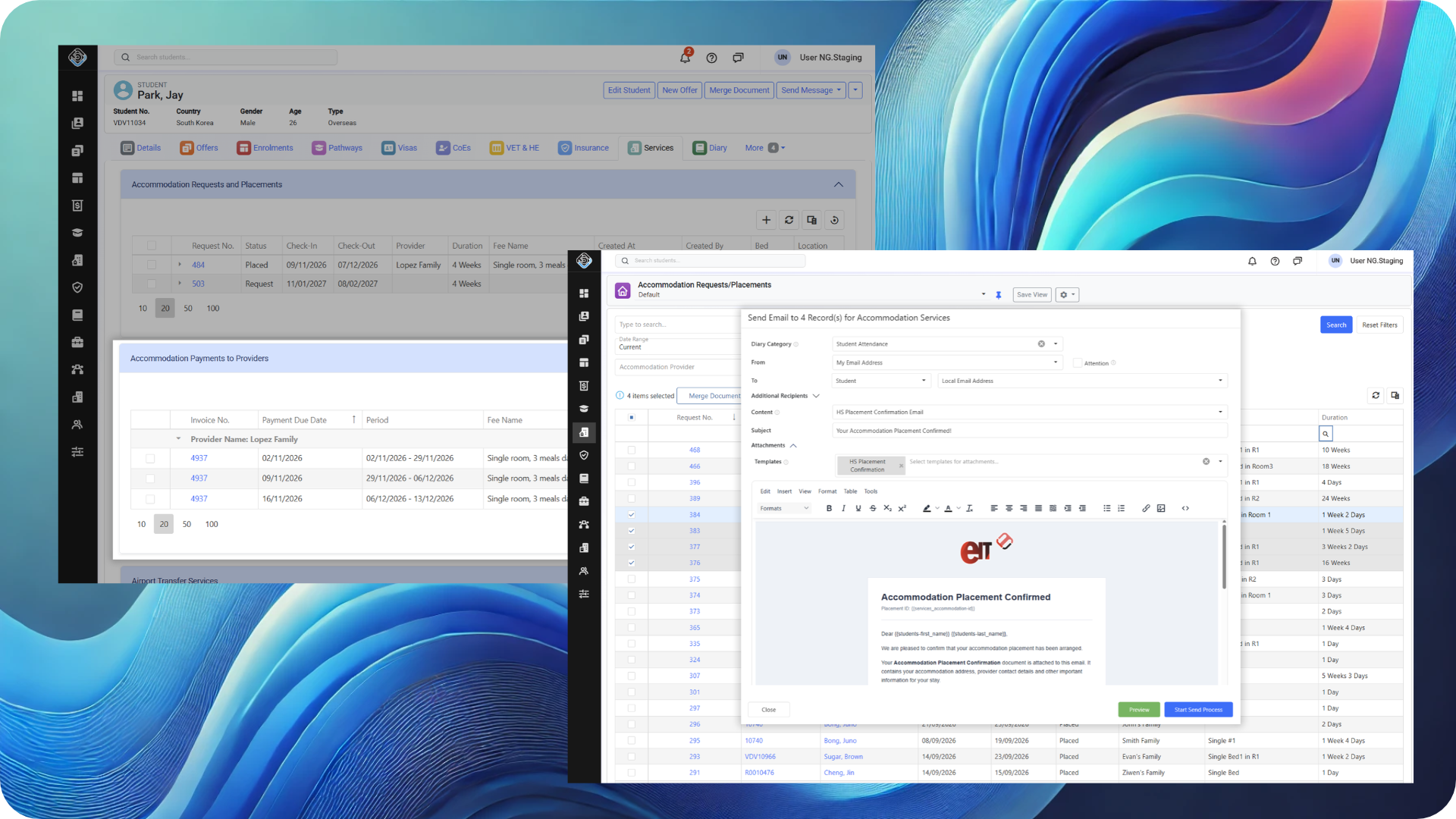
Generating documents for individual Accommodation Requests and Placements is now available in NextGen. You can create documents from templates using relevant information, including student, provider and requests/placement details. This makes it easy to generate documents containing all the information needed to share with students or accommodation providers.
You can also send emails and SMS directly from Accommodation Requests and Placements, using the relevant details to personalise your messages.
In addition, you can now add multiple enhanced notes with rich-text formatting to these records, including the ability to tag colleagues and trigger notifications to improve team collaboration.
Updates to Accommodation Search
NEXTGEN ONLY
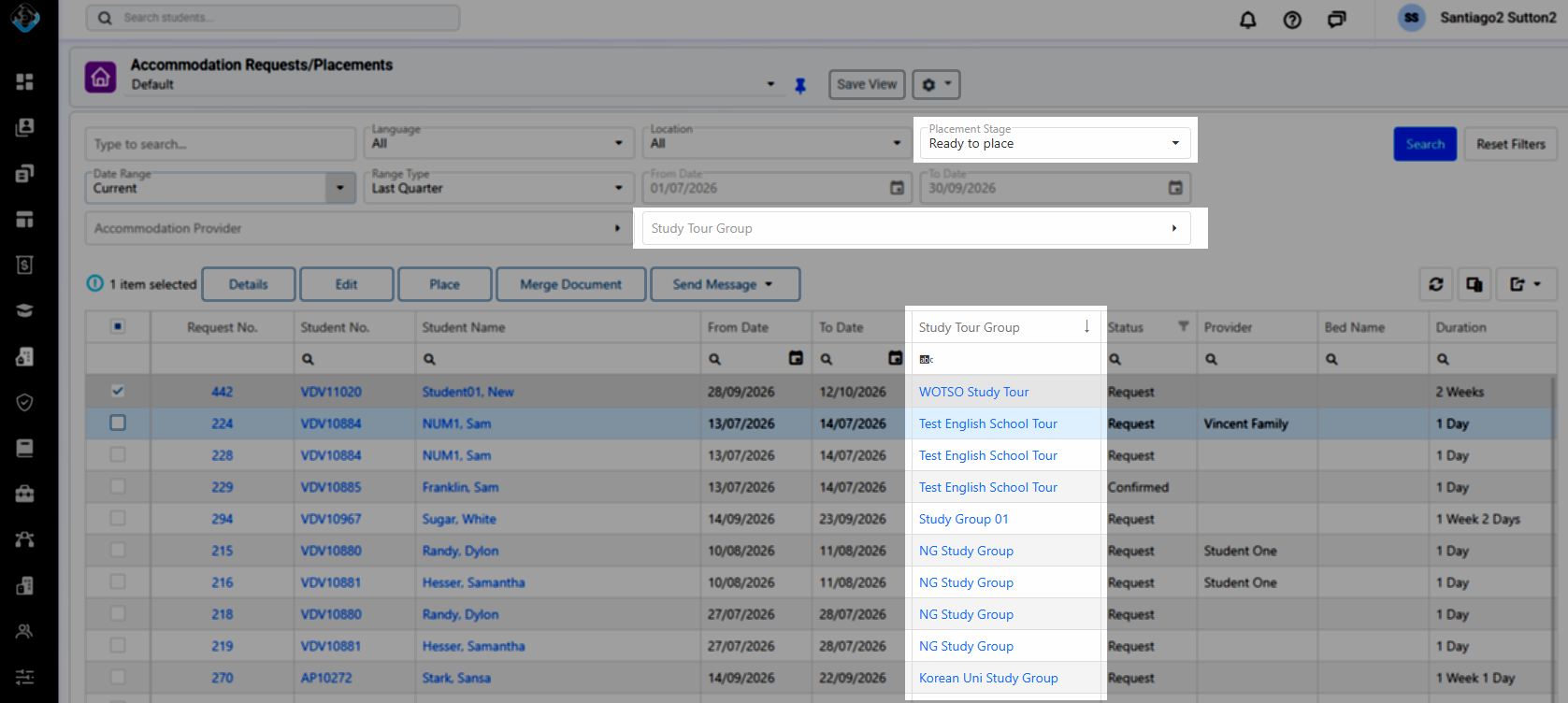
The Accommodation Search now includes new filters and actions to help your team find and manage Accommodation Requests and Placements more efficiently. You can use these filters individually or combine them to narrow down your results.
-
-
Study Tour Group Filter: Find all Accommodation Requests and Placements associated with a specific Study Tour Group.
-
Ready to Place Filter: A new option in the Placement Stage filter lets you quickly identify requests that are ready to be placed.
-
Assign Providers and Beds to Tentative Requests: You can now assign a provider and bed directly from the search results grid, even for Tentative Requests created at the Offer stage.
-
Study Tour Group Column: A new column in the search results grid lets you easily identify which Accommodation Requests and Placements belong to a Study Tour Group.
-
Manage Payments to Accommodation Providers in NextGen
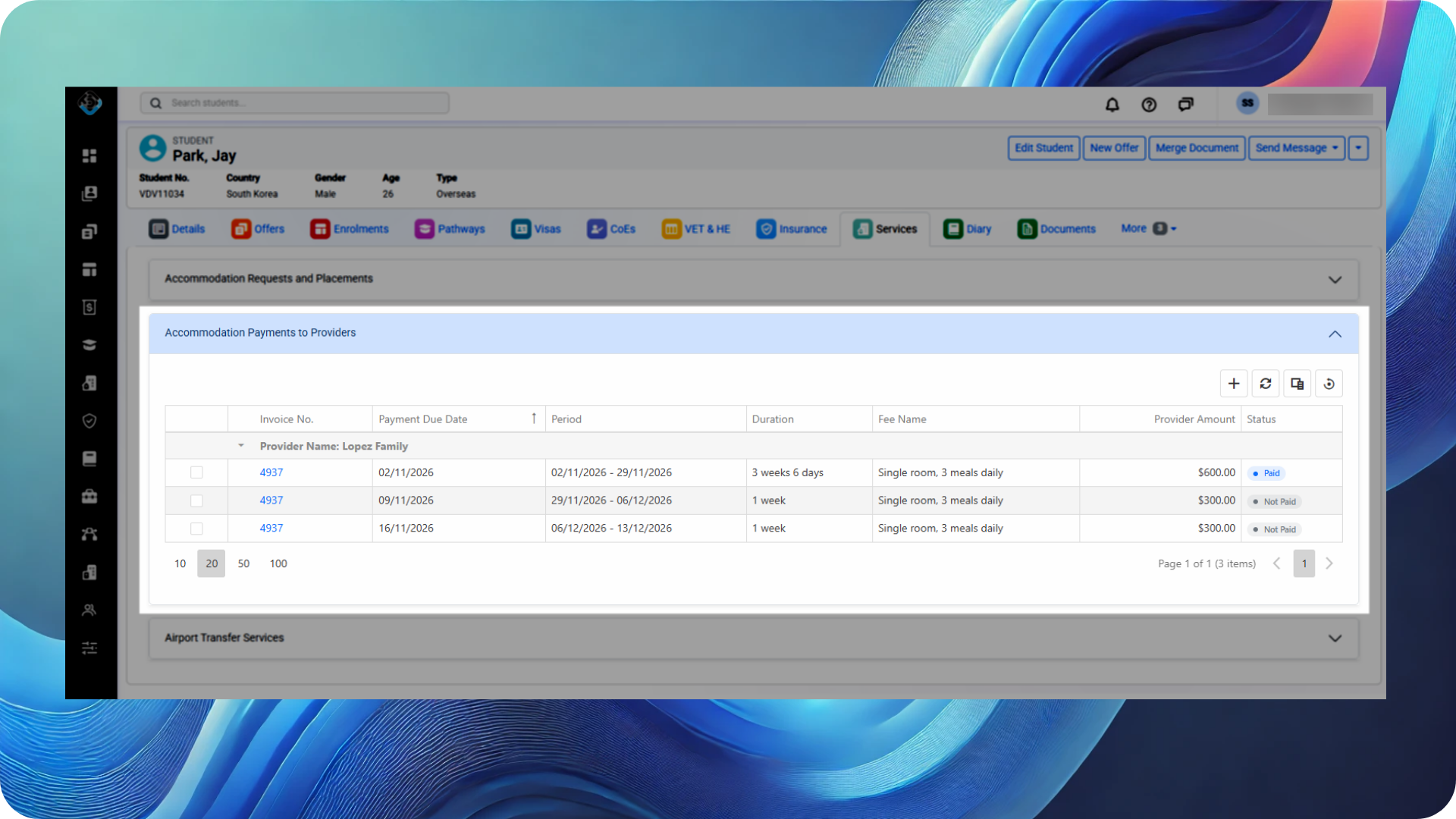
Managing payments to Accommodation Providers is now available in NextGen, making it easier to stay on top of your accommodation payment obligations.
You can now review upcoming payments, generate payments and schedule them directly in NextGen, helping your team plan ahead and keep provider payments organised.
Apps Updates
📈 Power BI App
Starters and Finishers Reports Now Available
NEW Power BI v1.12.0
The Starting Enrolments in Period and Finishing Enrolments in Period reports are now available in the Power BI integration.
These reports let you automate reporting on enrolments starting or finishing within a selected period, helping your team plan upcoming intakes, track expected completions and reduce manual reporting.
More Ways to Analyse VET & HE Results
NEW Power BI v1.12.0
New VET & HE Results reports expand the academic data available through the Power BI integration, with options for All, Starting, Finishing, Current and Cancelled enrolments.
🧩 API App
Starting and Finishing Enrolments in Period
NEW API v1
The Starting Enrolments in Period and Finishing Enrolments in Period reports are now also available through the API.
Canvas Lock and Publish Fields in Academic Results
NEW API v1
The Enrolment Academic Result endpoint now includes Canvas Lock and Publish fields. The Canvas Lock value reflects a lock applied either to the result itself or to its related class.
🌐 Student Portal Updates
Print Results, Statements and Individual Invoices
NEW
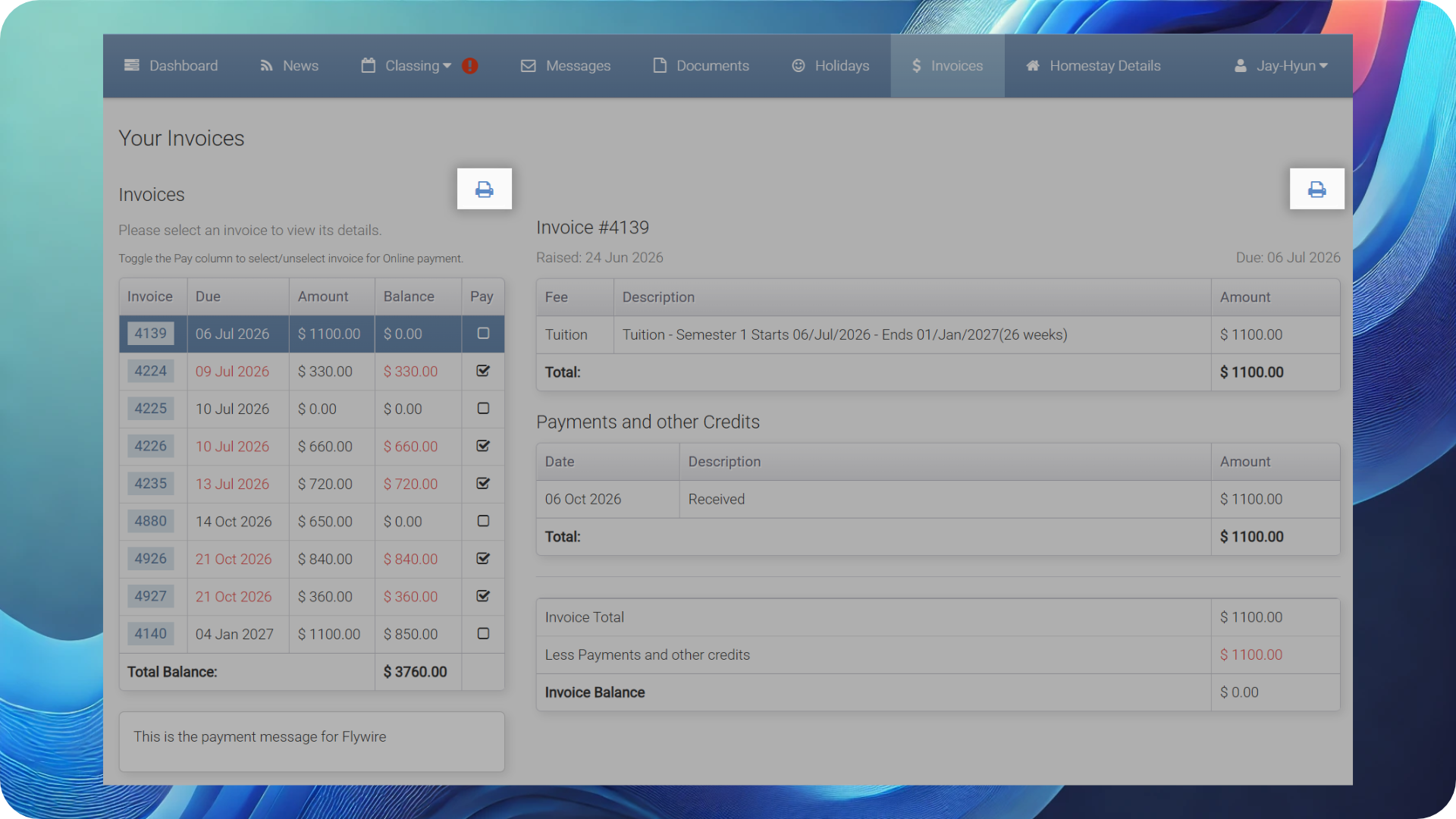
Students can now use new Print options from their Results, Invoice List and Invoice Detail pages. Administrators can configure separate messages for Results and Invoice printouts, giving your institution more control over the information included in these documents.
Clearer Homestay Details for Students
NEW
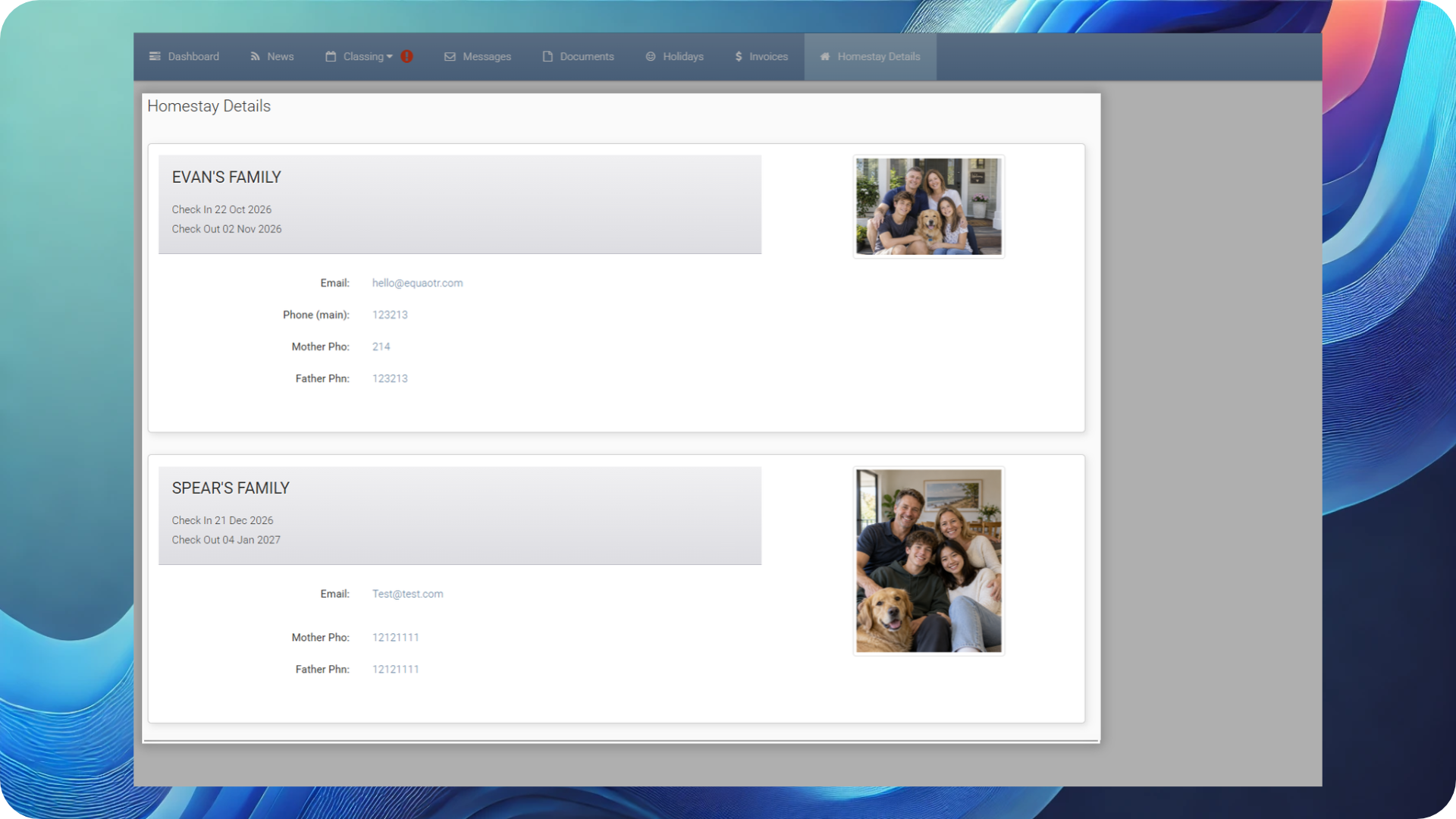
The Student Portal’s Homestay page now displays clearer Check-In and Check-Out labels and displays relevant confirmed requests with the Accommodation Provider, as well as current and future Placements.
A new administration option, Show Student Homestay Provider Photo, also lets your institution choose whether the Provider photo is shown to students.