
Create Airport Transfer Provider records for the organisations your institution works with and update their details when information changes.
Create a New Airport Transfer Provider
-
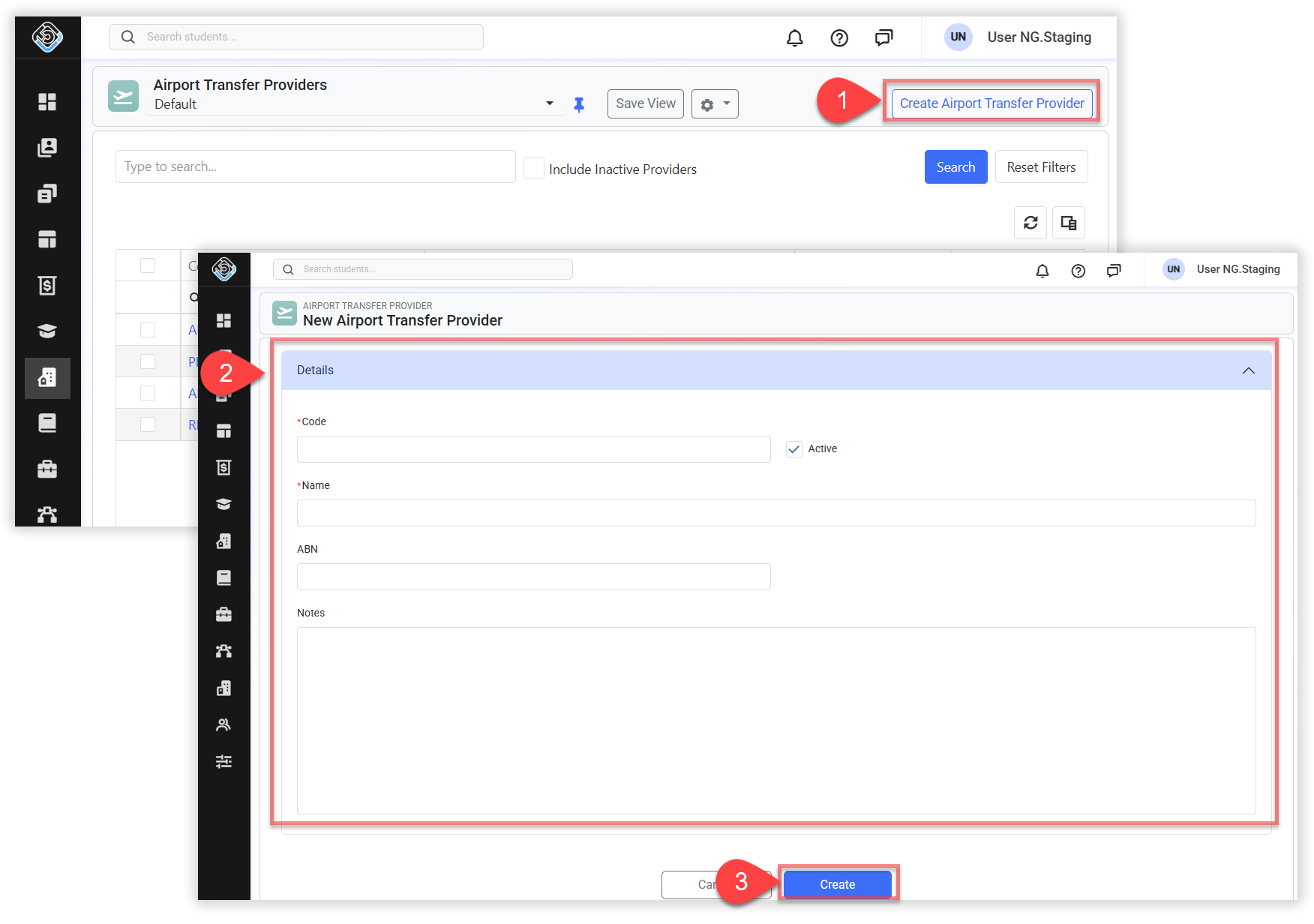
From the Main menu, go to Student Services > Airport Transfer > Airport Transfer Providers. Click the create button to open the creation page.
-
Enter the new Airport Transfer Provider’s details.
-
Click Save to finish.
Edit Airport Transfer Provider Details
-
From the Main menu, go to Student Services > Airport Transfer > Airport Transfer Providers. Select the Provider you want to update and click Edit, or open the Provider’s details page and click Edit.
-
Update the details as required.
-
Click Save to finish updating.