
Considerations for Creating Study Tour Groups
A Study Tour Group can have multiple offers, students, intakes, programs, travel periods, and study tour arrangements. Think of the Study Tour Group as the organisation or entity that coordinates and manages the study tour.
Over time, the same organisation may run multiple study tours involving different groups of students, programs, travel dates, and experiences. For this reason, you do not need to create a new Study Tour Group each time a new study tour is organised for the same organisation. Instead, create additional Study Tour Offers within the existing group.
Create a New Study Tour Group
-
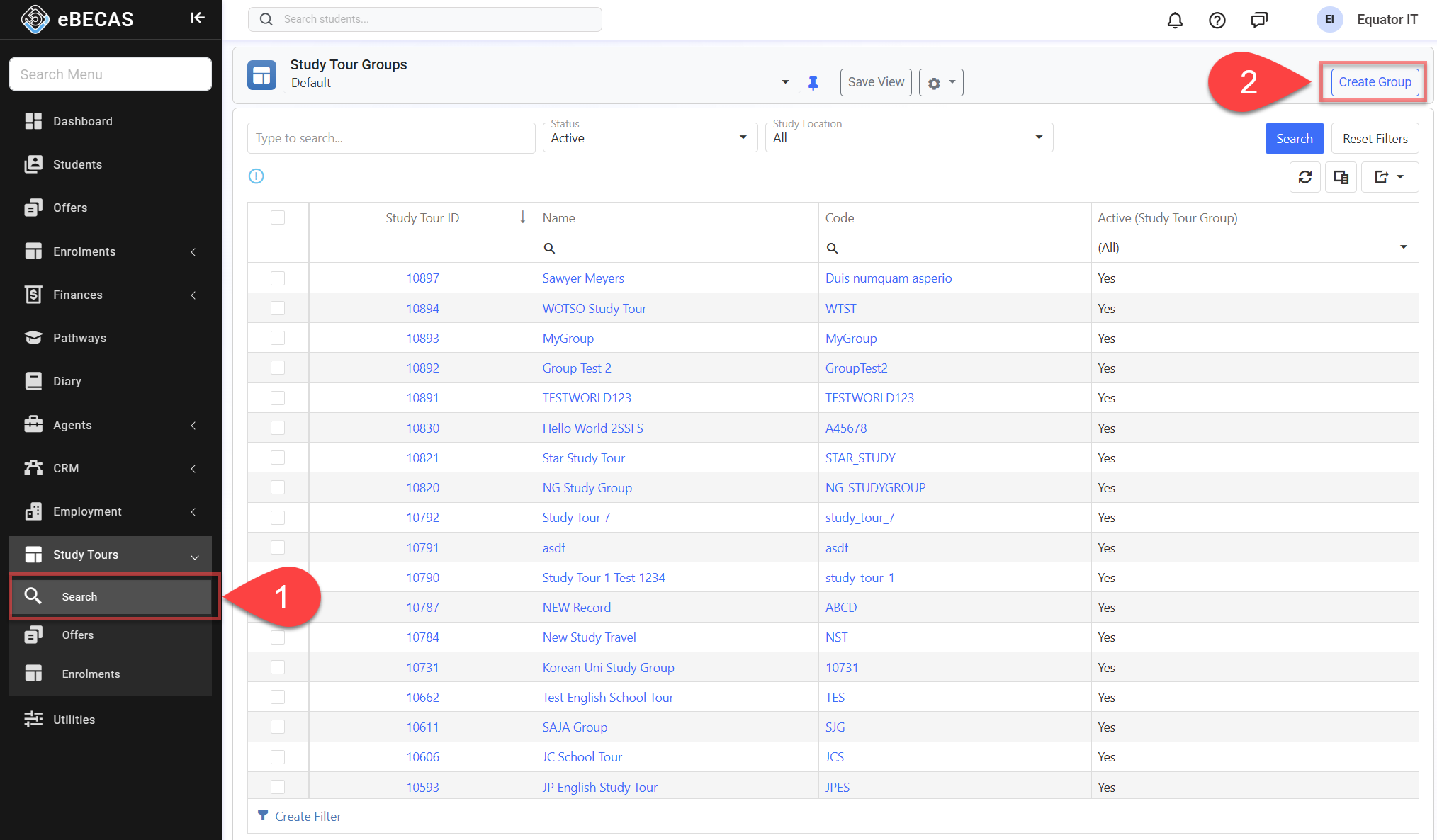
From the Main menu, go to Study Tours > Search.
-
Click on Create Group on the top right.
-
Enter New Study Tour Group’s details, then click on Save to finish.
Edit Study Tour Group Details
-
Access to the study tour group that you’d like to update.
-
Click Edit Group on the top right.
-
Update details as needed.
-
Click Save to finish updating.
Delete a Study Tour Group
Study Tour Groups cannot be deleted. If a group is no longer required, mark it as Inactive instead to preserve its historical records.