
The Study Tour Group Enrolments page displays all Study Tour Enrolments for a specific Study Tour Group. A Study Tour Enrolment is created when a Study Tour Offer is accepted and represents the group-level enrolment used to manage the course, financials, and other information shared by the study tour participants.
For all the details about Study Tour Enrolments, visit this article: Study Tour Enrolments.
View the Study Tour Group Enrolments
-
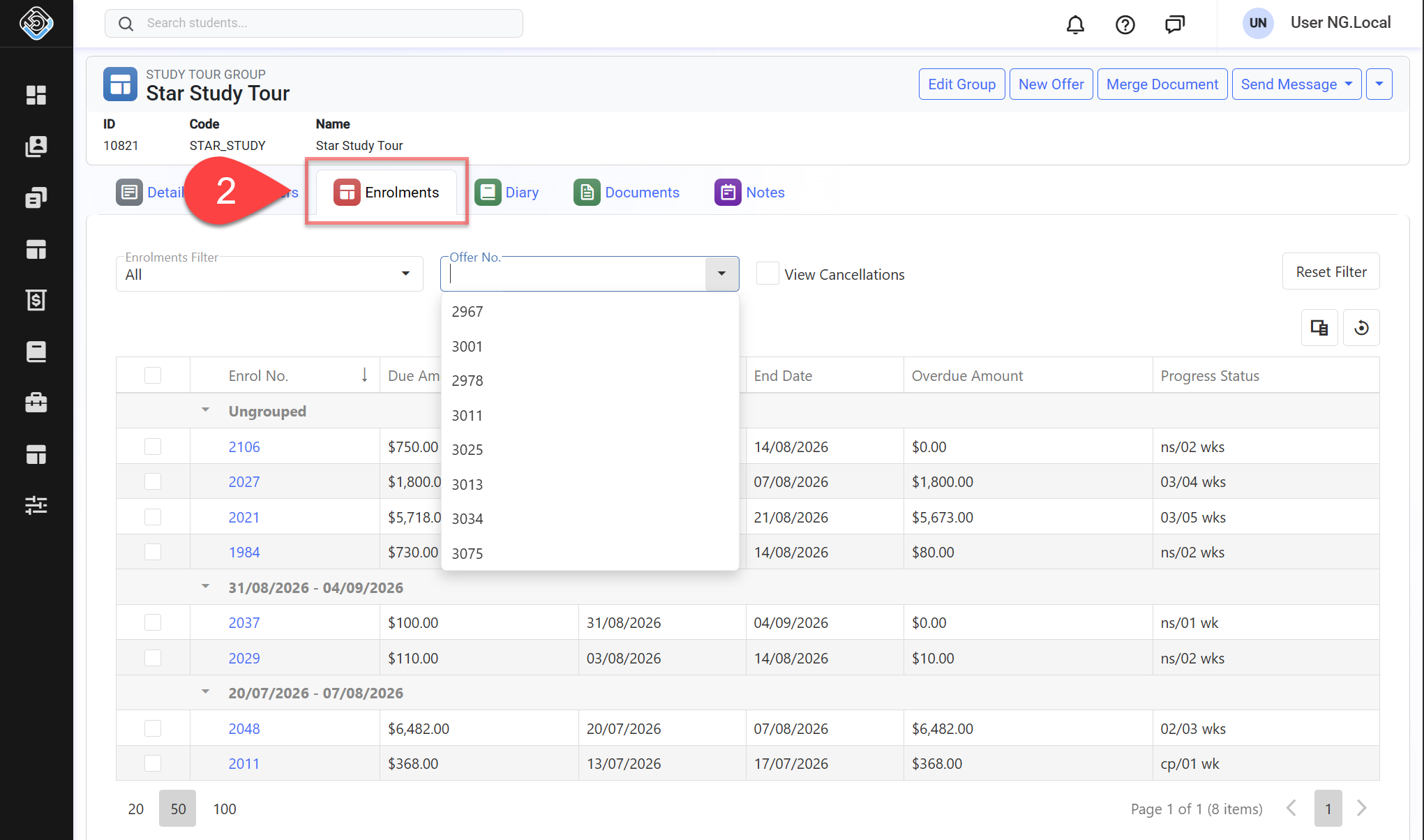
Go to the study tour group that you want to see the study tour enrolments for.
-
Click on the Enrolments tab.
-
Use the Enrolments Filters to specify the results. By default, all study tour enrolments will be displayed in the grid. Available filters are:
-
Enrolment Filter: Filter the study tour group’s enrolments based on their current progress status.
-
Offer No: Filter study tour enrolments by the selected offer number.
-
View Cancellations: Includes study tour enrolments that are cancelled in the result.
-
-
The enrolments for the study tour group will show on the grid.
Group/Ungroup Study Tour Enrolments
Grouping can be useful when multiple Study Tour Enrolments form part of the same overall Study Tour, such as where different courses or stages run consecutively.
Once grouped, the related enrolments can be viewed together as a single study period, with a group start and end date. Enrolments can be ungrouped when they no longer need to be managed as part of the same programme.
Study Tour Enrolments use the same grouping and ungrouping process as individual student enrolments. For detailed instructions, see this article: Student Enrolments