The Study Tour Enrolment Recalculation process is automated and activated by various system events; however, it can also be manually initiated for specific study tour enrolments.
Overview
As the study tour enrolments progress overtime, some attributes on the study tour enrolments are updated regularly and automatically to ensure the enrolment details are up-to-date. The process to update these attributes is called Enrolment Recalculation. Although this is an automated process, it can also be initiated manually for a single enrolment.
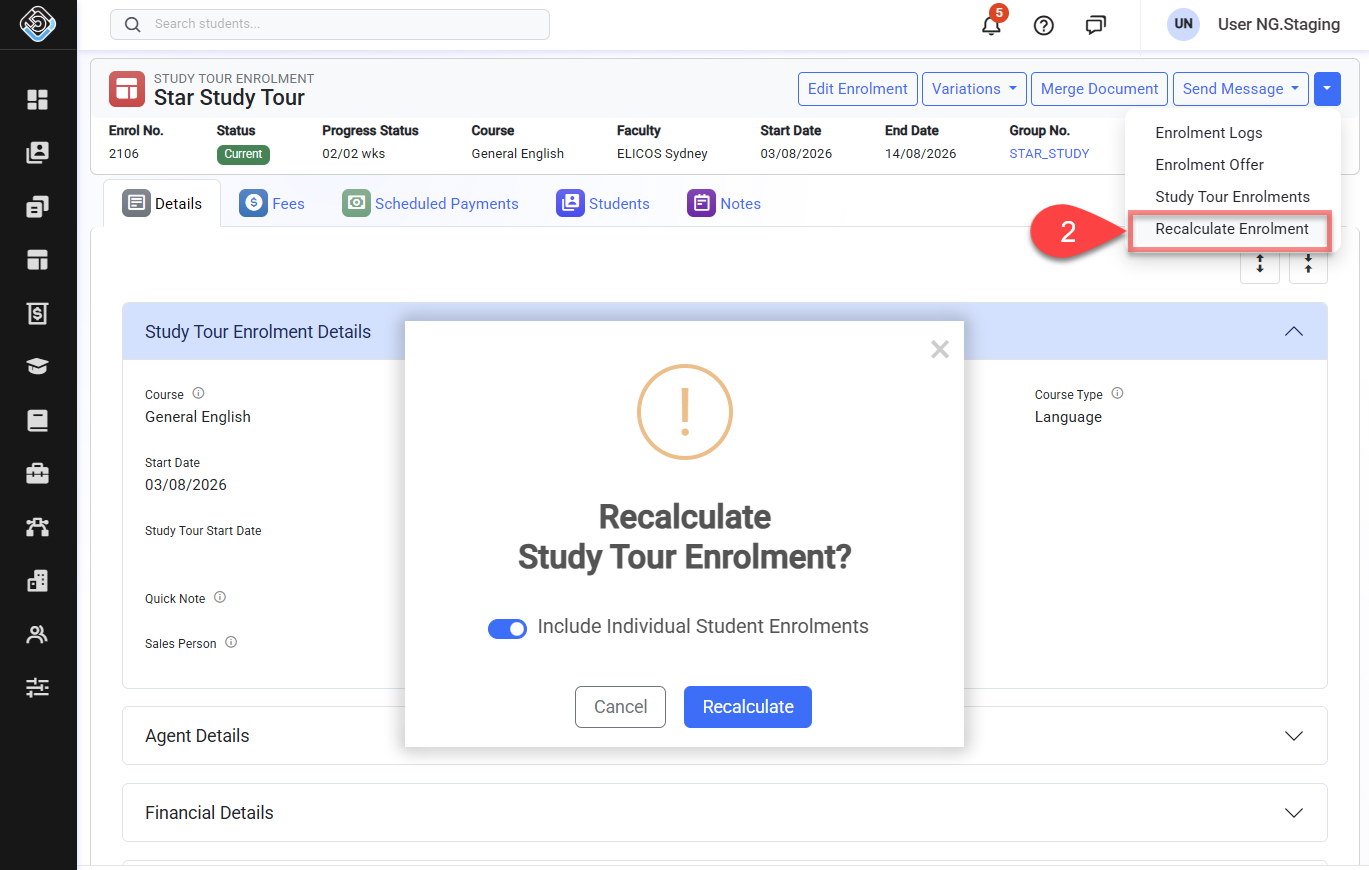
A Study Tour Enrolment may have multiple individual student enrolments linked to it. When manually recalculating a Study Tour Enrolment, you can choose to recalculate only the Study Tour Enrolment or include all linked individual student enrolments in the recalculation.
Recalculating an enrolment manually is useful when the details for a particular the enrolment do not seem up-to-date.
Recalculate the Study Tour Enrolment
-
Go to the study tour enrolment of interest.
-
Click on the dropdown button in the enrolment header and click on the Recalculate Enrolment button.