Learn how to create, manage, and delete External Payment records.
Create External Payments
External payments can be created in multiple ways:
-
Via Flywire integration: External Payments are created when payment requests are made or payments are received through Flywire. For more information, see Flywire App, Request Payments Via Flywire
-
By importing external payments: Import payment data from an external source to create multiple External Payment records at once. For more information, see Import External Payments
Edit External Payments
Updating existing External Payment records is currently not supported.
Delete External Payments
External Payments that have the Reconciled status can’t be deleted.
Delete a Single Entry
-
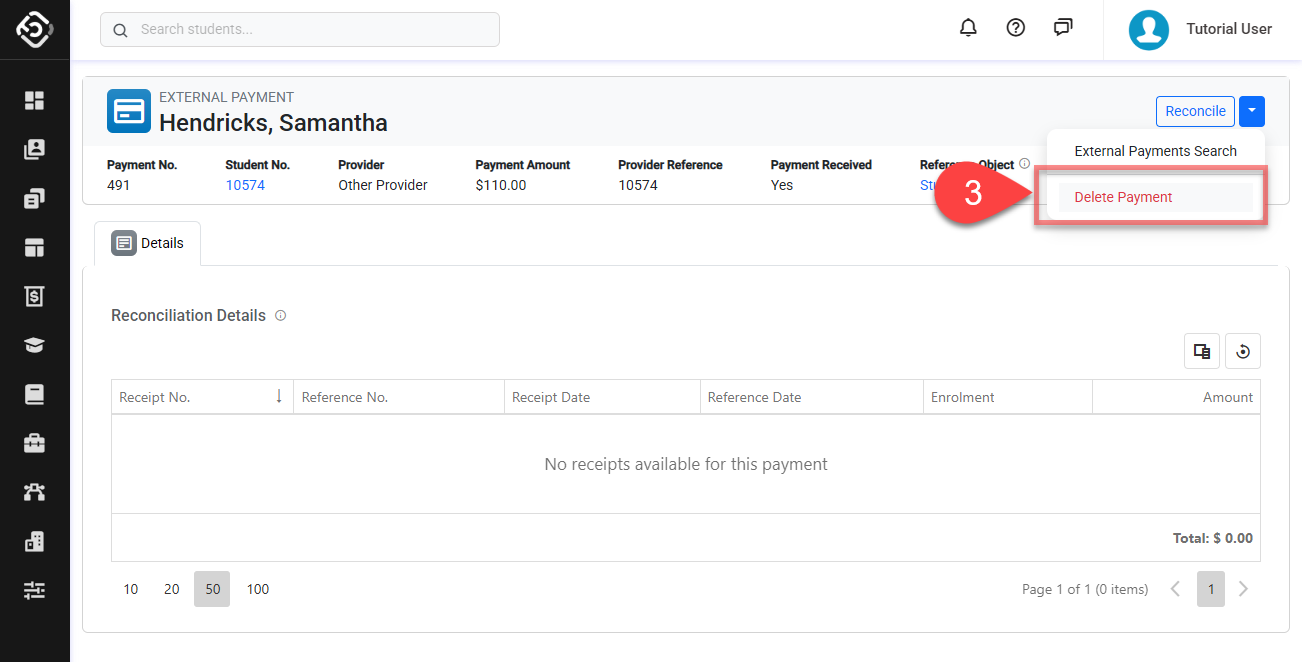
Go to the the details page of the external payment that you intend to delete.
-
Click on Dropdown button located on the top right.
-
Click on Delete and confirm to finish.
Delete Multiple Entries
-
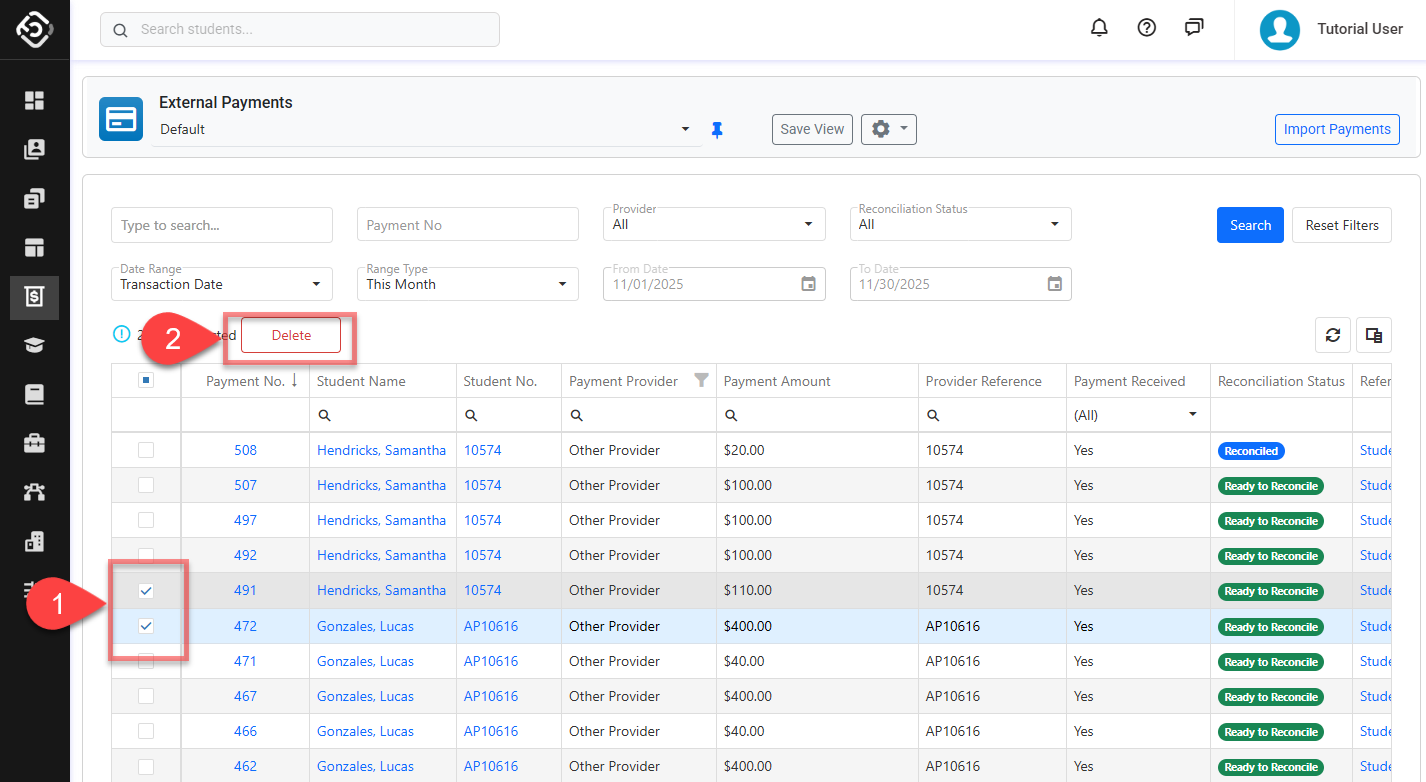
From the External Payment Search, select the entry(s) that you’d like to delete.
-
Click on the Delete button above the data grid and confirm to finish.