
As we wrap up the year, this December release introduces a series of small but helpful refinements across core Finance workflows. You will see smoother interactions, clearer steps, and an expanded set of reports available through the Equator API and Power BI.
Finances Updates
🔥Faster Bulk Updates for Schedule Payment Items
new Nextgen ONLY
When creating or editing a Scheduled Payment, it is common for several or all payment items to share the same Provider Invoice Date and Provider Invoice Number. To support this, you can now update these details in bulk. Individual items can still be edited separately when needed.
.gif)
Clearer identification of agent head offices in Schedule Payments
new Nextgen ONLY
When selecting agents while creating Scheduled Payments, the dropdown now displays a Head Office indicator. This makes it easier to identify head offices and choose whether to include payments for the main office only or for all related branches.
.png?cb=ffa66ced3604617986bd73109ec12b8b)
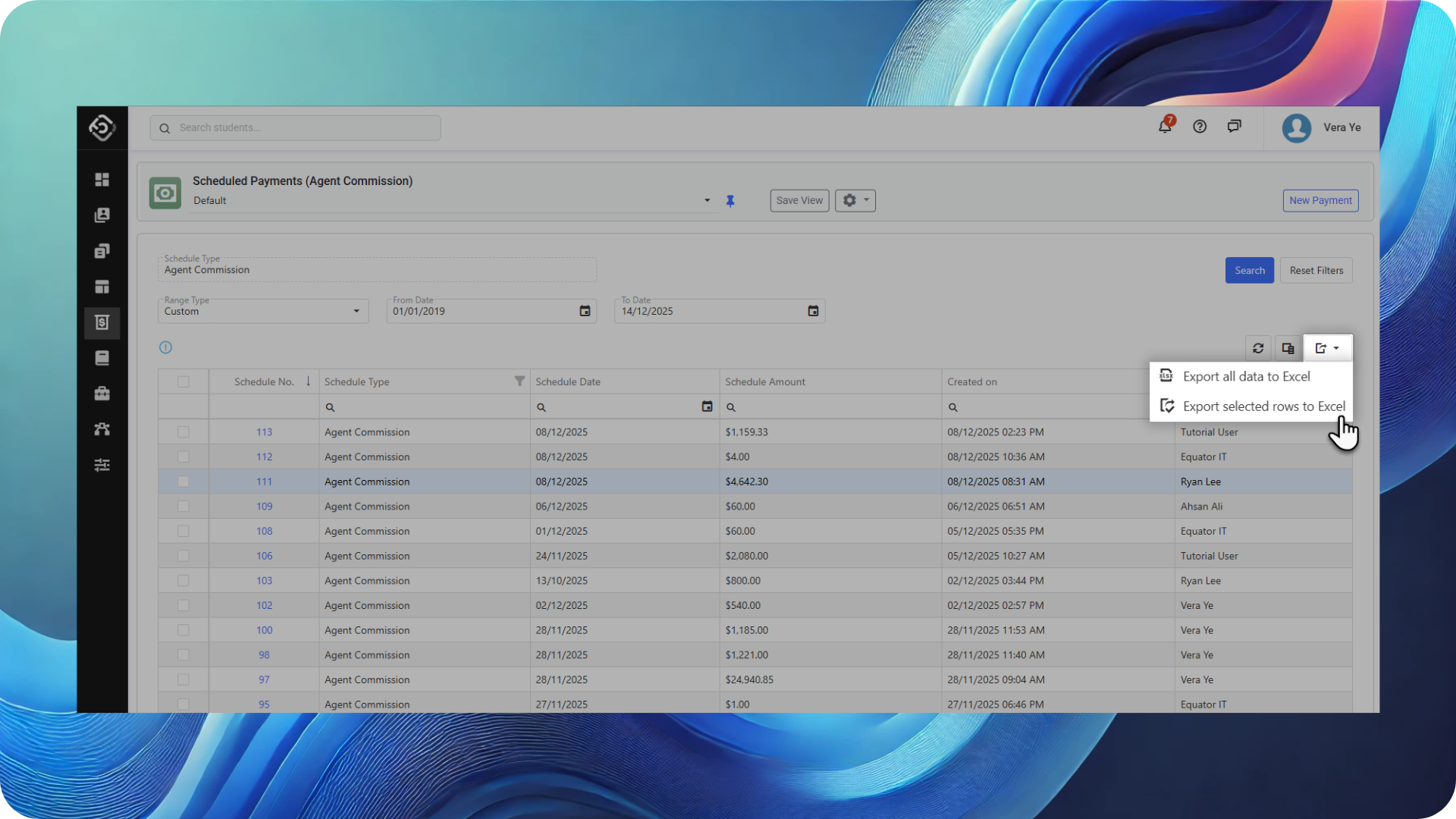
New Option to Export Scheduled Payments to Excel
new Nextgen ONLY New Permission Required
You can now export to Excel the list of Scheduled Payments from Scheduled Payments Search.
New Option to Merge Scheduled Payments
new Nextgen ONLY New Permission Required
Documents can now be merged directly from the Scheduled Payment Details page, as well as in bulk from the Schedule Payment Search.
Need a starting point? Feel free to download our Sample Scheduled Payment Template from the Template Repository.
A Simpler Layout for Reconciling External Payments
new Nextgen ONLY
The External Payments reconciliation wizard has been updated with a cleaner, more flexible layout. You can now adjust the width of the Invoice Selection and Summary panels to focus on the information most relevant to you.
.gif?cb=06c765986fef57edde93a4aba6835894)
Integrations Updates
📊 New Reports in the Equator API & Power BI Connector
new POWER-BI v1.8.1 Equator API
New reports have been added to the Equator API and our Power BI integration:
-
Invoice Due in Period (
/INVOICESDUEINPERIOD): Lists all invoices except fully paid ones, with outstanding amounts that fall due within the selected period. Learn more -
Agent Commission Report (
/AGENTCOMMISSIONSUMMARY): Summaries agent commission activity for enrolments that start within the selected period, including total commission invoiced, the amount of funds received for those commissions, the payments made to the agent, and the remaining amount that can be paid to the agent from received funds. Learn more -
Academic Result Audit Report (
/ACADRESULTAUDIT): Lists all changes made to all academic classes and modules (subjects) within the selected period. Learn more
All Bookings in Period Available in Power BI
new POWER-BI v1.8.1
In addition to the Bookings in Period report, a new report has been added to the Power BI integration. The All Bookings in Period report (/ALLBOOKINGSINPERIOD) includes bookings even when the related enrolments have been cancelled.
Extra Offer Fields Added to Bookings in Period and Current in Period Reports
new POWER-BI v1.8.1 Equator API
The following Offer fields have been added to both the Bookings in Period (/BOOKINGSINPERIOD) and Current in Period (/CURRENTINPERIOD) reports in the Equator API and Power BI:
-
Offer Type
-
Offer Prepayment Fields
-
Offer Custom Fields
Students Portal Updates
Hide Future-Year Invoices by Faculty in Invoice Menu of Students Portal
new Students portal
The Student Portal now offers more flexible control over invoice visibility. You can choose to hide invoices that due in the next calendar year (and beyond) for selected Faculties.
This can be configured in the Admins Portal > Student Portal Settings > Faculty Setup by selecting the relevant Faculties. Once enabled, only invoices due in the current year will appear for students under those Faculties. You can also display a custom message when future-year invoices are hidden.