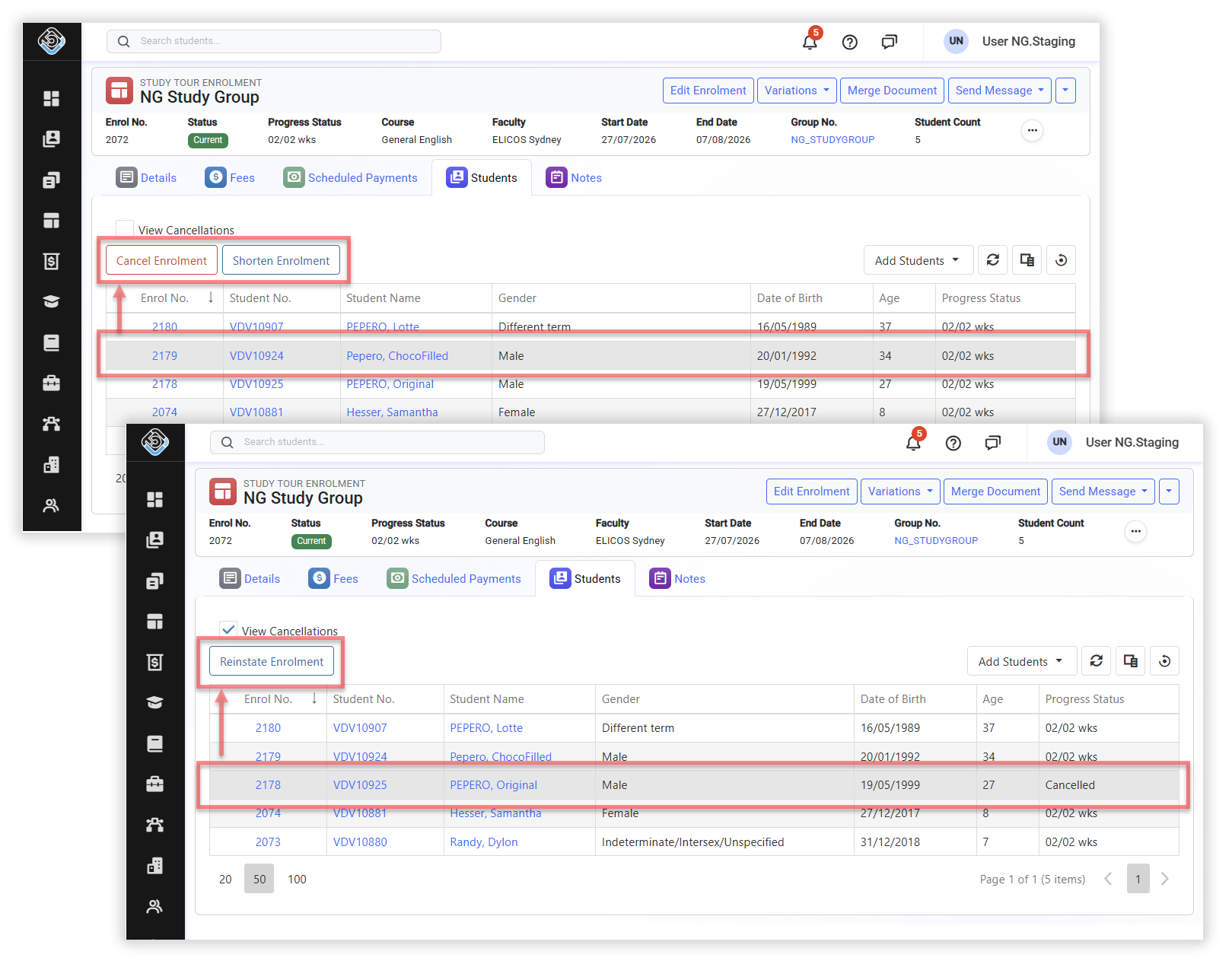
The Study Tour Enrolment Students tab displays all students linked to the Study Tour Enrolment. From this tab, you can add additional students and manage supported enrolment variations for individual students without affecting the rest of the Study Tour.
Overview
The Study Tour Enrolment Students tab is used to manage the individual student enrolments linked to a Study Tour Enrolment. From this tab, you can shorten, cancel, or reinstate an individual student enrolment, or add additional students. New student enrolments are created automatically and linked to the Study Tour Enrolment.
Where a variation applies to the entire Study Tour Enrolment and all linked individual student enrolments, apply the variation from the Study Tour Enrolment level. For more information, see Study Tour Enrolment Variations.
The following variations can be applied to individual student enrolments that are part of a Study Tour:
-
Shorten Enrolment: Reduces the study period for the student enrolment.
-
Cancel Enrolment: Cancels the student enrolment.
-
Reinstate Enrolment: Reactivates a cancelled student enrolment.
-
Add additional Student(s): Creates or adds a student with a new individual enrolment linked to the Study Tour enrolment.
The Extend Enrolment and Change Enrolment Start Date variations cannot be applied to an individual student linked to a Study Tour Enrolment. These changes must be applied at the Study Tour Enrolment level and will apply to all linked individual student enrolments.
Access Study Tour Enrolment Students
-
Study Tours > View Study Tours
-
Enrolments > View Enrolments
To access the students linked to a Study Tour Enrolment:
-
Go to the Study Tour Enrolment of interest.
-
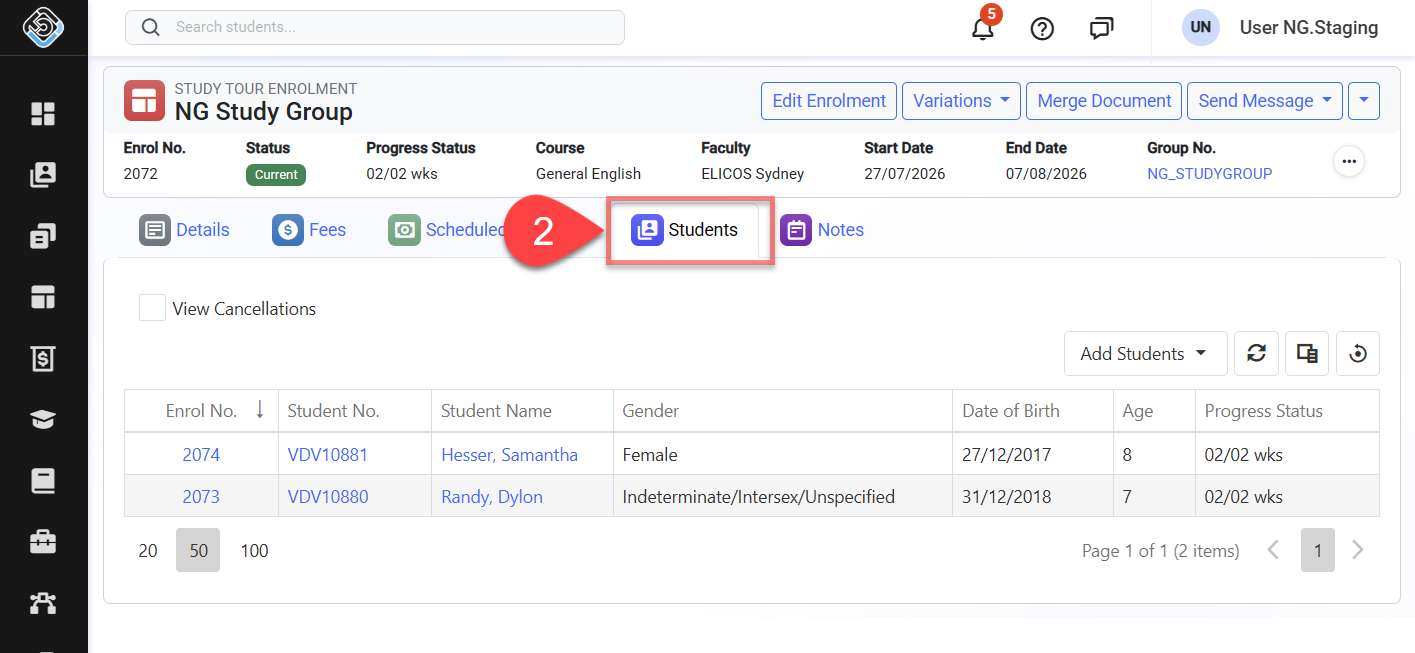
Click on the Students. The tab displays the students currently linked to the Study Tour Enrolment and their individual student enrolment numbers.
Add Students to a Study Tour Enrolment
Additional students can be enrolled from the Students tab. You can create a new student record or select an existing student.
When a student is added, the student is enrolled in the course associated with the Study Tour Enrolment. An individual student enrolment is created and linked to the Study Tour Enrolment.
As part of the student addition process, you can also choose to create an invoice for the additional enrolment(s). For more information about creating a tuition invoice, see Create a Tuition Invoice.
Add a New Student
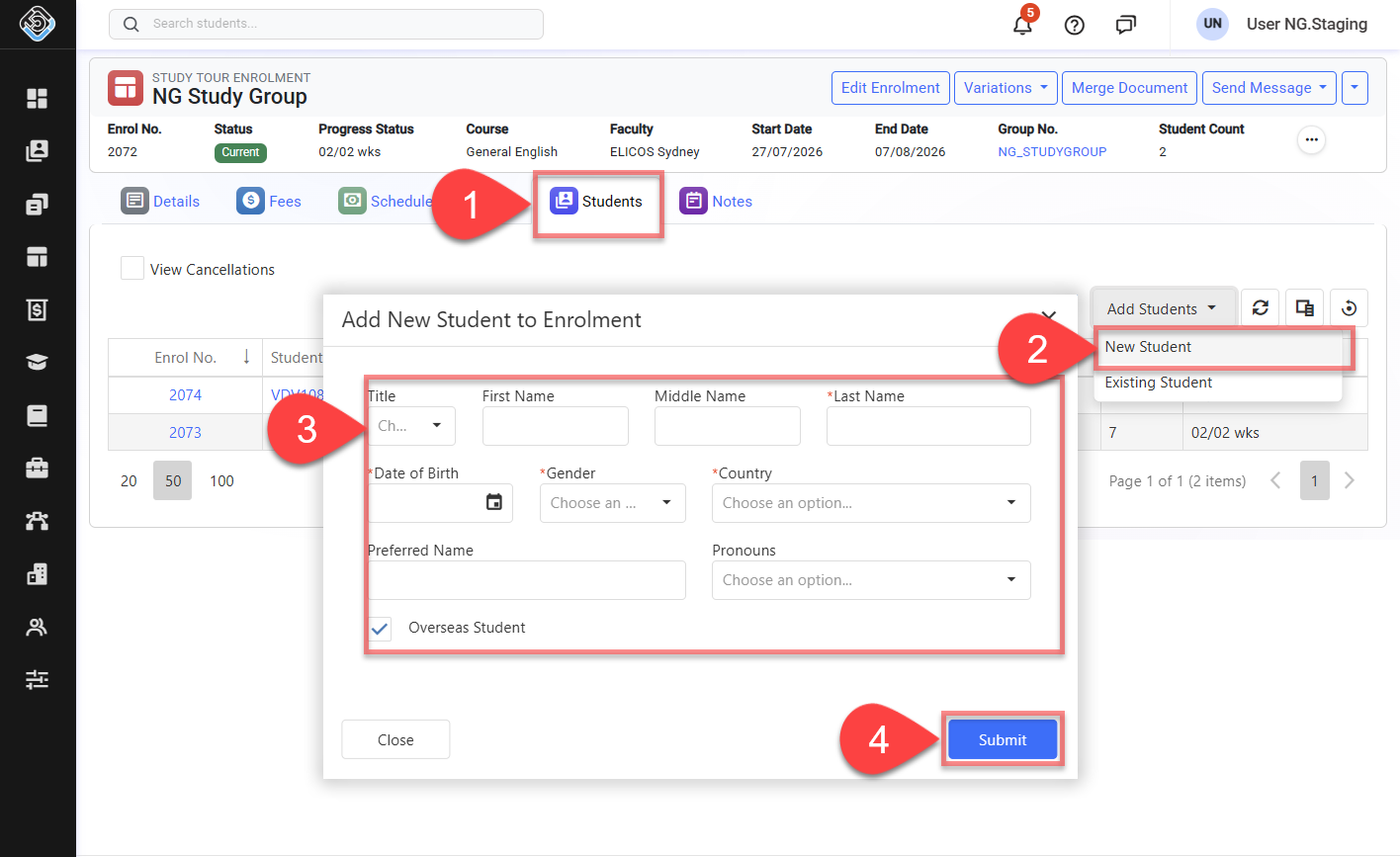
To create a new student and add them to the Study Tour Enrolment:
-
Go to the Students tab of the relevant Study Tour Enrolment.
-
Click Add Students > New Student.
-
Enter New Student’s basic details.
-
Click Submit.
-
Optional Choose whether to create a tuition invoice for the additional student enrolment as part of the process.
-
A new student record and an individual student enrolment are created, and the enrolment is linked to the Study Tour Enrolment. The page will be refreshed and the Student Count is updated automatically.
Add Existing Students
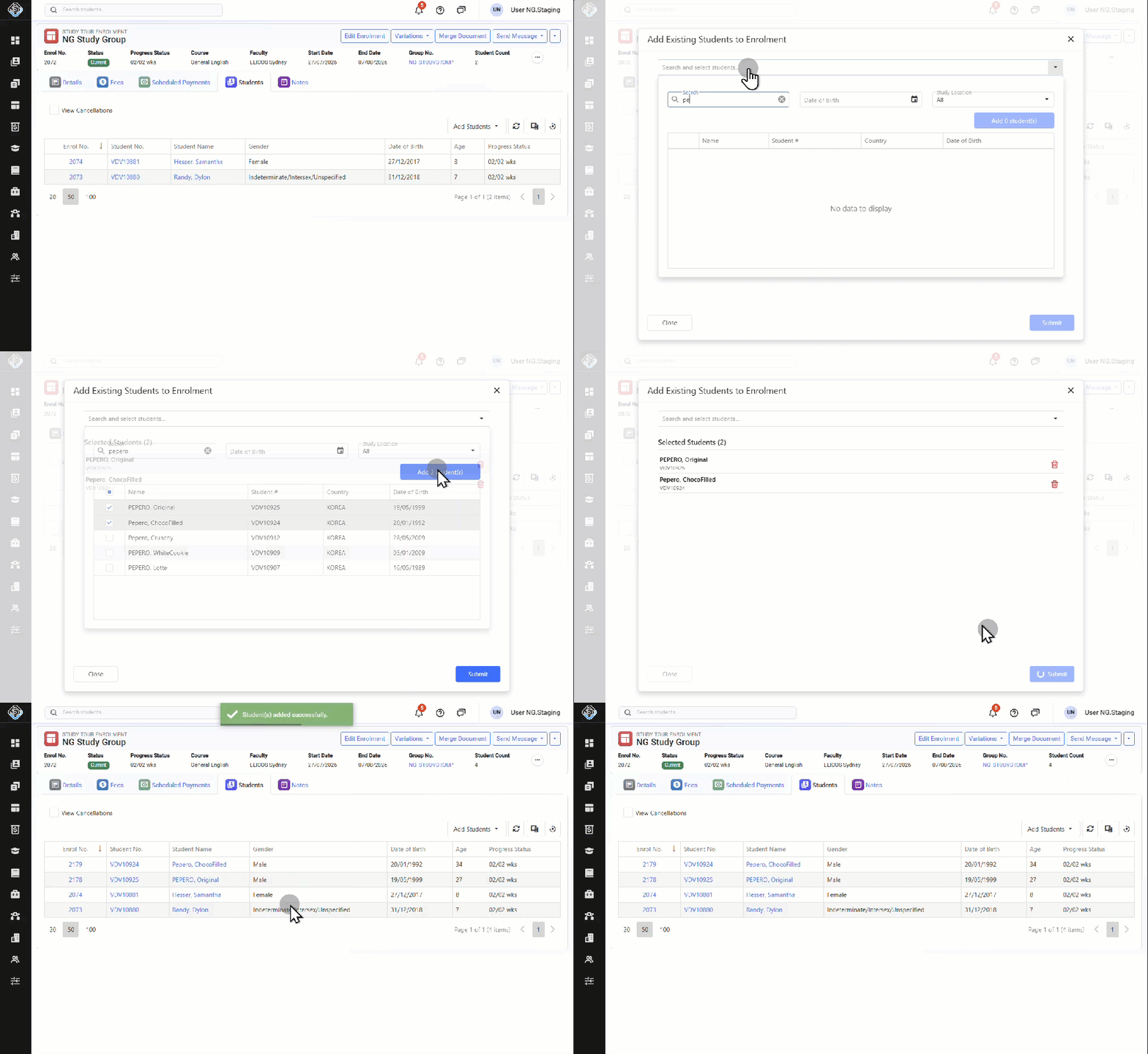
To add one or more existing students to the Study Tour Enrolment:
-
Go to the Students tab of the relevant Study Tour Enrolment.
-
Click Add Students > Existing Students.
-
Search for the students you want to add.
-
Select one or more students, then click Add button.
-
Review the list of students to add. You can search more to add, or remove. Once the list is ready, click on Submit.
-
Optional Choose whether to create a tuition invoice for the additional student enrolments as part of the process.
-
Individual student enrolments are created for the selected students and linked to the Study Tour Enrolment. The page will be refreshed and the Student Count is updated automatically.
Variations to Individual Student Enrolments
To apply a variation to an individual student enrolment:
-
Go to the Students tab of the relevant Study Tour Enrolment.
-
Locate the student of interest.
-
Select the required action for the student enrolment.
The following actions are available: