
Welcome to the September 2026 updates!
This month, automation takes a big step forward with our new Zapier integration, opening the door to thousands of apps, AI tools and automated workflows.
We’ve also made Power BI reporting smarter with Report Period Presets, alongside new updates across Student Accommodation, Finance, Objects, APIs and everyday usability.
Here’s what’s new. ✨
🔥 Connect to 9,000+ Apps and AI Tools with Zapier
Your website. Your CRM. Marketing platforms. Microsoft 365. Specialist services. AI tools.
With our new Zapier integration, you can connect to more than 9,000 applications and AI tools and build automations around the way your institution works.
Create Students and Offers from website forms. Keep your CRM and marketing platforms in sync. Trigger workflows when Students, Offers or Agents are created. Upload documents, create notes and bring AI into your workflows when needed.
Many workflows can be created through Zapier's visual, no-code interface, giving your team more freedom to automate processes without turning every idea into a development project.
And with dedicated integration permissions and Field Access Levels, you stay in control of what information each workflow can access.
Over the coming weeks, we’ll be sharing practical guides and real use cases to give you inspiration for how you can connect your systems, automate everyday processes and reduce manual work with Zapier.
Your workflows. Your applications. Your rules.
Read more and discover how to get started
📈 Power BI Integration Updates
Smarter Power BI Reporting with Relative Dates
NEW NEXTGEN ONLY Power BI
One of the most requested improvements to our Power BI integration is now available: relative date ranges.
You can now configure reporting periods such as This Week, This Month, This Quarter, Year-to
Date and more.
Each time the report is refreshed, the relevant reporting period is calculated automatically, helping keep recurring reports current with less ongoing maintenance.
Not using Power BI yet? If your institution is looking to take reporting further with automated advanced reporting, business analytics and business intelligence, contact us to explore what is possible with our Power BI integration.
.png?cb=9a33e3ed208d7a31a08b794a6d2917eb)
🏠 Student Accommodation Updates
Create, Manage and Place Student Accommodation Requests
NEW NEW PERMISSION REQUIRED
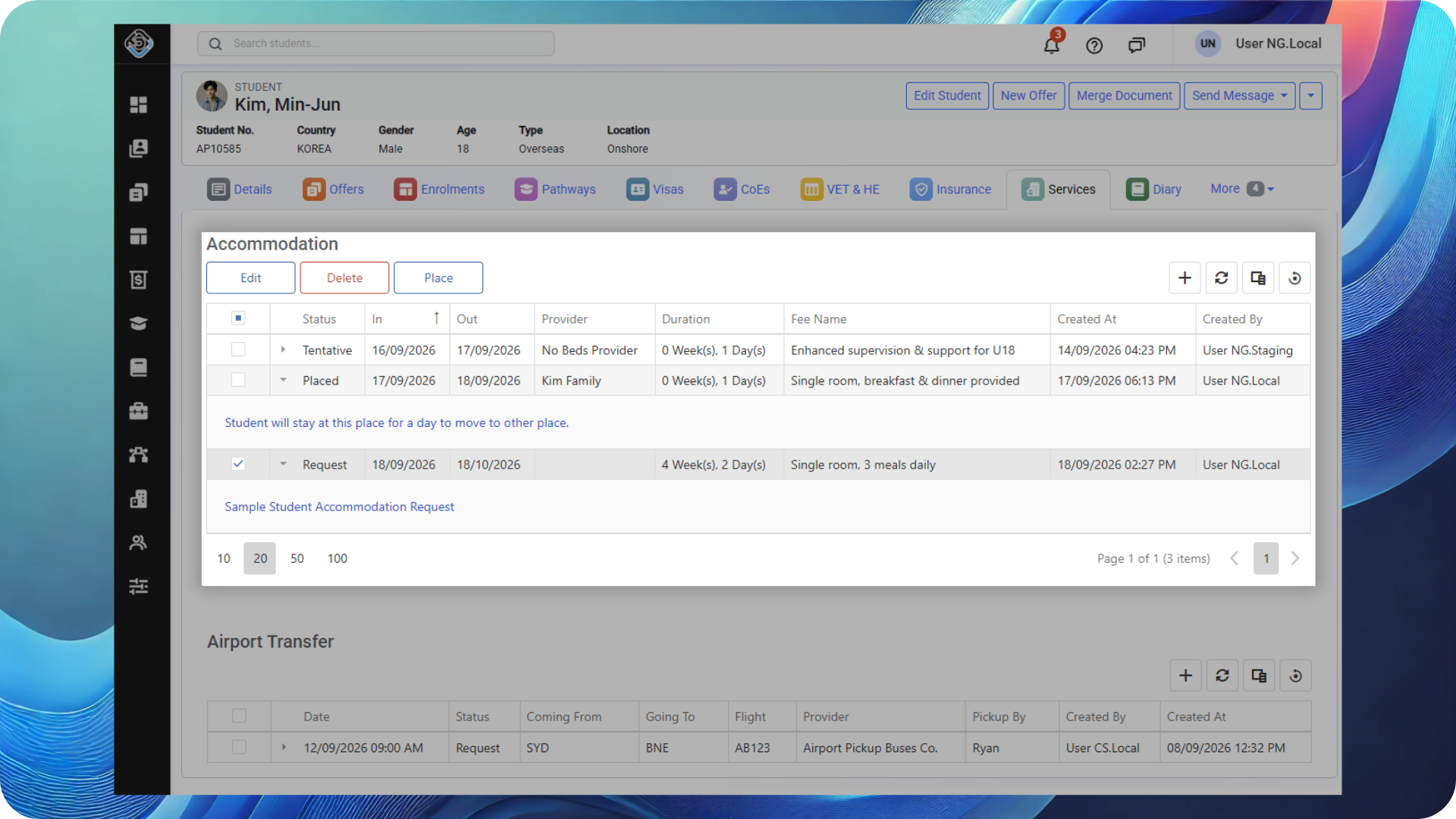
Accommodation request and placement management has now arrived in NextGen.
From the Student Services tab, users can now:
-
-
Create new Accommodation Requests, with the option to create an invoice when required
-
Edit or delete existing Accommodation Requests
-
Place students with an Accommodation Provider
-
Update an existing placement or unplace a request when circumstances change
-
This brings the full accommodation request and placement workflow into NextGen, making it easier to manage student accommodation from one place.
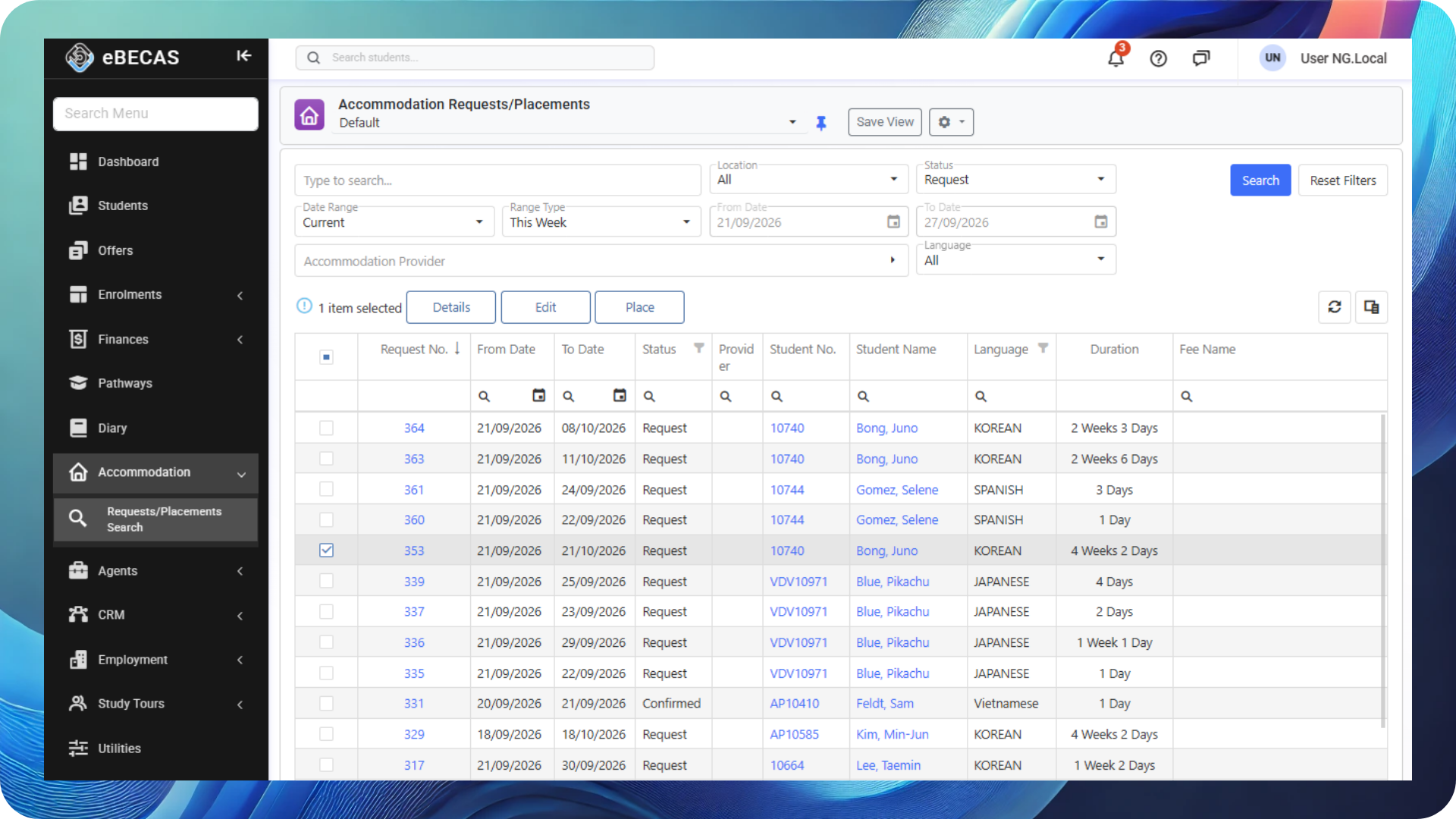
Student Accommodation Requests/Placements Search
NEW
A new Student Accommodation Requests Search page has been added to the main menu, providing a central place to search and manage Accommodation Requests and Placements across multiple students.
📖 Enrolments Updates
Visa Category Added to Enrolments Search
NEW NEXTGEN ONLY
The Visa Category field is now available in the Enrolments Search grid.
While the Visa Type can be customised by each college, each Visa Type can be assigned to a system-defined Visa Category, such as Student, Visitor, Working or Other.
Visa Categories provide a narrower and more consistent way to group and analyse visa information across the system. With the field now available in Enrolments Search, you can also use these broader categories when analysing enrolments.
To make the most of Visa Categories, make sure your Visa Types are assigned to the appropriate category.
🏦 Finances Updates
Set the Invoice Date When Extending or Reinstating Enrolments
NEW NEXTGEN ONLY
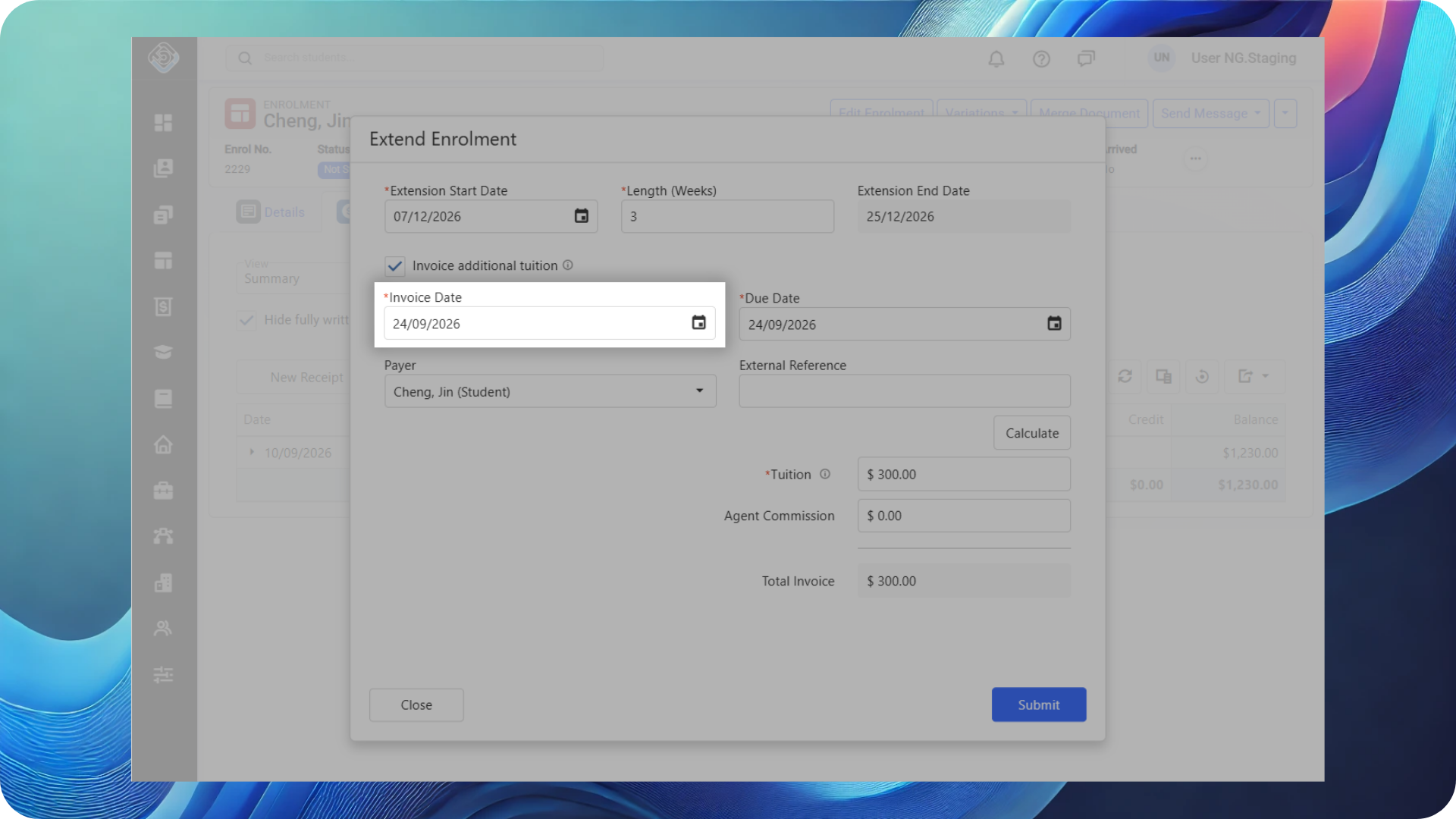
When generating a new invoice as part of an enrolment extension or reinstatement, you can now select an invoice date other than the current date.
Visa Details Added to Detailed Scheduled Payment Search
NEW NEXTGEN ONLY
New Visa Type and Visa Category fields have been added to Detailed Scheduled Payment Search, providing additional visa information when reviewing Agent Commission Scheduled Payments.
External Payments
Single Receipt per Enrolment for External Payment Auto Reconciliation
NEW NEXTGEN ONLY
When an External Payment is reconciled automatically against multiple invoices for the same enrolment, a single receipt is now created for that enrolment. If the payment covers invoices across multiple enrolments, separate receipts will continue to be created for each enrolment.
This results in leaner, cleaner transaction records, making student accounts easier to review and manage.
Automatic Credit Write-Off for Surcharge Fees When Unreconciling External Payments
NEW NEXTGEN ONLY
When an External Payment is unreconciled using the Delete Related Receipts option, any Surcharge Invoice created as part of the original reconciliation is now automatically written off.
This prevents open transactions from remaining on the student account after the payment is unreconciled, keeping the account accurate and easier to manage.
More Enrolment Details in Agent Commission Payment Due Search
NEW NEXTGEN ONLY
The Enrolment Status and Enrolment End Date fields are now available in the Agent Commission Payment Due Search, giving users more enrolment context on the commission payments before scheduling them.
🎓 Study Tour Updates
Create Tuition Invoice When Adding Students in Study Tour Enrolments
NEW
A Tuition Invoice can now be generated when adding students to a Study Tour Enrolment through Study Tour Enrolment Students tab.
🧩 Objects Updates
Find Data Fields Faster with Search
NEW NEXTGEN ONLY
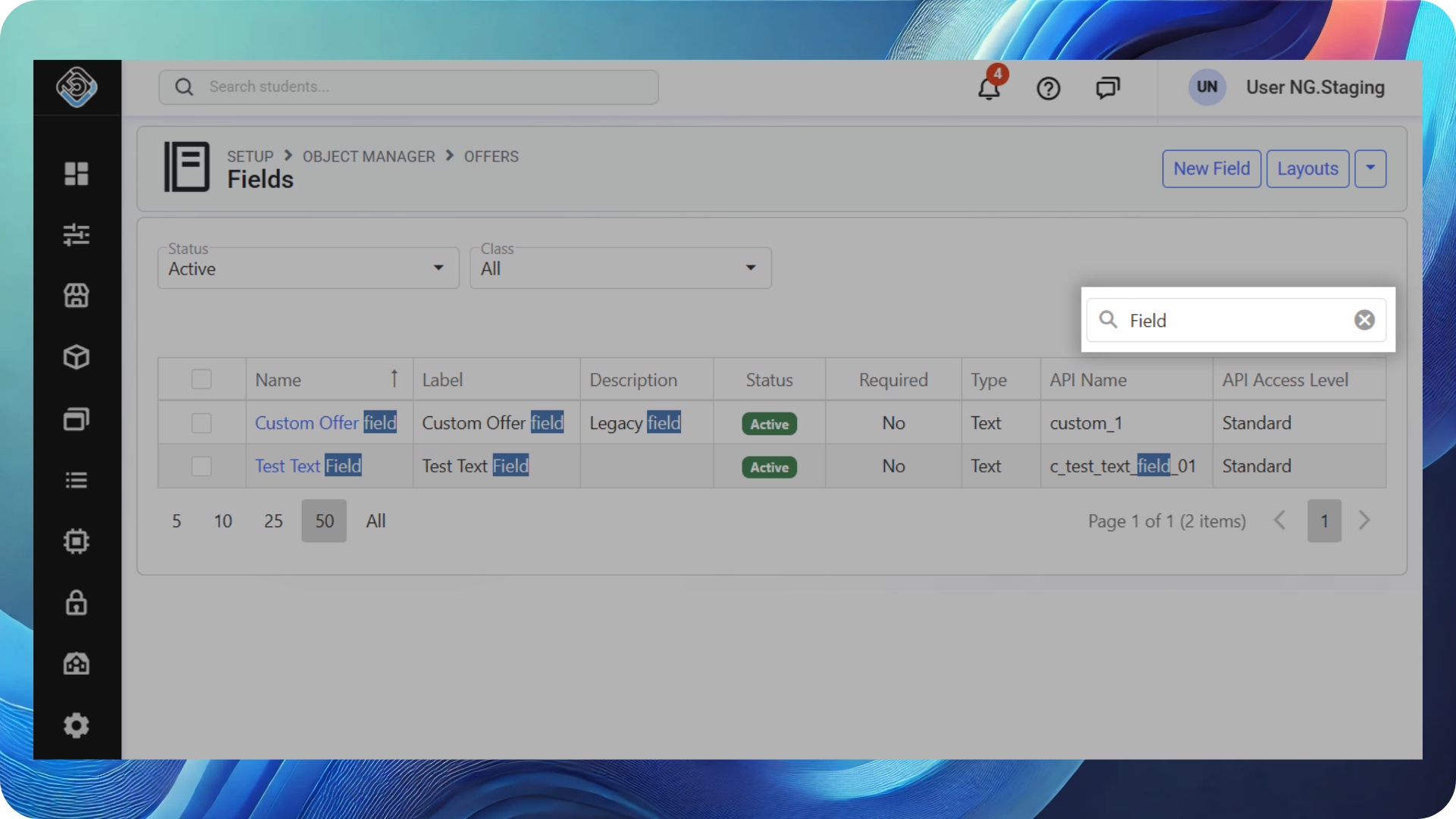
A new Search Box has been added to the Data Fields list, making it easier to find a specific field when working with objects that contain a large number of Data Fields.
Audit Data Field Changes with Data Field Logs
NEW NEXTGEN ONLY
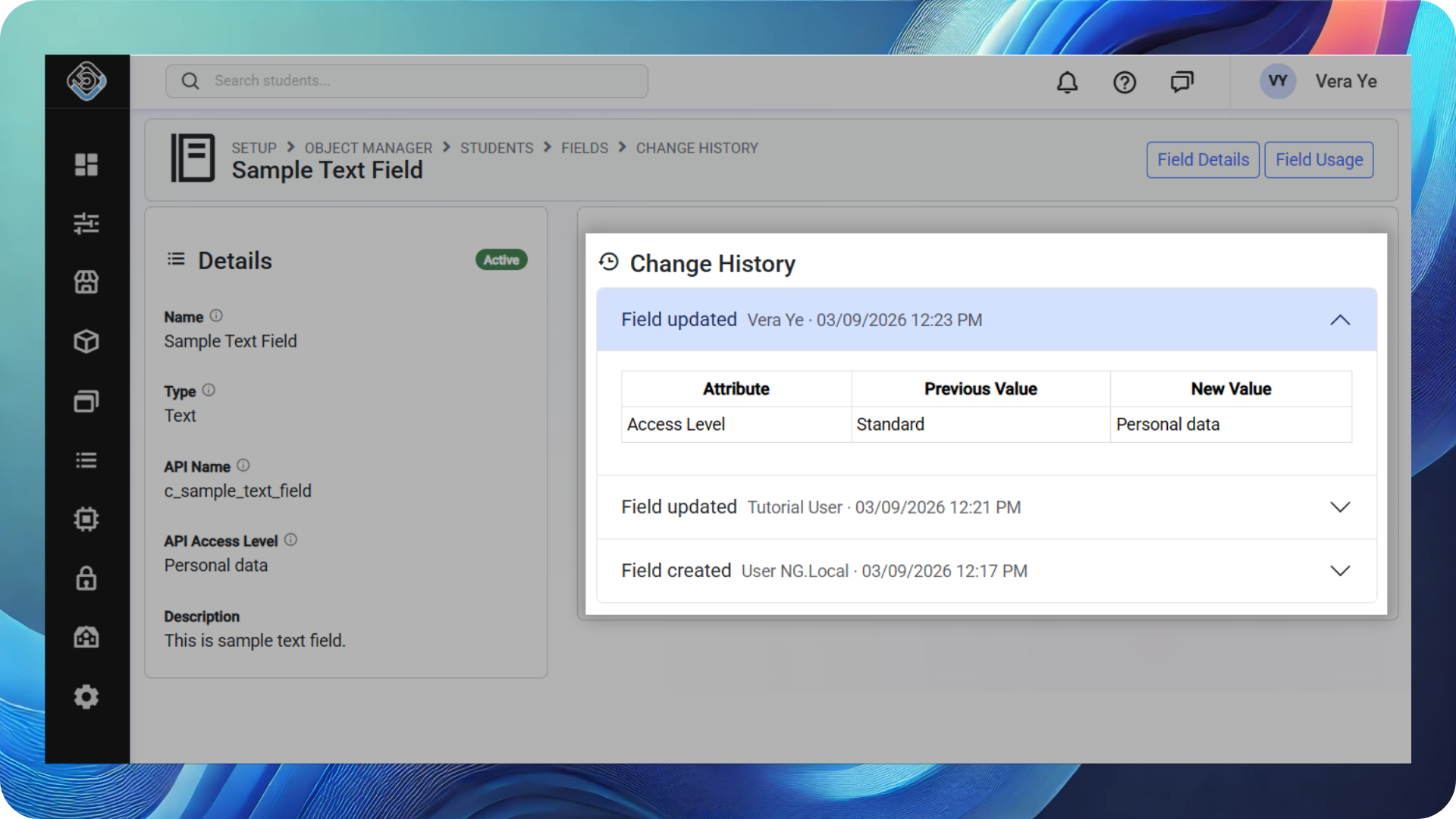
New Data Field Logs provide a history of changes made to Data Fields. The logs allow users to review the previous and new values of a changed field, along with who made the change and when it was made, providing a clearer audit history for Data Field updates.
🪄 Usability
Quick Links Back to Search from Detail Page Breadcrumbs
NEW NEXTGEN ONLY
Breadcrumbs in the header of Object Detail pages now include a link back to the respective Search page, providing a quicker way to return to search results and navigate between records.
.png?cb=bf8d3405d09cfbb060a61c6b81e2c6f3)
Apps Updates
🚀 API v2 Updates
Field Access Levels and API Role Permissions
NEW API v2
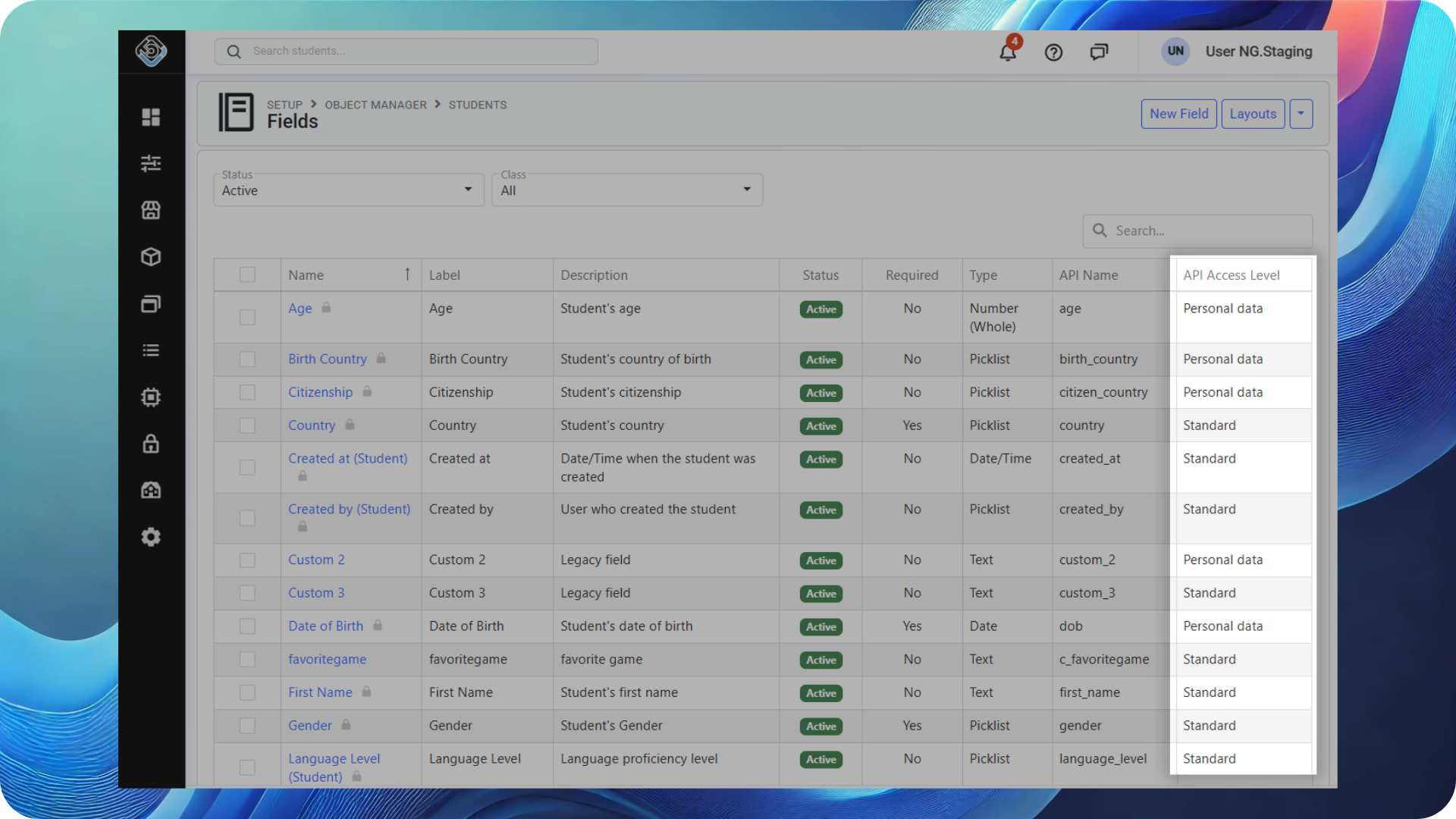
In addition to the existing roles and permissions for integrations, we are introducing an additional security layer: Data Field Access.
Data Field Access lets you assign a security level to individual fields and, through integration roles and permissions, control which integrations can access each level of data.
This gives you more granular control over the information available to integrations and AI tools, helping protect sensitive data while still enabling powerful automation.
New API v2 Endpoints for Templates, Merge Documents and Enhanced Notes
NEW API v2
The following new endpoints are now available through API v2:
-
Templates: Explore your templates from the API
-
Merge Documents: Create documents from your templates for Students, Agents and Offers.
-
Enhanced Notes: Create enhanced notes for Leads, Students, Agents and Offers
Default Offer Status for Offers Created via API v2
NEW API v2
All Offers created through API v2 are now assigned the Application status by default.
📊 API Version 1 Updates
CoE Details in Enrolments in Period Reports
NEW API v1
The Enrolments in Period reports (/bookingsinperiod, /allbokingsinperiod and /currentinperiod) now include details for the CoE linked to the enrolment, regardless of its status. A new CoE Status field has also been added to the reports to show the status of the linked CoE.
Tax Amount Field in Revenue by Start/Booking Date Report
NEW API v1
The Tax Amount field is now included in both the Revenue by Start Date (/revenuebystartdate) and Revenue by Booking Date (/revenuebybookingdate) reports.