
The User Details page is the central hub for managing user information.
User Details Layout
When viewing the user details page, it is structured as follows:
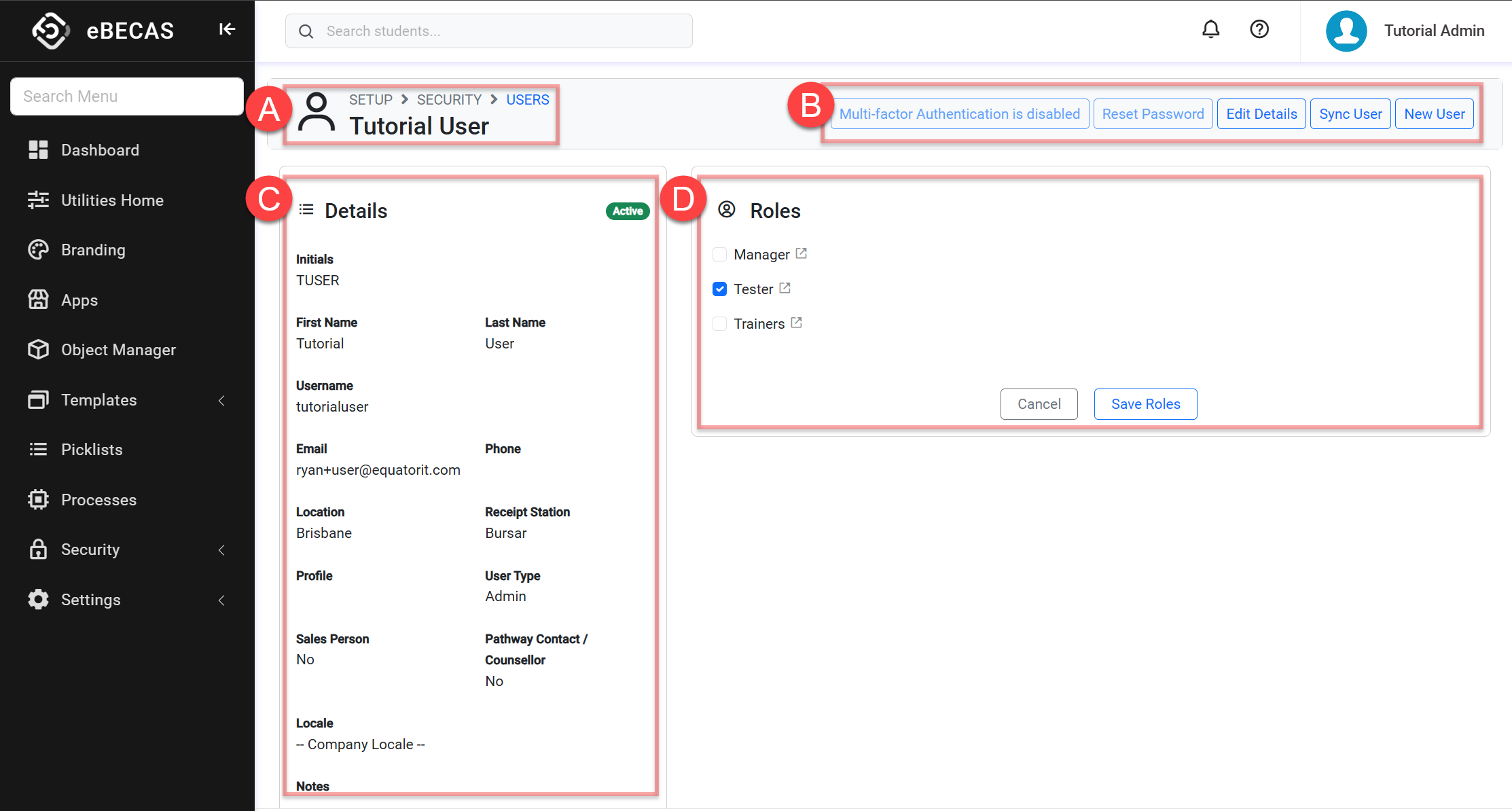
A. The User Full Name
B. Header Quick Action Panel: A collection of actions available for the user. Depending on permissions, the options available might vary.
C. User Details: This section displays the details of the user.
D. User Roles: This section displays the roles assigned to the user. Users can modify the user’s roles from this section. Learn more about roles.
User Quick Actions
From the user details page, the following actions are available:
The actions available might differ based on your role (permissions). Contact your system administrator for more details.
-
Disable MFA using Authenticator App admin only
-
Reset Password admin only
-
Sync User: If changes to the user have been made in the eBECAS/EDMISS classic, use this option to update the user details with the latest changes. This option is usually not needed as the system keeps the users in sync.