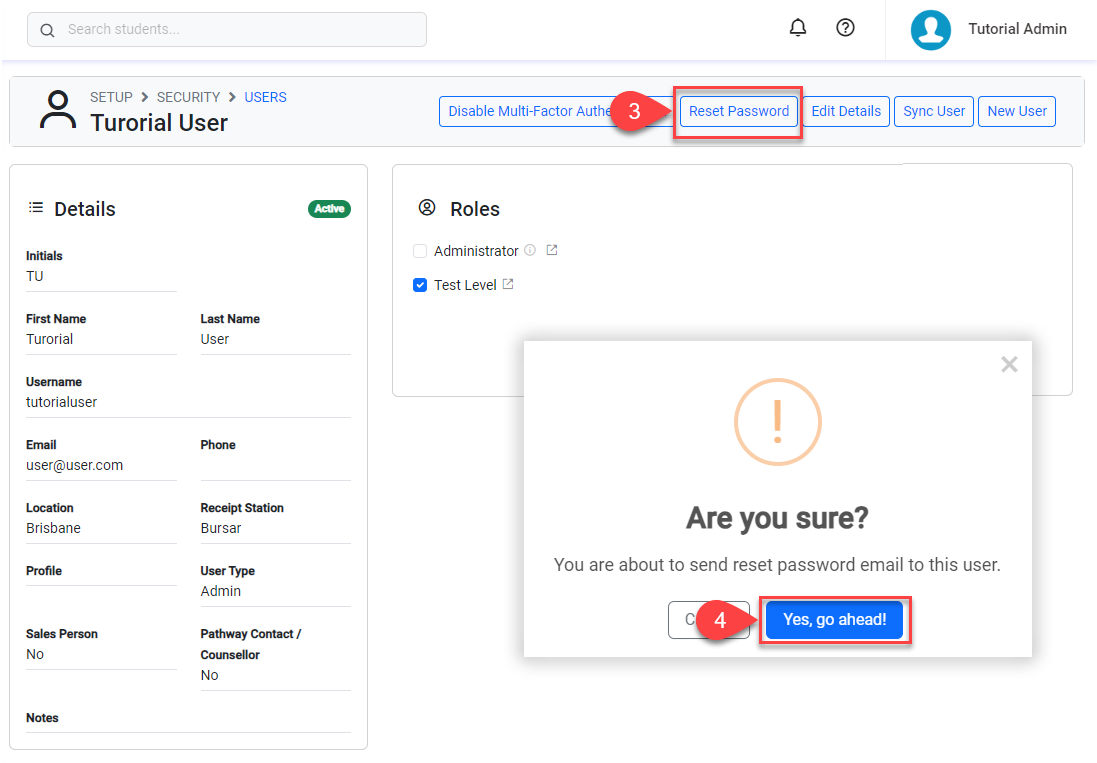
System administrators can trigger the system to send users an email with a secure link to set a new password. For security, administrators cannot view or change user passwords directly.
In addition to the permissions described, the user sending reset password emails to other users must have multi-factor authentication enabled on their own account. See this article to set up Multi-Factor Authentication on your account.
-
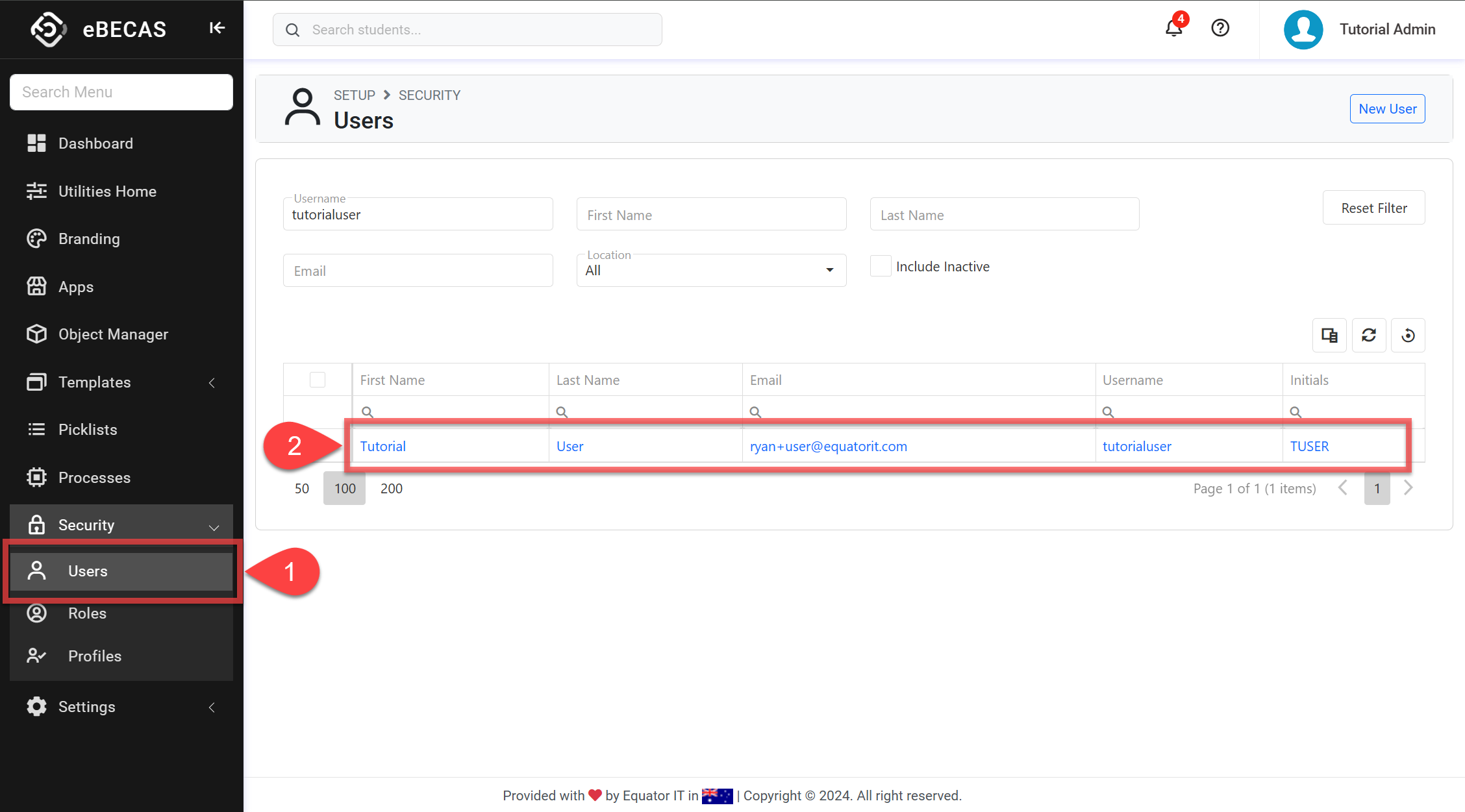
From the Utilities menu, go to Security > Users.
-
Use the filters to find the user, then click on their name to open their details.
-
Click on Reset Password on the top of the page.
-
Confirm to proceed.
-
The user will be sent an email with instructions and a link to reset their password (the link is valid for 1 hour only).
To receive the password reset email, the user must have logged in on the NextGen App at least once before.