
The Enrolment Warning Details page in eBECAS/EDMISS NextGen serves as the primary hub for accessing and managing enrolment warning details.
Enrolment Warning Details Layout
The enrolment warning details page has the following layout:
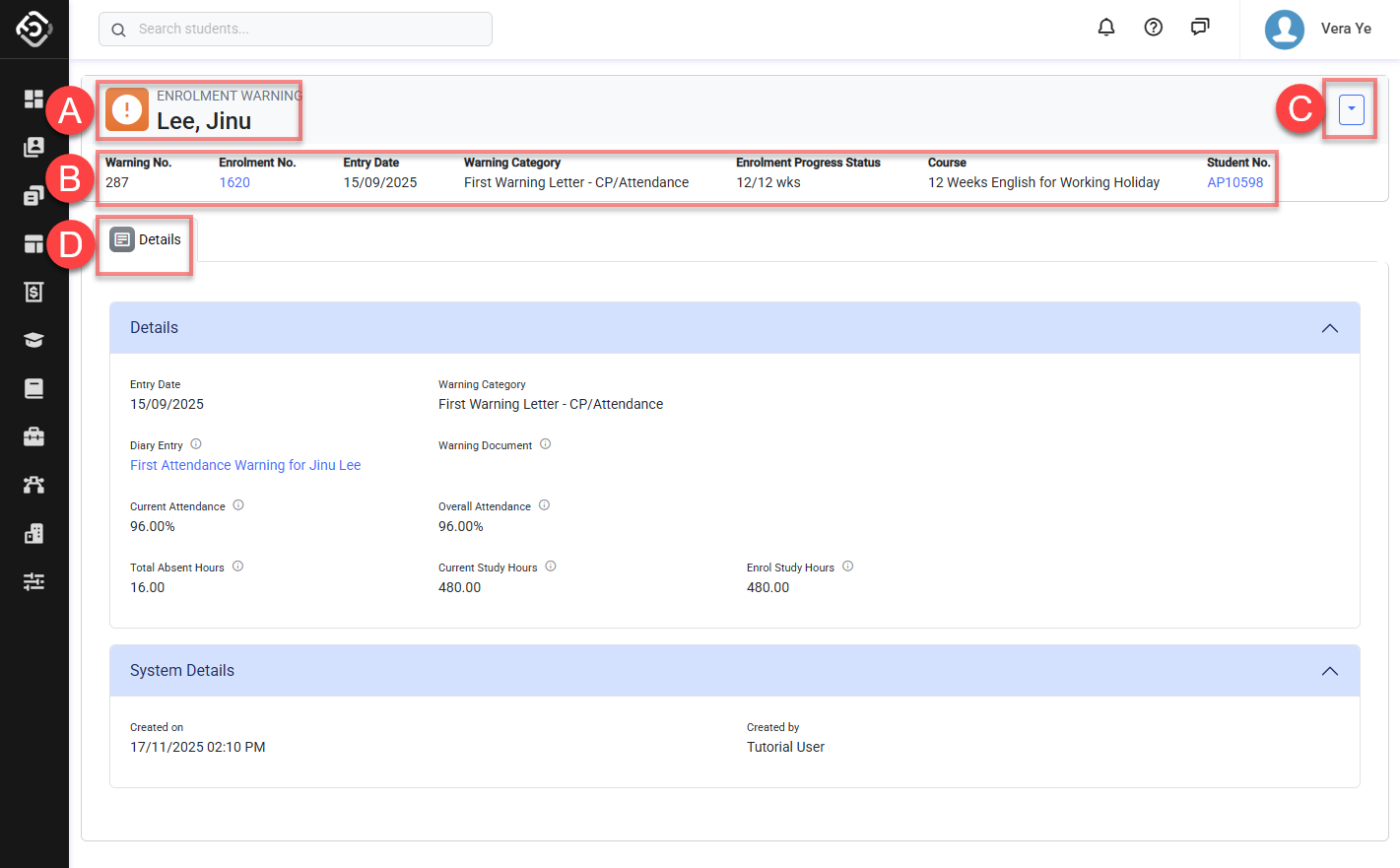
A. Student’s Full Name: Click to go to the Student details page
B. Enrolment Warning Information: The basic details for the warning entry.
C. Header Quick Actions Panel: A collection of useful features available for the warning entry. Depending on permissions, the buttons available may differ.
D. Navigation Tabs: A collection of links that allows easy navigation to the enrolment warning related data. Depending on the permissions and features available on your subscription plan, the tabs available might differ.